18 M1171431
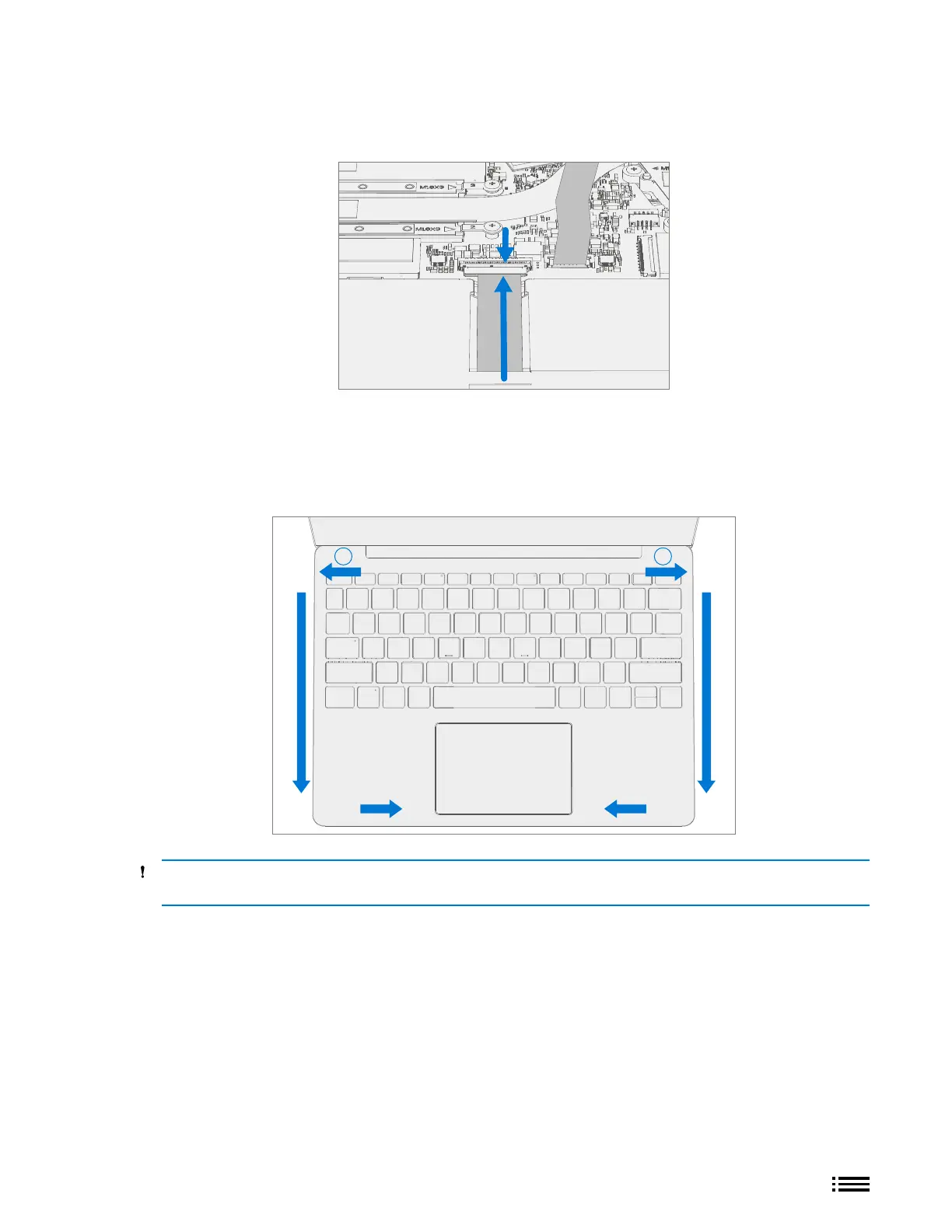
3. Connect Battery FPC – Connect the Battery FPC to the main board. Slide the FPC into the connector and
then press down on the locking tab.
4. Align the C-cover – Properly align the cover to the unit using the front edge alignment posts. Carefully
place the C-cover back onto the D-bucket and shift the C-cover snaps into place. Press gently on the
C-cover to engage the snaps correctly. Follow the direction of progress as shown in the picture below. Verify
there are no visible gaps between the C-cover and D-bucket.
1 2
CAUTION: Ensure that the C-cover is correctly aligned and seated before closing the device. There is the
risk of breaking the display if the device lid is closed before C-cover is aligned.











 To Next Page