3
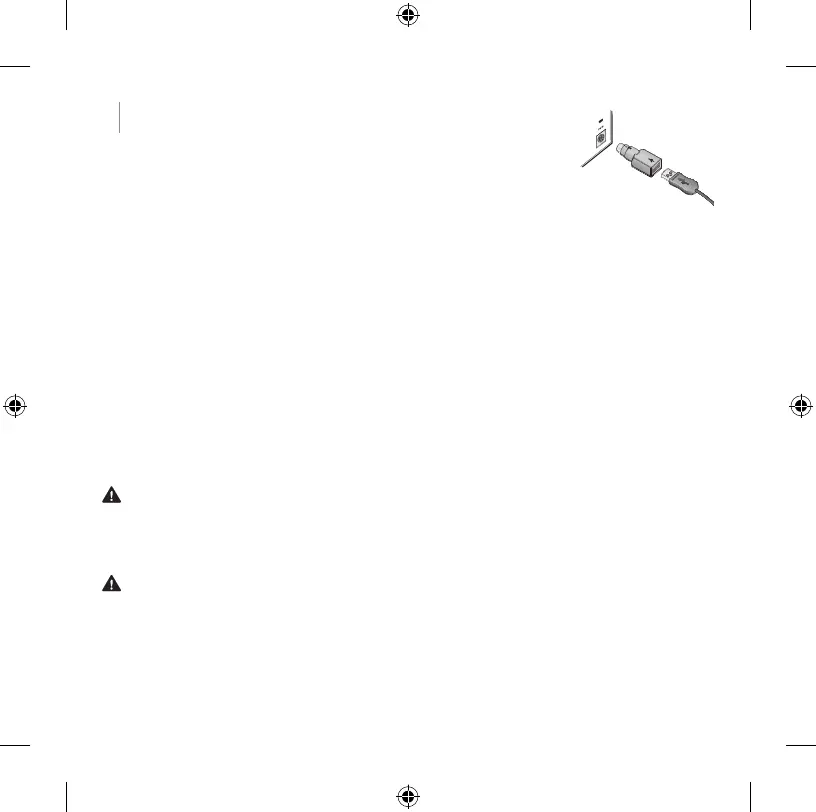
2 Connect the mouse (desktop sets only)
As with the keyboard, the connection depends on the mouse
plug and the port on your computer.
● USB Plug the mouse’s USB connector into a USB port
on your computer.
● PS/2 If you do not have a free USB port, use the
USB-to-PS/2 adapter (some models only). Make sure the
computer is turned off before making this connection.
Note: Apple/MAC computer users who are installing the Wired Keyboard 600 or
Wired Desktop 600 must also download and install the IntelliType software from
http://www.microsoft.com/hardware/downloads/default.mspx for the calculator
hotkey to function.
Adjusting the keyboard legs
● Toadjusttheheightofthekeyboard,youcanpulloutorpushinthelegs.
Microsoft Product Guide
Read this guide for important safety and health information and the terms of the Limited Warranty
that apply to the Microsoft
®
device that you have purchased.
Warning Failure to properly set up, use, and care for this product can increase the risk of serious
injuryordeath,ordamagetothedeviceordevices.Readthisguideandkeepallprintedguidesfor
future reference. For replacement guides, go to www.microsoft.com/hardware.
This document includes important information about many Microsoft products. Refer to sections that
apply to the features of your device:
Important Safety Information
AC-Powered Devices
Battery-Powered Devices
Headset Devices
Webcam Devices
Wireless Devices
USB-to-PS/2 adapter




 To Next Page