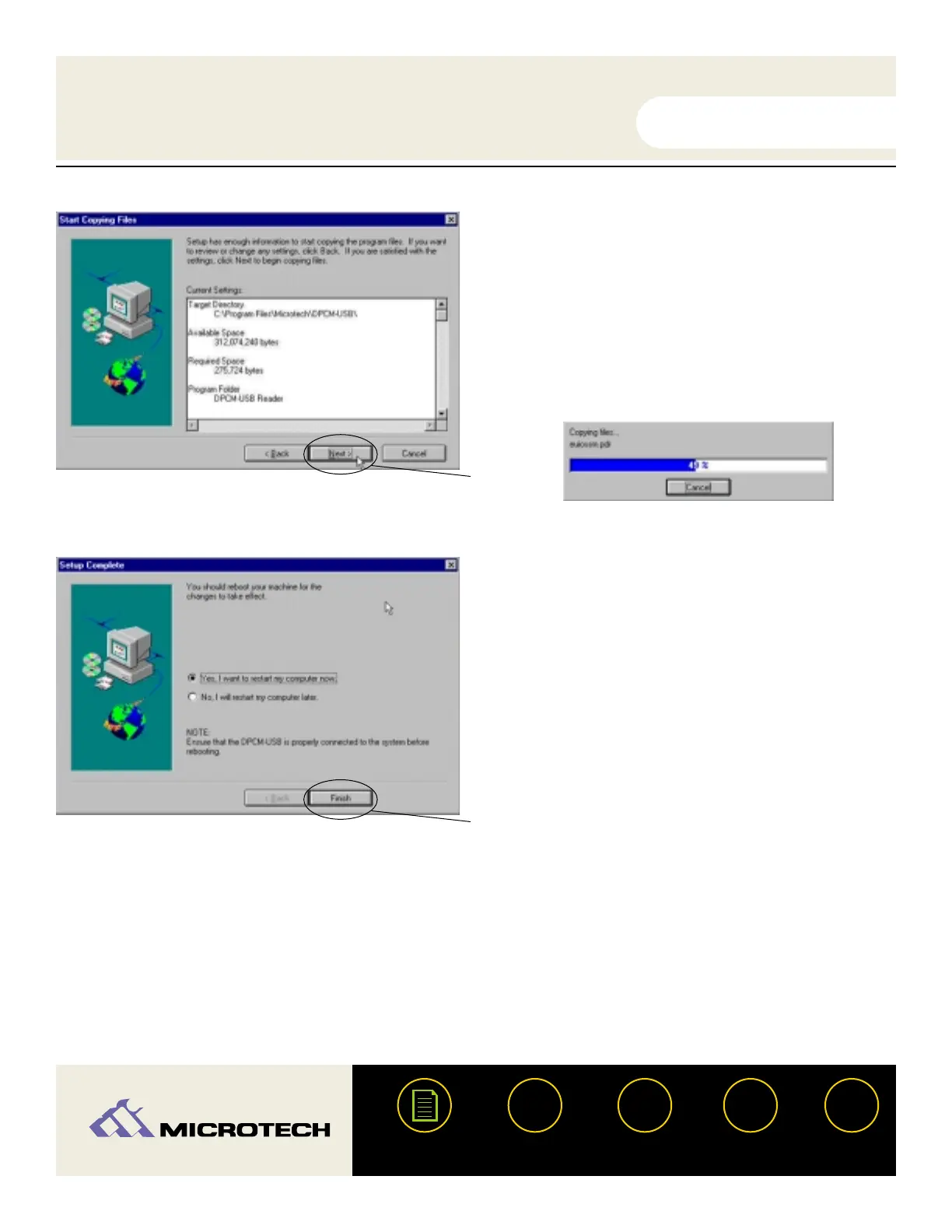
Click Next.You will see a status
window advising the progress of the
current installation .
Click Finish and restart your computer
once the installation is complete.
Congratulations! Driver installation is now complete. You may now connect the USB
CameraMate to your computer. Proceed to the next page for instructions on connecting
the USB CameraMate.
USER'S
MANUAL
USER'S
MANUAL
USB CameraMate
?
HELP
CONTACT
NEXTBACK
CONTENTS
17
7.
8.
Click Next.
Click Finish


 To Next Page