USB CameraMate
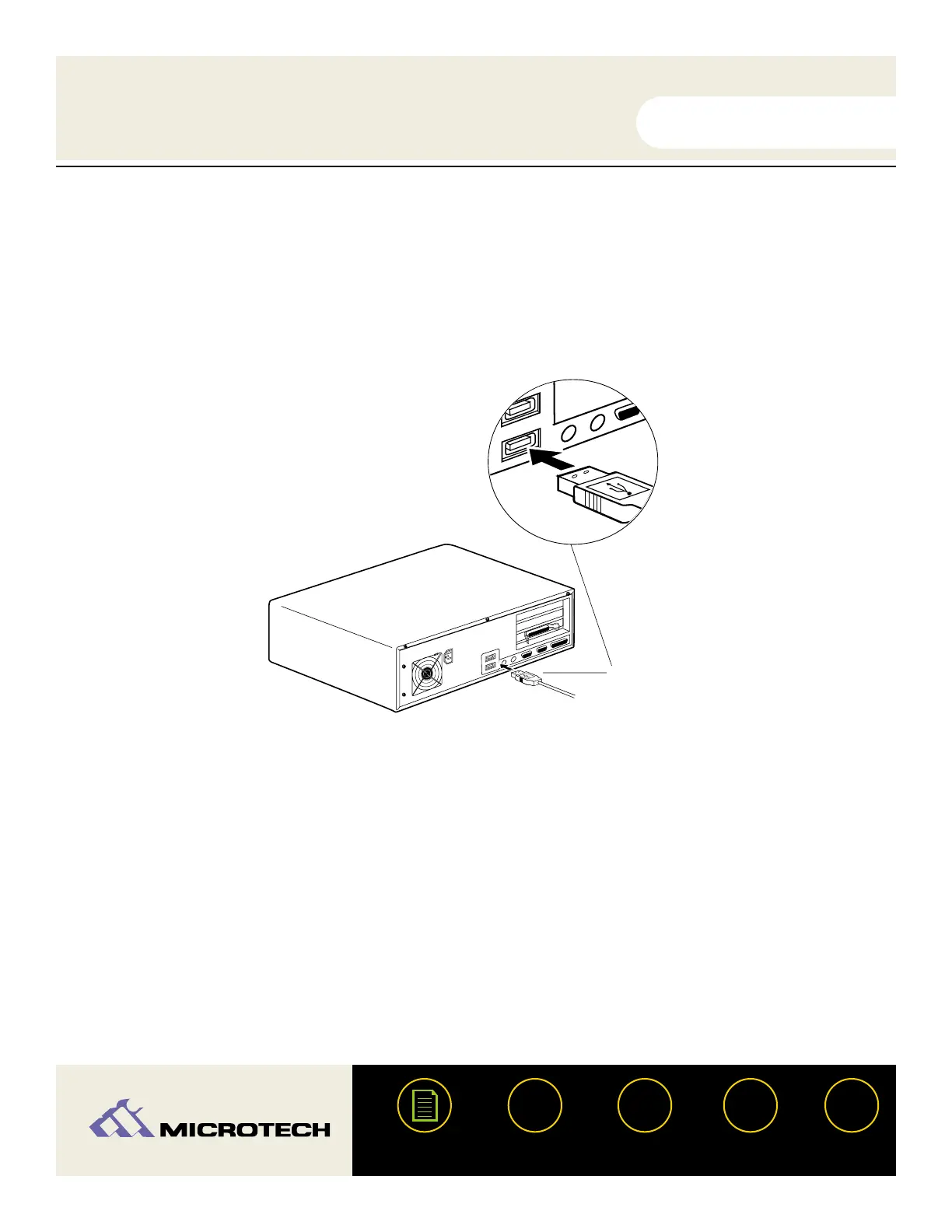
Connecting to the USB port:
Connect the USB connector of the USB CameraMate to the USB port on your
computer. The USB cable may be plugged into the computer while the computer is
running.
Make sure the cable ends are firmly connected. Be careful not to confuse the upper
and lower parts of the connector. Do not force connections, as this may damage the
computer or the USB CameraMate.
USER'S
MANUAL
USER'S
MANUAL
USB CameraMate
?
HELP
CONTACT
NEXTBACK
CONTENTS
18
Attach the USB connector from the USB
CameraMate to the USB port on your computer
Enlarged view
1.
2.


 To Next Page