Formatting cards (Macintosh - continued)
Formatting SmartMedia cards:
SmartMedia cards cannot be formatted on a Macintosh using the CameraMate. SmartMedia
cards should be formatted on a digital camera (or a PC Compatible or handheld PC equipped
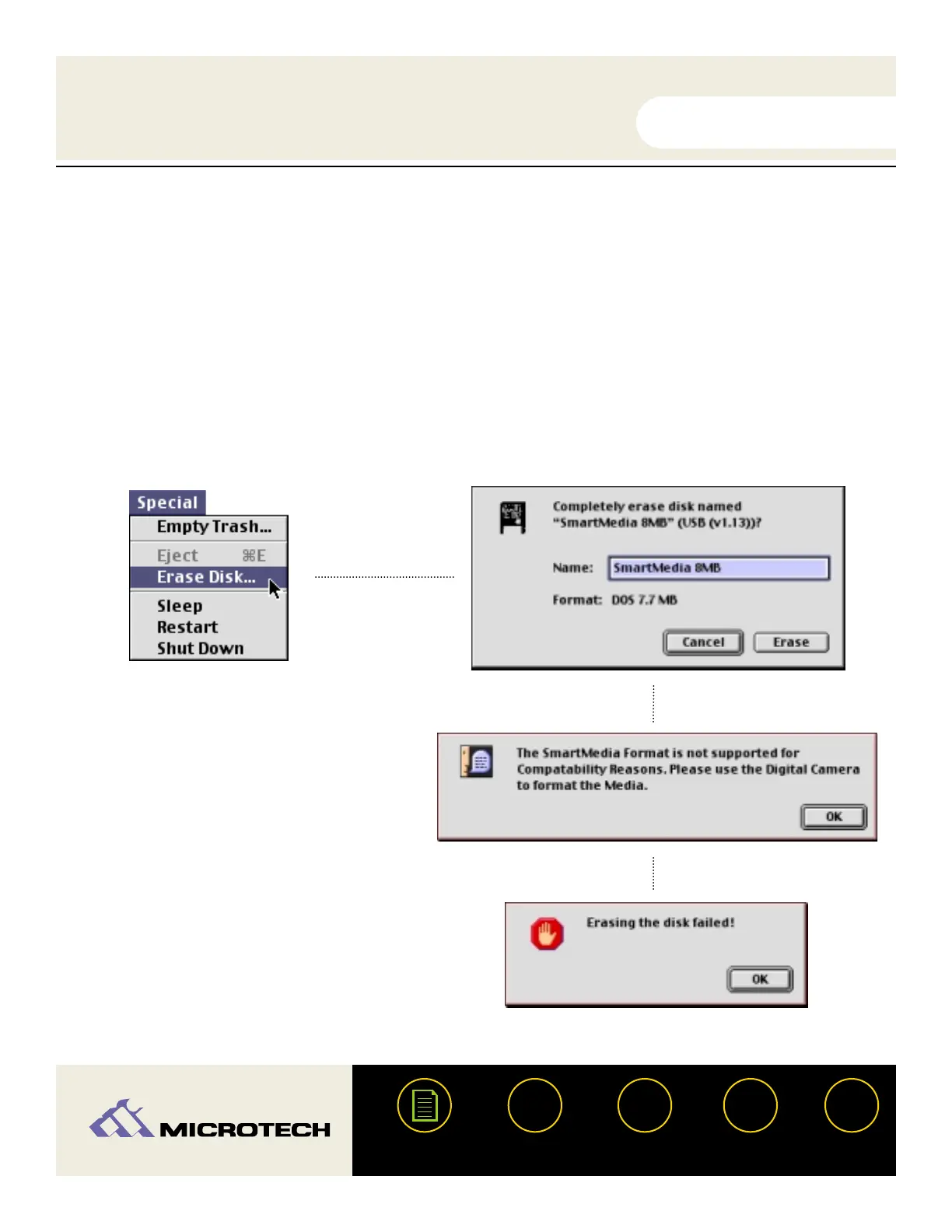
with a SmartMedia slot). If you attempt to format a SmartMedia card using the "Erase Disk"
command in the "Special" menu (shown below - left) you will first see a dialog box asking if you
wish to completely erase the card (below - right). Click "Cancel."
If you click "Erase," a message will
appear advising that SmartMedia for-
matting is not supported.
You will then receive a message
advising that the formatting (erase)
attempt failed. Click "OK" and format
the card in your digital camera.
USER'S
MANUAL
USER'S
MANUAL
USB CameraMate
?
HELP
CONTACT
NEXTBACK
CONTENTS
26


 To Next Page