LS-4600 User's Manual 9
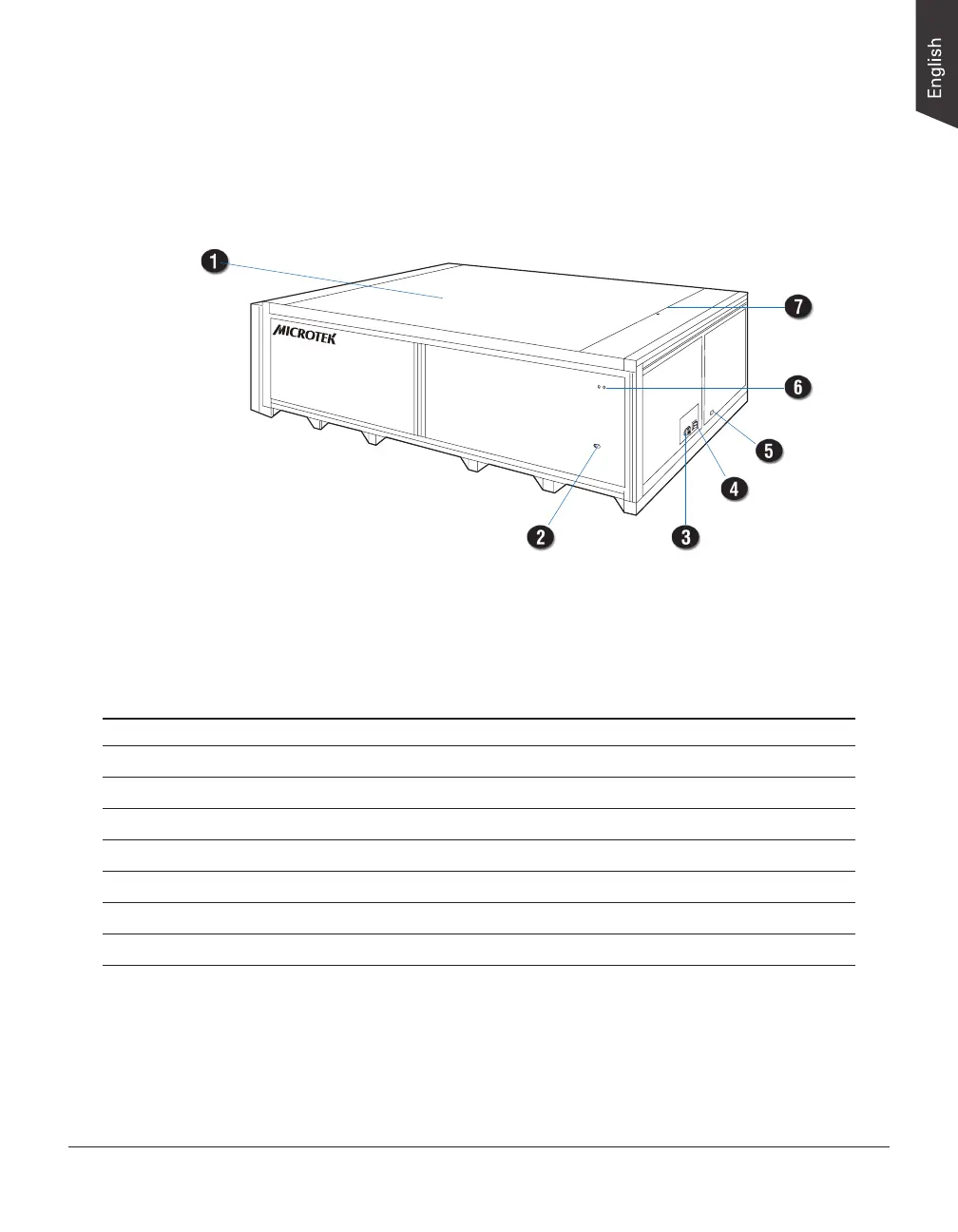
Taking a Closer Look
No. Names of Parts Functions of Parts
1 Scan Bed The place where the scanned original is positioned.
2 Safety Locks (2) Locks the scanner cartridge.
3 Power Connector Connects the scanner to the power adapter.
4 Power Button Turns the scanner on or off.
5 Hi-Speed USB Port Connects the Hi-Speed USB (USB 2.0) cable to the computer.
6 Indicator (Green) Displays the status of the scanner.
7 Ruler Used as a reference to position a scanned document in center.










 To Next Page