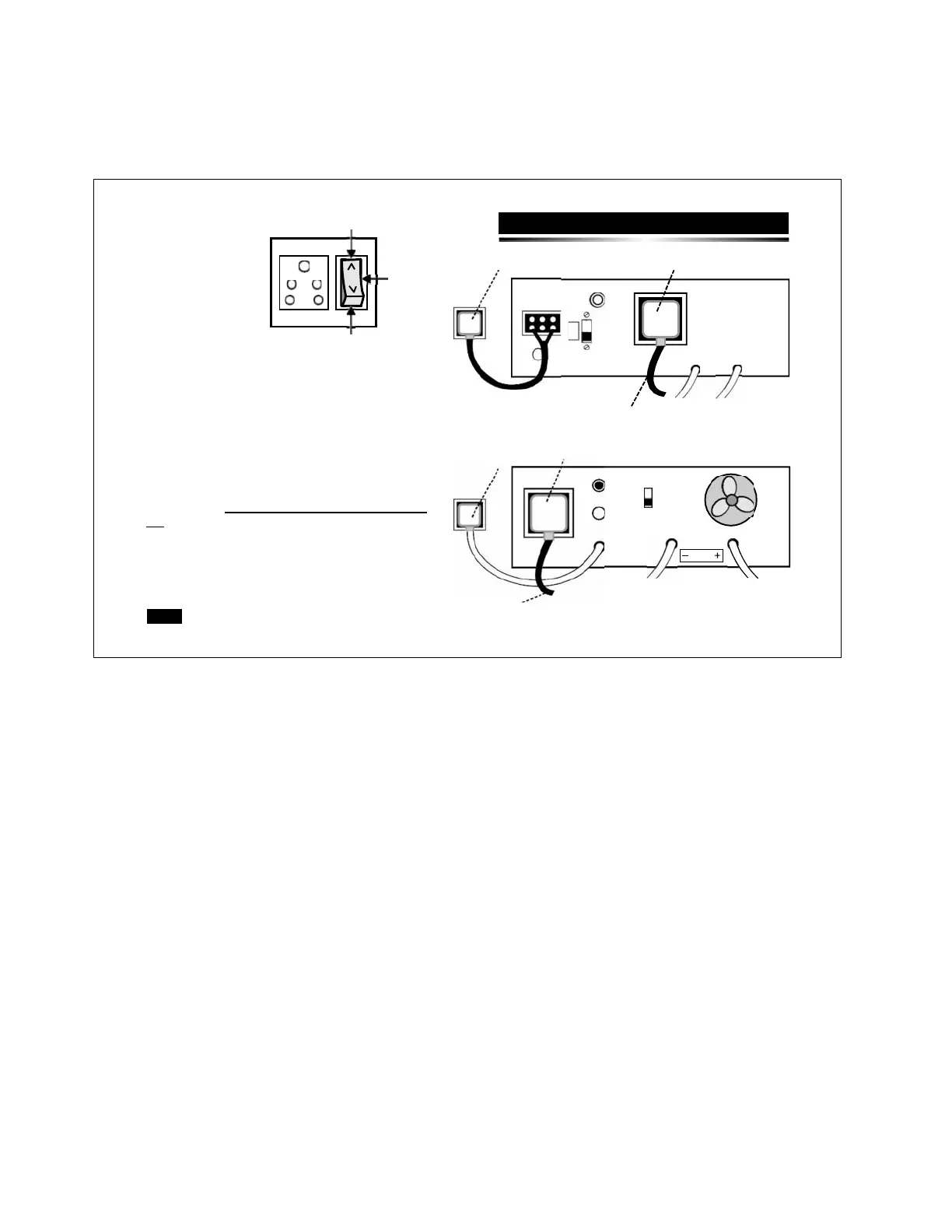
Fig. 1 - Use a two way bypass switch externally &
Simply make it ON to Bypass Mode.
OR
Fig. 2 - Alternatively the UPS can be bypassed by
connecting the O/P plug (which connects the load to the
UPS) directly to the socket on the wall from where the
UPS input has been taken. Care must be taken to
ensure that the UPS-ON SWITCH has been switched
off in order that the battery does not discharge.
To bypass the UPS follow the following steps:
1.
Remove input plug from the wall socket,
2.
Remove output plug from the UPS’s output socket, &
3.
Insert output plug into the wall socket.


 To Next Page