Microtek TMA1600 Installing and Getting Started 11
D. Using the 4
"
x 5
"
Film Template
The 4" x 5" Film Template can hold one piece of 4" x 5" film at a time.
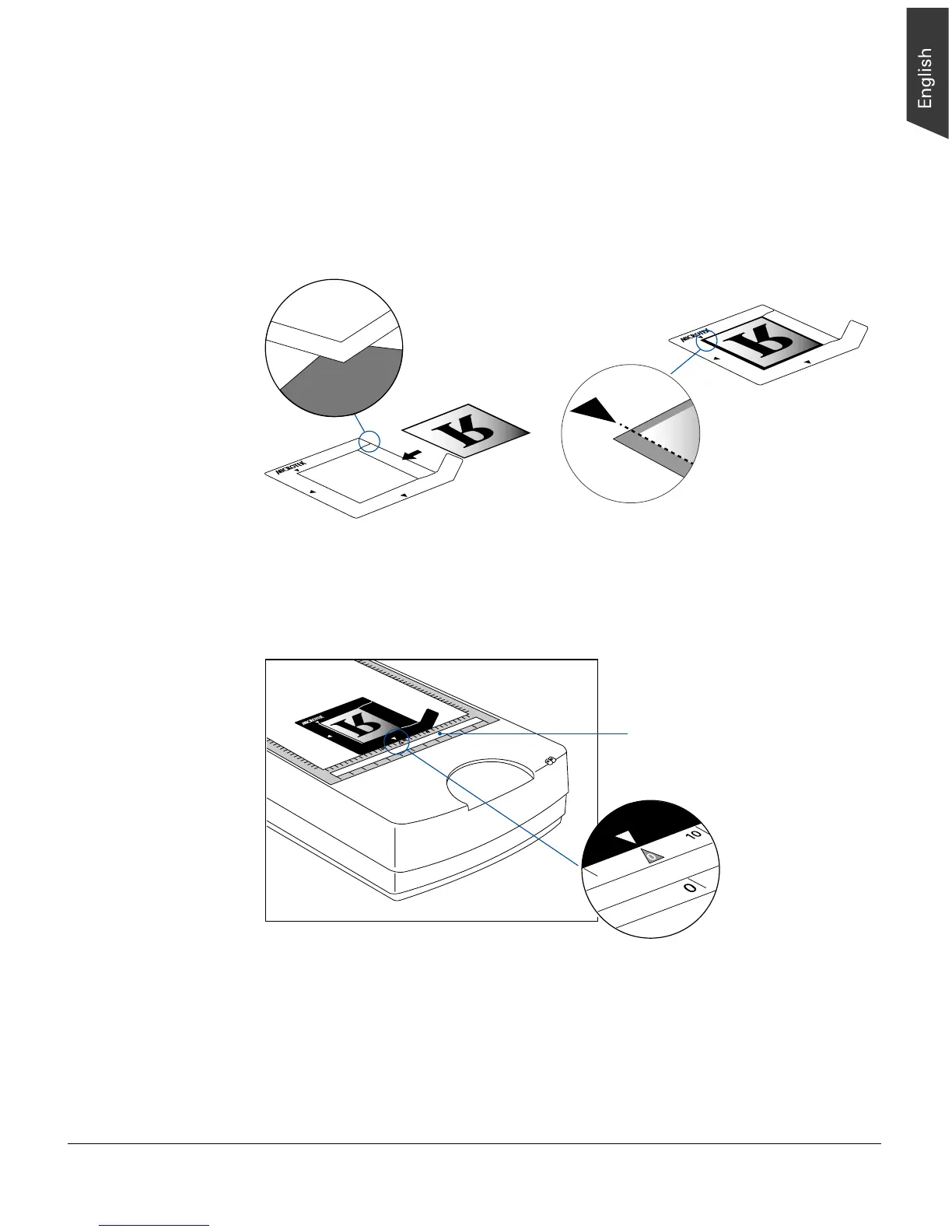
1. Load the film face down inside the template. Slide the film along the slots of the
template until its edge is against the inner edge of the template (indicated by an
arrow mark ).
2. Place the template assembly on the scanner glass surface. Center the top of the
template along the top ruler on the scanner, aligning the template's arrow mark to
meet the arrow mark on the scanner's top ruler.
Align the edge
of the film frame
with the arrow
mark of the
template
2
1
0
3
4
5
6
6
5
4
3
2
1
Please note that the
calibration window on the
glass surface should be kept
clear and free from any
obstruction during scanning.










 To Next Page