15
Mounting options
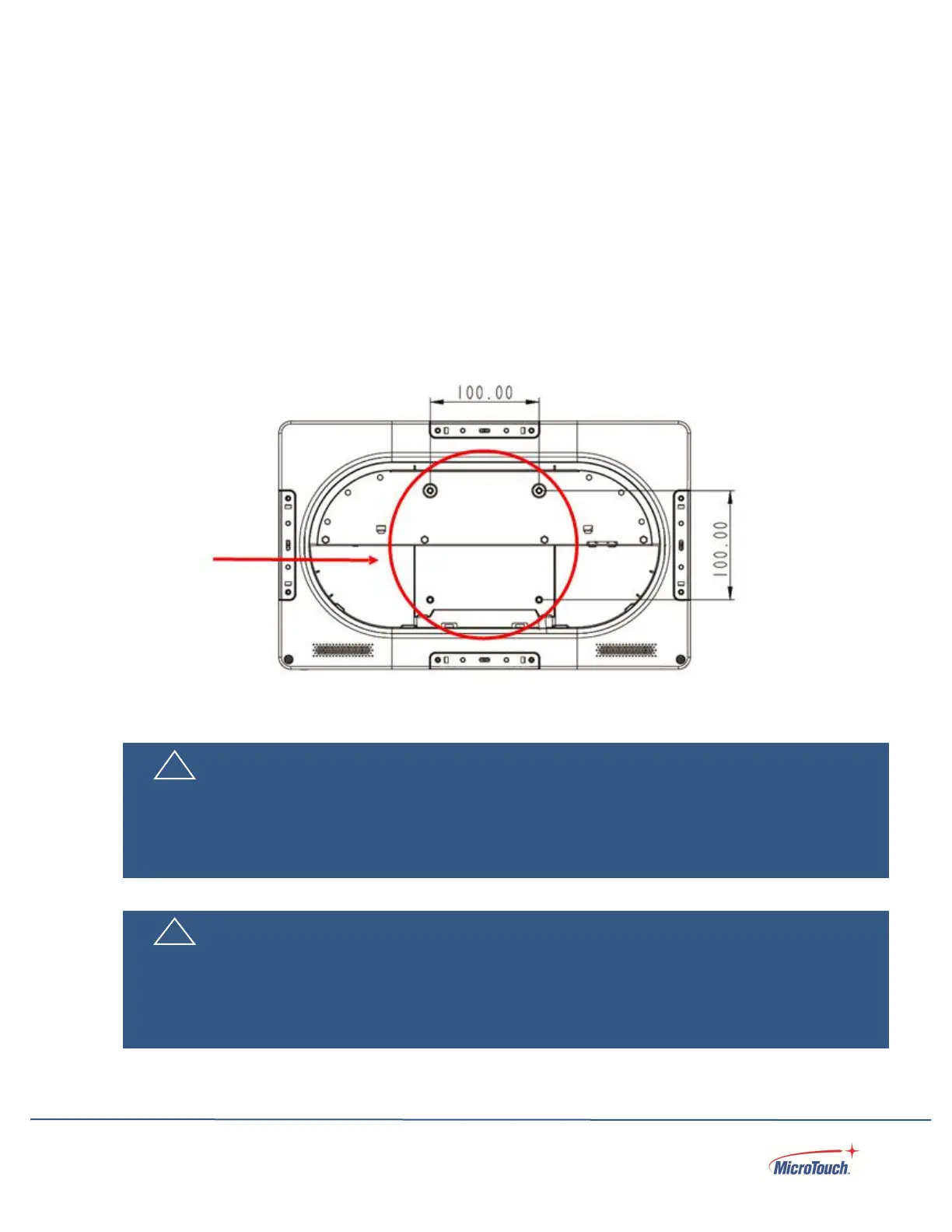
The touch computer may be mounted to a stand, arm, or other device that has a 100mm x 100mm
standard VESA mount hole pattern.
VESA Mount
The touch computer has an integral VESA standard mount pattern that conforms to the “VESA Flat
Display Mounting Interface Standard” which defines a physical mounting interface and corresponds to
the standards for touch computer mounting devices.
! Warning
Please use the correct screws! The distance between the back cover surface and the bottom of the
screw hole is 8 mm. Please use four M4 diameter screws with 8 mm length to mount the touch
computer.
Veuillez utilizer les vis correcte! La distance entre la surface du capot arrière et le fond du trou de vis
est de 8 mm. Veuillez utilizer quatre vis de diamètre M4 d’une longueur de 8 mm pour mounter le


 To Next Page