27
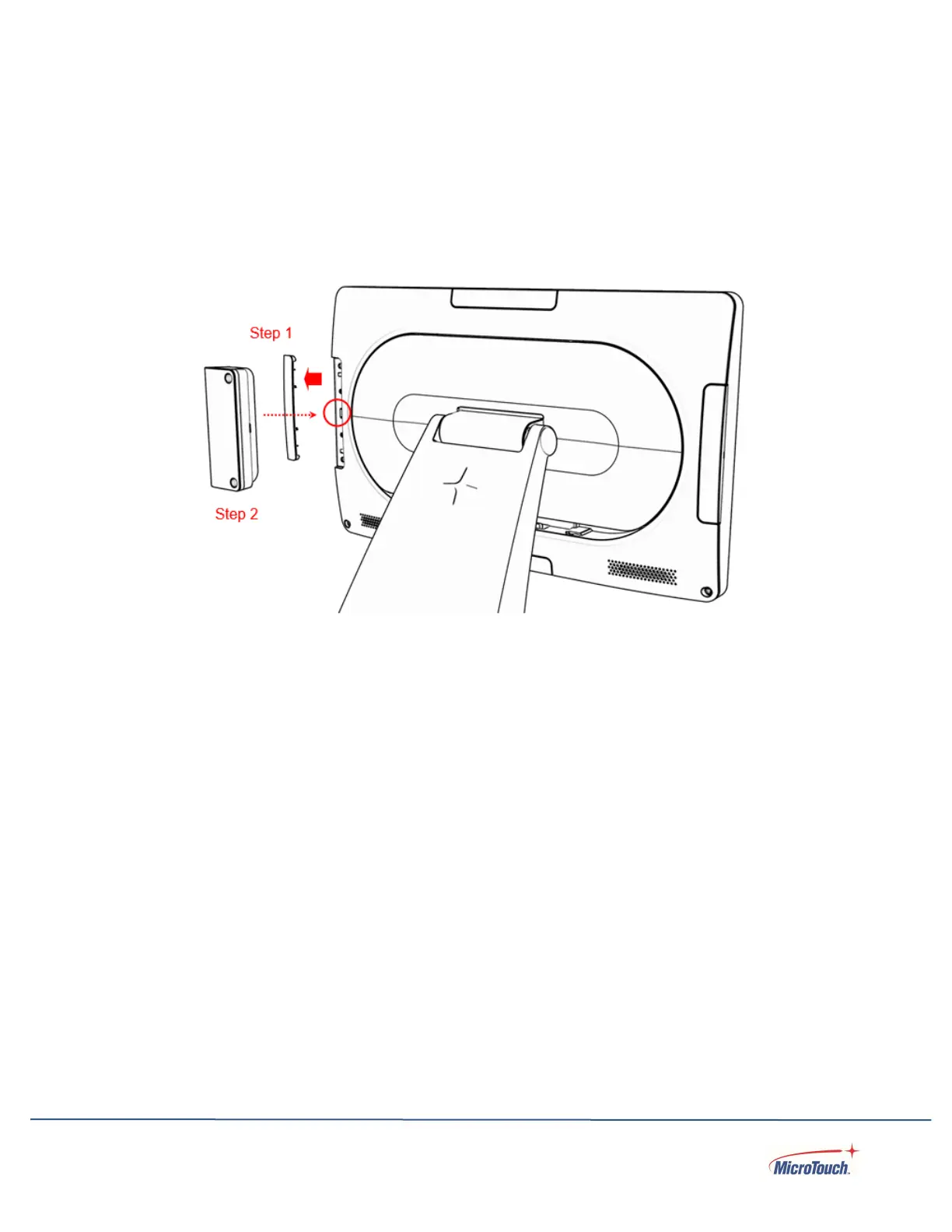
Installing the MSR
Step 1: Insert a small, pointed tool into the notch in the middle of the accessory port cover
and pry the cover loose from the accessory port.
Step 2: Connect the MSR to the touch computer and secure with the provided screws.
Removing the MSR
Step 1: Loosen the screws.
Step 2: Disconnect the MSR from the touch computer
Step 3: Reinstall the accessory port cover.
Installing Other Optional Accessories
The steps are the same as for the MSR – the camara, barcode scanner, or
lightbar simply needs to be connected, positioned, and the two screws installed.
Removal is the reverse: Remove the screws, disconnect, and replace the
cover.


 To Next Page