24
Optional Accessory Installation
Note: Power the touch computer down before installing/ removing accessories.
Note: Installation is the same regardless of which model you choose.
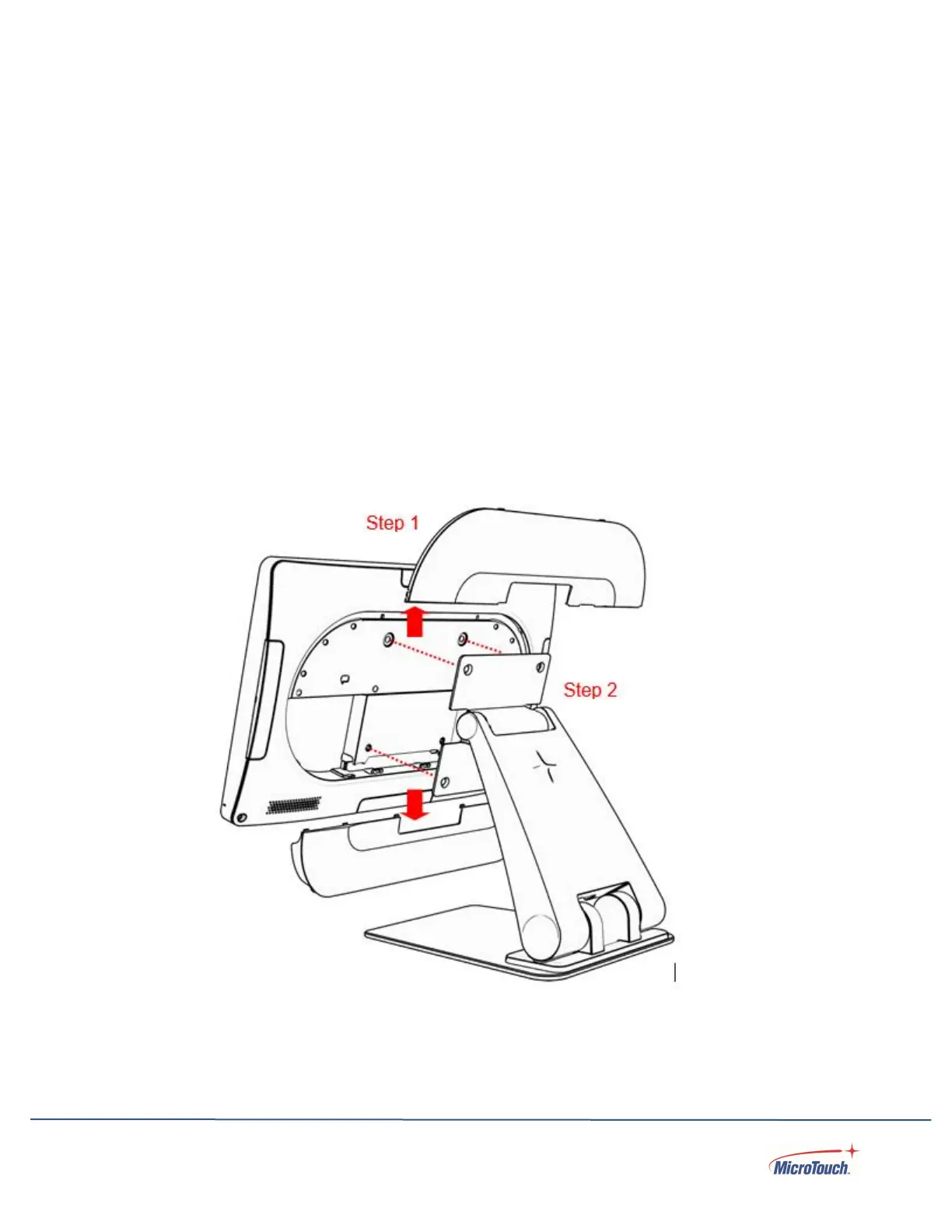
Installing the Optional Stand
Place the touch computer face down on a clean padded surface.
Step 1: Pull the cover away from the touch computer to remove it.
Step 2: Place the stand on the VESA mount and align the screw holes.


 To Next Page