Manual Number 9019161 Revision C, August 18, 2023 20
4.2.2 MENU OPERATION
The menu parts are defined below:
white text on a blue background at the top of each menu
highlighted by a white box and green
Selectable items any selectable item on the menu is indicated with white text
information only / unavailable options are indicated with gray text
Menu operation throughout the MD23 is simple and intuitive:
Turning the Control Knob will scroll the cursor over the available options within each menu.
For items that can be changed without opening another page, the currently set value is
displayed in gray directly to the right of each setting. Pressing the Control Knob for one of
these items will make its options available to the right. Scroll to the desired option and press
the Control Knob to select it. The green highlight will return to the menu options on the left
and the new value will be displayed in gray to the right.
After confirming any setting by selecting it, that setting will become immediately active and
be saved in memory, regardless of whether the EXIT command is selected or it times out
and automatically reverts to the active display.
PRE-FLIGHT MODE
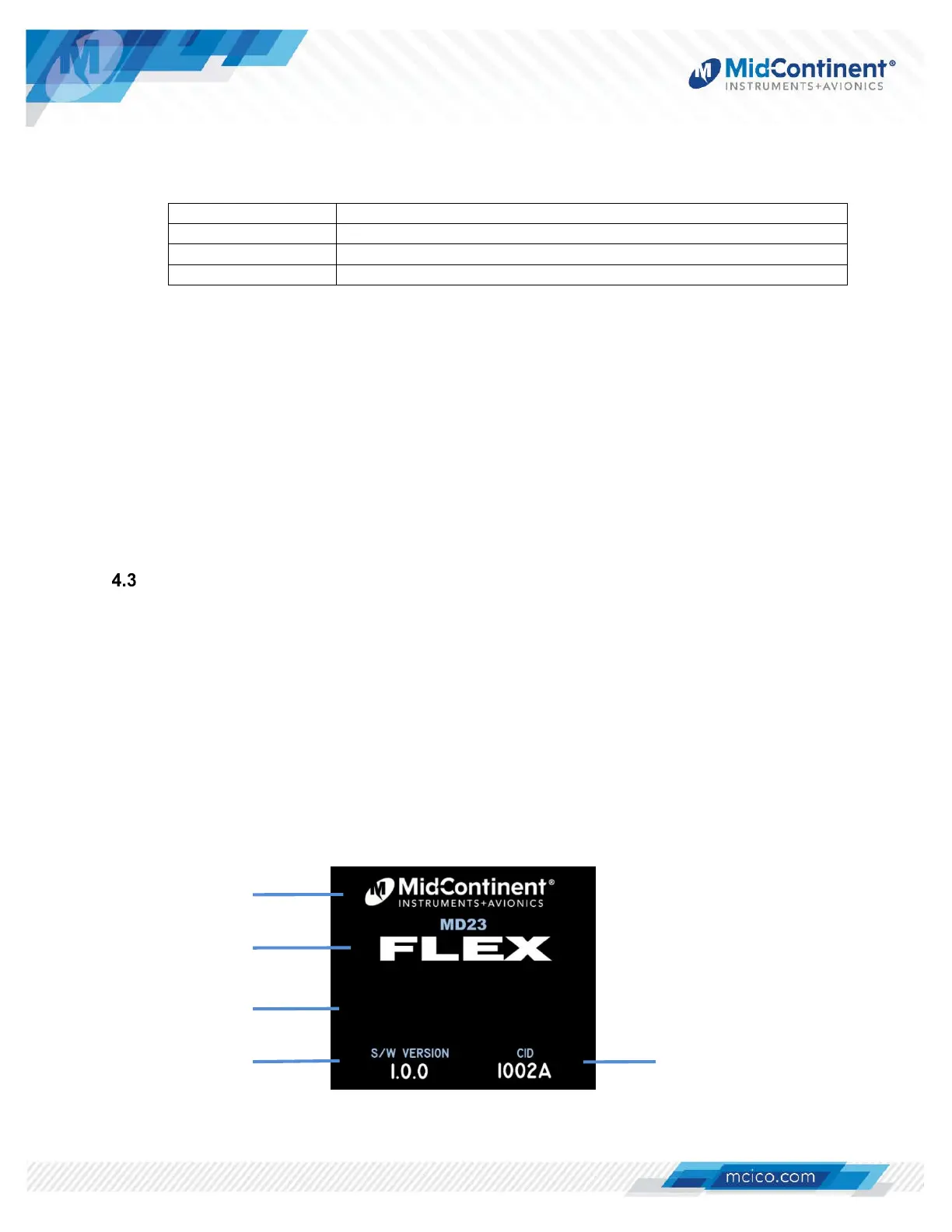
In Pre-flight Mode, power is applied to the unit and the introduction screen appears during startup.
The startup screen will display the manufacturer’s logo, model name and number, unit software
version and CID version. It may also include additional graphics (such as a logo) or other
information specific to the custom application.
During Pre-flight Mode, the introduction screen will be displayed while the unit conducts an initial
power-up built-in test (PBIT) of the system to validate operational readiness. This includes, among
others, an internal test to verify software and memory, and a check that the loaded CID file is valid.
Inputs and outputs are not enabled during Pre-flight Mode.
The introduction screen will be displayed for approximately five (5) seconds and will transition to
Flight Mode when complete. (Figure 4.2)
Figure 4.2 Pre-Flight Mode
manufacturer’s logo
model number/name
software version CID version
customer info
(optional)


 To Next Page