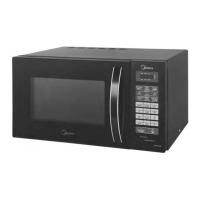
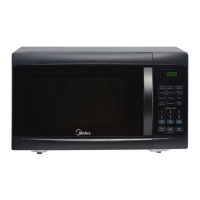
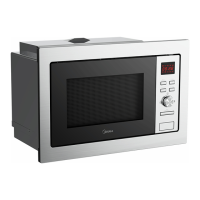
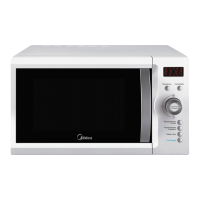
This document provides comprehensive instructions for the Midea Microwave Oven, model AW925EBL-S00E, covering its operation, safety precautions, installation, and maintenance. It is designed to ensure safe and efficient use of the appliance for many years.
Function Description
The Midea Microwave Oven is a modern electronic control appliance designed for various cooking functions, including microwave cooking, grilling, convection cooking (with and without preheating), multi-stage cooking, speedy cooking, and auto menu cooking. It offers a range of power levels and temperature settings to accommodate diverse culinary needs. The oven features a clock setting, a kitchen timer, and a lock-out function for children, enhancing both convenience and safety.
Usage Features
The microwave oven operates with a user-friendly electronic control panel.
- Clock Setting: Upon electrification, the oven displays "0:00". The clock can be set to a 24-hour system by adjusting hour and minute figures using the designated knob and confirming with the "CLOCK/KITCHEN TIMER" button. If the clock is not set, the oven will not function.
- Kitchen Timer: This feature allows users to set a timer for up to 95 minutes, independent of cooking functions. It is activated by pressing "CLOCK/KITCHEN TIMER" twice, adjusting the time with the knob, and confirming with "START/+30SEC./CONFIRM". A buzzer will sound five times when the set time is reached.
- Microwave Cooking: To initiate microwave cooking, press "Microwave" and select the desired power level (P100, P80, P50, P30, or P10) by pressing "Microwave" repeatedly or turning the knob. Confirm the power level with "START/+30SEC./CONFIRM", then set the cooking time using the knob and press "START/+30SEC./CONFIRM" again to start. The adjustment time for the coding switch varies based on the duration: 5 seconds for 0-1 minute, 10 seconds for 1-5 minutes, 30 seconds for 5-10 minutes, 1 minute for 10-30 minutes, and 5 minutes for 30-95 minutes.
- Grill or Combi. Cooking: This function is accessed by pressing "Grill/Combi.". Users can select grill or combination power levels (G-1, C-1, C-2, C-3, C-4) by pressing the button repeatedly or turning the knob. After confirming the power level with "START/+30SEC./CONFIRM", set the cooking time and press "START/+30SEC./CONFIRM" to begin. For optimal grilling, the oven will sound twice at half the grill time, prompting the user to turn the food over. If no action is taken, cooking will continue.
- Convection Cooking (With Preheating): For traditional oven-style cooking, press "CONVECTION" and select a temperature between 150 and 240 degrees using the knob. Confirm with "START/+30SEC./CONFIRM" to start preheating. Once the preheating temperature is reached, the buzzer will sound twice, indicating it's time to place the food inside. After placing the food and closing the door, set the cooking time (up to 95 minutes) with the knob and press "START/+30SEC./CONFIRM" to start. Cooking time cannot be entered before preheating is complete. If no time is entered within 5 minutes of preheating completion, the oven will stop preheating.
- Convection Cooking (Without Preheating): Similar to preheating convection, but without the preheating step. Select "CONVECTION", choose the temperature, confirm, set the cooking time, and start.
- Multi-Stage Cooking: This feature allows for up to two cooking stages. If one stage involves defrosting, it must be the first stage. Auto menu and preheating functions cannot be part of multi-stage cooking. The buzzer rings once after each stage, and the next stage begins automatically. An example demonstrates defrosting for 5 minutes followed by microwave cooking at 80% power for 7 minutes.
- Speedy Cooking: In the waiting state, pressing "START/+30SEC./CONFIRM" initiates cooking at 100% power for 30 seconds. Each subsequent press adds 30 seconds, up to a maximum of 95 minutes. This function also works during microwave, grill, convection, and combination cooking states but is not available for weight defrost, multi-stage, or auto menu cooking.
- Speedy Microwave Cooking: From the waiting state, turn the knob left to directly select cooking time, then press "START/+30SEC./CONFIRM" to cook at 100% microwave power. This can also be set as part of a multi-stage program.
- Auto Menu: In the waiting state, turning the knob right allows selection from a range of pre-programmed menus (A001 to A120). Confirm the desired menu with "START/+30SEC./CONFIRM", then select the weight of the food using the knob, and press "START/+30SEC./CONFIRM" to start cooking. The manual provides a detailed "Auto menu Chart" listing various dishes, their recommended weights, and corresponding display codes across categories like Main Course, Health Plus, Continental, Sweet, Baking, Soups, Sea Food, Snacks, Breakfast, and Reheat.
- Defrost by W.T. (Weight): Press "W.T./TIME DEFROST" once, then use the knob to select the food weight (100-2000g). The "g" indicator will light up. Confirm with "START/+30SEC./CONFIRM" to start defrosting.
- Defrost by Time: Press "W.T./TIME DEFROST" twice, then use the knob to select the defrosting time (up to 95 minutes). Confirm with "START/+30SEC./CONFIRM" to start.
- Inquiring Function: During cooking, pressing "CLOCK/KITCHEN TIMER" displays the current time for 2-3 seconds. Pressing "MICROWAVE", "GRILL/COMBI.", or "CONVECTION" displays the current power level for 2-3 seconds.
- Lock-out Function for Children: To activate, press "STOP/CLEAR" for 3 seconds in the waiting state. A long "beep" will sound, and a lock indicator will light up. The LED will display the current time or "0:00". To deactivate, press "STOP/CLEAR" for 3 seconds again; a long "beep" will sound, and the lock indicator will disappear.
- General Operation Notes: The buzzer sounds once when turning the knob. If the door is opened during cooking, "START/+30SEC./CONFIRM" must be pressed to resume. If a cooking program is set but not started within 5 minutes, the settings will be cancelled, and the current time will be displayed. The buzzer sounds once for efficient presses and five times when cooking is finished.
Maintenance Features
Regular cleaning and proper care are essential for the longevity and safe operation of the microwave oven.
- Unplugging: Always unplug the appliance from the power supply before cleaning.
- Cavity Cleaning: Clean the oven cavity with a slightly damp cloth after each use.
- Accessory Cleaning: Wash accessories, such as the glass tray, in soapy water.
- Door and Seal Cleaning: The door frame, door seal, and neighboring parts should be cleaned carefully with a damp cloth when dirty.
- Abrasive Cleaners: Do not use harsh abrasive cleaners or sharp metal scrapers on the oven door glass, as this can scratch the surface and potentially lead to shattering.
- Cleaning Tip: For easier cleaning of cavity walls, place half a lemon in a bowl with 300ml (1/2 pint) water and heat on 100% microwave power for 10 minutes. Then, wipe the oven clean with a soft, dry cloth.
- Turntable Assembly: Ensure the glass tray and turntable ring assembly are always used during cooking. Never place the glass tray upside down or restrict it. If the glass tray or turntable ring assembly cracks or breaks, contact an authorized service center.
- Magnetron Protection: Do not remove the light brown Mica cover inside the oven cavity, as it protects the magnetron.
- Grounding: The appliance must be properly grounded to reduce the risk of electric shock. If an extension cord is necessary, use a 3-wire grounding-type cord with an electrical rating at least as great as the appliance's rating. The cord should be arranged to prevent tripping hazards.
- General Cleanliness: Failure to maintain the oven in a clean condition can lead to deterioration of surfaces, affecting the appliance's lifespan and potentially creating a hazardous situation.
Safety Precautions
The manual emphasizes several critical safety precautions:
- Microwave Energy Exposure: Do not operate the oven with the door open, as this can result in harmful exposure to microwave energy. Do not tamper with safety interlocks. Keep the oven front face and door seal areas clean to prevent residue accumulation. If the door or seals are damaged, the oven must not be operated until repaired by a competent person.
- Child Safety: The appliance can be used by children aged 8 and above and persons with reduced capabilities if they are supervised and instructed on safe use. Children should not play with the appliance. Cleaning and user maintenance should not be performed by children unless they are over 8 and supervised. Keep the appliance and its cord out of reach of children under 8 years.
- Utensils: Only use microwave-safe utensils. Avoid heating liquids or food in sealed containers, as they may explode. Eggs in their shell and whole hard-boiled eggs should not be heated in the microwave. Remove wire twist-ties and metal handles from paper or plastic containers before placing them in the oven.
- Food Safety: Do not overcook food. Stir or shake contents of feeding bottles and baby food jars and check temperature before consumption to avoid burns. Microwave heating of beverages can result in delayed eruptive boiling, so handle containers with care.
- Flammable Materials: When heating food in plastic or paper containers, monitor the oven closely due to the risk of ignition. If smoke is emitted, switch off or unplug the appliance and keep the door closed to stifle flames.
- Storage: Do not use the oven cavity for storage of items like bread or cookies.
- Installation: Install the oven according to the provided instructions, ensuring adequate ventilation. The minimum installation height is 85cm. The rear surface should be against a wall, with a minimum clearance of 30cm above and 20cm between adjacent walls. Do not remove the legs. Blocking vents can damage the oven. Place the oven away from radios and TVs to prevent interference. Do not install over a range cooktop or other heat-producing appliances, as this can cause damage and void the warranty.
- Cord and Surfaces: Do not let the power cord hang over the edge of a table or counter. Keep the cord away from heated surfaces. Accessible surfaces may become hot during operation.
- Repair and Service: Only a competent person should perform service or repair operations involving the removal of covers that protect against microwave energy exposure.
- Environmental Disposal: The appliance should not be disposed of with household waste. It must be sent to WEEE (Waste of Electrical and Electronic Equipment) collecting points for separate collection and treatment.

 Need help?
 General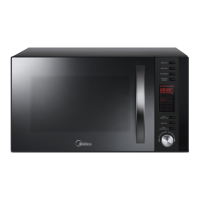

 To Next Page