EasyManua.ls Logo

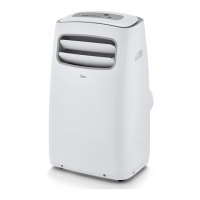
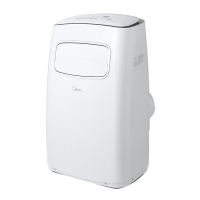
Midea EasyCool MPF14CR81-E - User Manual

Midea EasyCool MPF14CR81-E
28 pages
Print Icon
To Next Page IconTo Next Page
Loading...
EasyCool Portable
version A - 03 - 201
USER MANUAL
en
MPF
Warning notices: Before
using this product, please
read this manual carefully
and keep it for future
reference.
The design and
specifications are subject to
change without prior notice
for product improvement.
Consult with your dealer or
manufacturer for details.
www.midea.com
Rated voltage: 115V
Frequency: 60Hz
8
MPF08CR81-E
MPF10CR81-E
MPF12CR81-E
MPF14CR81-E

Questions and Answers

  • G
    Gerald CastilloAug 18, 2025
    How to reduce noise and vibration from my Midea EasyCool MPF14CR81-E Air Conditioner?
    • D
      Dr. Karen JamesAug 19, 2025
      Excessive noise and vibration from your Midea Air Conditioner can be due to: * The unit not being on a level surface. Place the unit on a flat, level surface. * A blocked air filter. Turn off the unit and clean the filter.
  • D
    Donald StoneAug 29, 2025
    Why does my Midea EasyCool MPF14CR81-E make a gurgling sound?
    • S
      staceypachecoAug 29, 2025
      The gurgling sound you hear from your Midea Air Conditioner is normal. It is caused by the flow of refrigerant inside the unit.
  • H
    hmcguireNov 8, 2025
    Why is my Midea EasyCool MPF14CR81-E Air Conditioner not cooling well?
    • M
      Michael SimpsonNov 8, 2025
      There are several reasons why your Midea Air Conditioner might not be cooling effectively: * The air filter may be blocked with dust or animal hair. You should turn off the unit and clean the filter. * The exhaust hose may not be connected or could be blocked. Turn off the unit, disconnect the hose, check for blockages, and then reconnect it. * The unit might be low on refrigerant, in which case you should call a service technician to inspect the unit and add refrigerant. * The temperature setting might be too high. Try decreasing the set temperature. * The windows and doors in the room might be open. Ensure that all windows and doors are closed. * The room area may be too large for the unit's capacity. Double-check the cooling area specifications. * There might be heat sou...

Summary

Safety Precautions

Hazard Symbols Explained

Explanation of warning and caution symbols indicating potential hazards.

Installation Safety Warnings

Critical safety advice for unit installation to prevent damage and injury.

Operational Safety Guidelines

Guidelines for safe operation, child supervision, and handling damaged units.

Maintenance and Environment Safety

Precautions for cleaning, maintenance, and installation in various environments.

Operating Instructions

Control Panel Overview

Description of the unit's control panel, including buttons and their functions.

Key Pad Button Functions

Detailed explanation of individual buttons on the control panel.

Mode Selection and Temperature Control

How to select operating modes and adjust temperature settings using the control panel.

Installation Instructions

Selecting the Installation Location

Requirements for choosing an optimal installation site to ensure proper function and minimize noise.

Hung Window Installation Guide

Step-by-step guide for installing the unit in a hung window using seals and slider.

Sliding Window Installation Guide

Step-by-step guide for installing the unit in a sliding window using seals and slider.

Care and Cleaning

Safety Rules for Maintenance

Essential safety rules to follow before performing any cleaning or servicing tasks.

Troubleshooting Tips

Common Fault Diagnosis

A guide to diagnosing common problems, identifying causes, and applying troubleshooting steps.

Remote Control Operation

Basic Operation Functions

Timer Function Settings

Midea EasyCool MPF14CR81-E Specifications

General IconGeneral
Cooling AreaUp to 550 sq. ft.
DehumidificationYes
Power Supply220-240V, 50Hz
Fan Speeds3
RefrigerantR32
Voltage115V
Control TypeElectronic
DisplayLED
Cooling Capacity14000 BTU
Noise Level (Indoor)24 dB
Dimensions (W x H x D)790 x 270 x 190 mm (Indoor Unit)
FeaturesRemote Control, Timer, Sleep Mode
Weight9.5 kg (Indoor Unit)

Related product manuals