EasyManua.ls Logo

Midea EasyCool Window MAW08S1YWT - User Manual

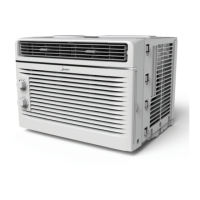
Midea EasyCool Window MAW08S1YWT
28 pages
Print Icon
To Next Page IconTo Next Page
Loading...
EasyCool Window
version A - 11 - 2018
MAW12S1YWT
MAW10S1YWT
MAW08S1YWT
MAW06R1YWT
MAW05R1YWT
MAW05M1YWT
midea.com
USER MANUAL
en
MAW
Warning notices: Before
using this product, please
read this manual carefully
and keep it for future
reference.
The design and
specifications are subject to
change without prior notice
for product improvement.
Consult with your dealer or
the manufacturer for details.
Frequency: 60Hz
Capacity: 5000 ~ 12000BTU/h
ow
US
ER MAN
U
A
L
0
00BTU
/h
version A - 11 - 2018 (PREVIEW03)

Questions and Answers

  • J
    Justin WelchAug 16, 2025
    Why does my Midea EasyCool Window MAW08S1YWT not start?
    • L
      Laura BowmanAug 16, 2025
      Your Midea Air Conditioner might not start due to several reasons: The wall plug may be disconnected, so push it firmly into the wall outlet. A house fuse might be blown or the circuit breaker tripped, so replace the fuse or reset the circuit breaker. The plug current device might be tripped, so press the RESET button. The control might be OFF, so turn the control ON and set it to the desired setting. The unit might have been turned off and on quickly, so turn it off and wait 3 minutes before restarting.
  • S
    Stephanie SparksAug 18, 2025
    Why is the air from my Midea EasyCool Window MAW08S1YWT Air Conditioner not cold enough?
    • R
      Roberto WellsAug 18, 2025
      The air from your Midea Air Conditioner might not feel cold enough for a few reasons: If the room temperature is below 17°C (62°F), cooling may not occur until the room temperature rises above this level. If the temperature sensing element is touching the cold coil, straighten the tube away from the coil. Try resetting to a lower temperature. If the compressor shut off by changing modes, wait approximately 3 minutes and listen for the compressor to restart when set in the COOL mode.
  • M
    Morgan ParkAug 22, 2025
    What to do if my Midea EasyCool Window MAW08S1YWT Air Conditioner is cooling, but the room is too warm and there is NO ice forming on the cooling coil?
    • V
      vmoonAug 22, 2025
      If your Midea Air Conditioner is cooling, but the room remains too warm without ice forming on the cooling coil, consider these possibilities: The air filter may be dirty, so clean it. The temperature might be set too high, so lower it. The air directional louvers may be positioned improperly, so adjust them for better air distribution. There might be obstructions blocking the front of the unit, so clear them. Doors or windows might be open allowing cold air to escape, so close them. If the unit was recently turned on in a hot room, allow additional time for it to remove stored heat.
  • A
    amberpayneAug 25, 2025
    What to do if my Midea EasyCool Window MAW08S1YWT is cooling, but the room is too warm and ice is forming on the cooling coil?
    • M
      mperkinsAug 26, 2025
      If your Midea Air Conditioner is cooling, but the room is too warm and ice is forming on the cooling coil, it could be due to several reasons: The outdoor temperature might be below 18°C (64°F). If so, set it to FAN ONLY mode to defrost the coil. The air filter may be dirty, so clean it and set it to FAN ONLY mode to defrost. The thermostat might be set too cold for night-time cooling, so set it to FAN ONLY mode to defrost the coil, then set the temperature to a higher setting.
  • A
    Adriana WatkinsAug 28, 2025
    Why does my Midea EasyCool Window MAW08S1YWT Air Conditioner turn on and off rapidly?
    • O
      Olivia StewartAug 28, 2025
      Your Midea Air Conditioner might be turning on and off rapidly because of a dirty air filter restricting airflow, so try cleaning the air filter. Another reason may be that the outside temperature is extremely hot, so set the FAN speed to a higher setting to bring air past the cooling coils more frequently.
  • M
    Marco BernardAug 31, 2025
    Why is my Midea EasyCool Window MAW08S1YWT Air Conditioner making noise when cooling?
    • M
      Mrs. Gina BrooksAug 31, 2025
      The noise from your Midea Air Conditioner when cooling could be due to air movement sound. If it's too loud, set it to a slower FAN setting. It could also be window vibration due to poor installation. Refer to the installation instructions or check with the installer.
  • H
    Heather BarrSep 3, 2025
    What to do if my Midea Air Conditioner remote sensing is deactivating prematurely?
    • K
      kaylamilesSep 3, 2025
      If the remote sensing on your Midea Air Conditioner is deactivating prematurely, make sure the remote control is located within 20 feet & 180° radius of the front of the unit. Also, ensure that the remote control signal is not obstructed by removing any obstructions.
  • K
    Kara WallaceSep 6, 2025
    Why is water dripping OUTSIDE when my Midea EasyCool Window MAW08S1YWT is cooling?
    • M
      Meghan AndrewsSep 6, 2025
      Water dripping outside when your Midea Air Conditioner is cooling is normal during excessively humid days, as the unit is removing a large quantity of moisture from the humid room.
  • T
    Thomas KnightSep 8, 2025
    Why is water dripping INSIDE when my Midea EasyCool Window MAW08S1YWT is cooling?
    • M
      Mr. Erik Mitchell Jr.Sep 8, 2025
      Water dripping inside when your Midea Air Conditioner is cooling is likely due to improper installation. Tilt the air conditioner slightly to the outside to allow water drainage. Refer to the installation instructions or check with the installer.
  • T
    Travis MillerSep 12, 2025
    What to do if my room is too cold with Midea EasyCool Window MAW08S1YWT?
    • J
      julie81Sep 12, 2025
      If your room is too cold when using the Midea Air Conditioner, increase the temperature setting.

Summary

Safety Precautions

Electrical Safety and Usage Warnings

Covers power cord, grounding, wet conditions, and appliance usage safety.

Operational and Environmental Safety

Guidelines for ventilation, storage, and refrigerant handling safety.

Cord Safety and Grounding

Focuses on power cord integrity, proper grounding, and electrical connection safety.

Accident Prevention and Device Operation

Steps for preventing accidents and testing the power supply cord device.

Operating Instructions

Air Conditioner Operation Guide

Instructions for operating the unit, including conditions and notes.

Keypad Functions and Operating Modes

Details on buttons and various operating modes like Auto, Fan, and Dry.

Installation Instructions

Installation Prerequisites and Tools

Requirements, codes, skill level, tools, and window specifications for installation.

Troubleshooting Tips

Remote Control Instructions

Remote Control Function Buttons

Detailed explanation of each button on the remote control and its function.

Overview

This document is a user manual for Midea EasyCool Window Air Conditioners, specifically models MAW12S1YWT, MAW10S1YWT, MAW08S1YWT, MAW06R1YWT, MAW05R1YWT, and MAW05M1YWT. It provides comprehensive instructions for installation, operation, maintenance, and troubleshooting.

Function Description:

The Midea EasyCool Window Air Conditioner is designed to provide cooling for indoor spaces. It operates on a 60Hz frequency and offers a cooling capacity ranging from 5000 to 12000 BTU/h, depending on the model. The unit can be controlled via a control panel on the unit itself or with a remote controller. Key operating modes include Cool, Fan, Dry (dehumidifier), and Auto. It also features an Energy Saver function, Sleep mode, and a Timer function for scheduled operation. Some models include a Fresh Air Vent control for recirculating indoor air, drawing in fresh air, or exchanging air. Air directional louvers allow users to adjust the airflow direction.

Important Technical Specifications:

  • Models Covered: MAW12S1YWT, MAW10S1YWT, MAW08S1YWT, MAW06R1YWT, MAW05R1YWT, MAW05M1YWT.
  • Frequency: 60Hz.
  • Cooling Capacity: 5000 ~ 12000 BTU/h.
  • Refrigerant: R32 (flammable refrigerant, requiring specific handling and disposal procedures).
  • Operating Temperature Range (Cooling):
    • Outdoor: 18-43°C (64-109°F)
    • Indoor: 17-32°C (62-90°F)
  • Desired Temperature Setting Range: 17-30°C (62-86°F).
  • Power Supply Cord: Equipped with a current detection device to reduce fire risk.
  • Installation: Designed for standard double-hung windows with opening widths of 23 to 36 inches (584mm to 914mm).
  • Remote Control (RG15A(B)/E):
    • Rated Voltage: 3.0V (Lithium battery CR2025)
    • Lowest Voltage of CPU Emitting Signal: 2.4 V
    • Signal Receiving Range: 16.4 ft (5 m)
    • Environment Temperature: -5°C ~ 60°C (23°F ~ 140°F)
  • Safety Features: Automatic 3-minute time delayed start for the cool circuit to prevent compressor overheating and circuit breaker tripping. Grounding is essential for minimizing shock and fire hazards.

Usage Features:

  • Control Panel: Features buttons for ON/OFF, Timer, Sleep, Mode (Auto, Cool, Dry, Fan), Up/Down (temperature/timer adjustment), Fan Speed (Auto, Low, Med, High), ECO (Energy Saver), and Check Filter. Some models (Wi-Fi enabled) also have a Connect Indicator Light.
  • LED Display: Shows set temperature (°C or °F), Auto-timer settings, and actual room temperature in Fan Only mode. Displays error codes (AS for room temperature sensor, ES for evaporator temperature sensor, HS for electric heating sensor).
  • Operating Modes:
    • Cool Mode: Provides maximum cooling with adjustable fan speeds.
    • Fan Mode: Circulates room air without cooling; fan speed is adjustable.
    • Dry Mode: Functions as a dehumidifier; fan speed is automatically controlled to Low.
    • Auto Mode: Automatically selects cooling or fan-only operation based on selected temperature and current room temperature; fan speed is automatically controlled.
  • Energy Saver (ECO) Function: The fan runs for 3 minutes after the compressor shuts off, then cycles on for 2 minutes at 10-minute intervals until the room temperature rises above the set temperature, at which point cooling resumes. Available in Cool, Dry, and Auto modes.
  • Sleep Mode: Gradually increases the set temperature by 2°F/1°C after 30 minutes, and again after another 30 minutes, maintaining this new temperature for 7 hours before returning to the original setting. Available in Cool and Auto modes.
  • Timer Function: Allows scheduling of Auto Start and Auto Stop programs, adjustable in 0.5-hour increments up to 10 hours, then 1-hour increments up to 24 hours.
  • Fresh Air Vent Control (MAW10 to MAW12): Allows selection between recirculating indoor air (Vent Closed), drawing in fresh air (Vent Open), or exchanging air (Vent and Exhaust Open).
  • Air Directional Louvers: Horizontal louvers pivot for up/down airflow, and levers move side-to-side for left/right airflow.
  • Remote Control: Provides full functionality of the unit from a distance of up to 16.4 ft (5 meters). Requires a CR2025 lithium battery.

Maintenance Features:

  • Air Filter Cleaning: Recommended at least once a month. The filter can be washed with liquid dishwashing detergent and warm water, rinsed, and dried, or vacuumed. The "Check Filter" LED illuminates after 250 hours of operation as a reminder.
  • Cabinet Cleaning: The cabinet and front can be dusted with an oil-free cloth or washed with a damp cloth and mild liquid dishwashing detergent. Harsh cleansers, wax, or polish should be avoided.
  • Winter Storage: If storing the unit for winter, it should be removed from the window, covered with plastic, or returned to its original carton.
  • Troubleshooting Tips: The manual includes a list of common problems and their solutions, such as the unit not starting, insufficient cooling, ice formation on coils, rapid cycling, noise, and water dripping.
  • Safety Precautions: Emphasizes unplugging the unit before cleaning, proper grounding, avoiding damage to the power cord, and proper ventilation when using near gas-burning devices. Specific warnings are provided for units using R32 flammable refrigerant, including not piercing or burning refrigerant tubing and ensuring proper ventilation.
  • Professional Service: Recommends contacting an authorized service technician for repairs, maintenance, or power cord replacement, and a qualified electrician for electrical installation or if aluminum house wiring presents problems.


Midea EasyCool Window MAW08S1YWT Specifications

General IconGeneral
BrandMidea
ModelEasyCool Window MAW08S1YWT
CategoryAir Conditioner
LanguageEnglish

Related product manuals