CONVENIENT FEATURES
Option
Key press
The
microwave oven has settings that allow you to
customize the operation for your convenience. Below
setting function.
To re-enable the clock follow clock instructions.
The clock can be microwave is
first plugged in and the key is sel ected.
k, the
display will show the last time of day set or a
1 0
1.
2.
3.
correct time.
blank display if no time of day has been set.
the 8 is an invalid digit and cannot be entered.
Enter the
5 9
1.
.
3
2.
To turn ON Control Lock .
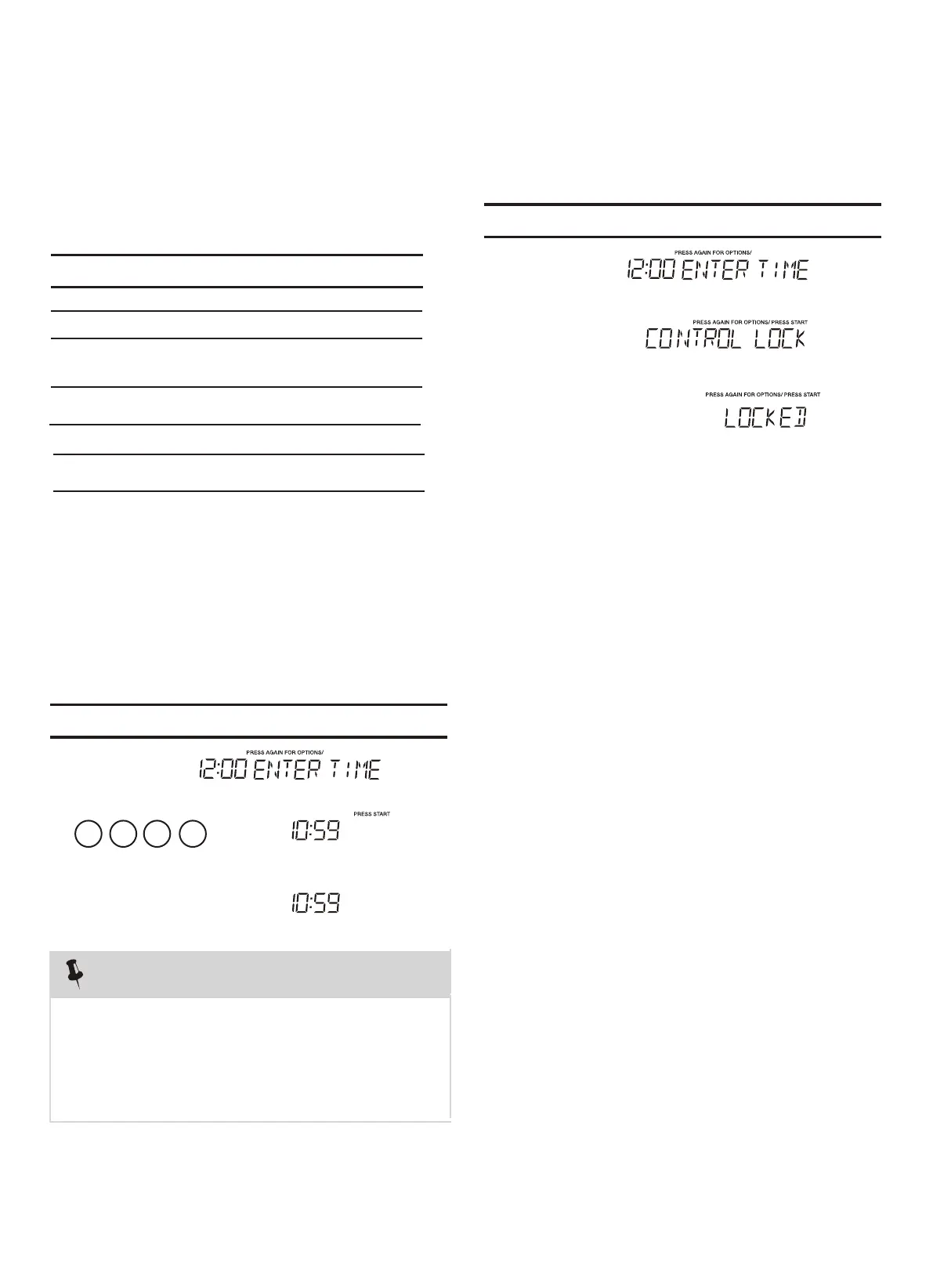
(1). Setting Clock
(2).Setting Control Lock On/ Off
NOTE
2. If you touch while setting the cloc
1. If you begin to enter in an inco rrect time (e .g. 2:89)
• Suppose you want to set the clock for 10:59.
Touch: Display Shows:
Touch: Display Shows:
key
multiple times to scroll to
the desired
is the table showing the various settings. Touch the
x1 Clock
x2 Control Lock
x5
Volume
x3
disabled when the
Weight lb/kg
User pref
STOP
Clear
STOP
Clear
O
/Low/Med/High
ff
x4
User pref
User pref
User pref
User pref
User pref
/
User pref
User pref
User pref
User pref
START
+30Sec
enter
START
+30Sec
enter
1.
x
6
Demo
User pref
Clock display on/off




 To Next Page