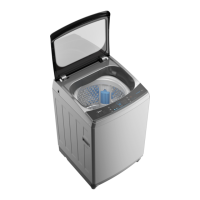
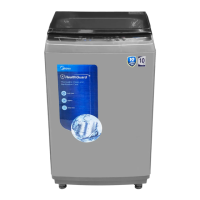
This document is an owner's manual for a Midea Fully Automatic Washing Machine. It provides comprehensive information on safety, installation, operation, and maintenance of the appliance.
Function Description:
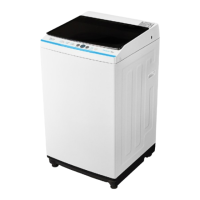
The Midea washing machine is a fully automatic appliance designed for household use and similar applications such as staff kitchen areas, farm houses, hotels, motels, bed and breakfast environments, and communal areas in blocks of flats or launderettes. It performs washing, rinsing, and spinning cycles to clean textiles suitable for machine washing. The machine offers various programs tailored to different laundry types and soiling levels, including Normal, Quick, Soak, Spin Only, Soft, and Hygiene. It also features options for water level selection and a delay start function, allowing users to customize their wash cycles. The "One Touch Smart Wash" feature provides an auto-controlled washing experience.
Important Technical Specifications:
The manual covers three main models with variations:
- MA100W75 / MA100W75/WK/E:
- Washing Capacity: 7.5kg
- Dimension (WDHmm): 515x525x890
- Net Weight: 29kg
- Rated Power: 400W
- Power Supply: 230-240V~, 50Hz
- MA100W85 / MA100W85/WK/E:
- Washing Capacity: 8.5kg
- Dimension (WDHmm): 515x525x900
- Net Weight: 30kg
- Rated Power: 400W
- Power Supply: 230-240V~, 50Hz
- MA100W95 / MA100W95/WK/E:
- Washing Capacity: 9.5kg
- Dimension (WDHmm): 550x565x900
- Net Weight: 33kg
- Rated Power: 450W
- Power Supply: 230-240V~, 50Hz
All models operate with a standard water pressure of 0.03MPa~0.8MPa. The appliance is designed for indoor use only and requires connection to an earthed three-pole socket for safety. New hose-sets supplied with the appliance must be used, and old ones should not be reused.
Usage Features:
The washing machine's control panel includes an On/Off button, Start/Pause button, Program selector, Option button, and a Display. The display shows settings, estimated time remaining, selected options, and status messages.
- Preparation before washing: Users are instructed to plug in the machine, open the tap, load clothes, and add detergent.
- Washing process: The general steps involve powering on, selecting a program, selecting a water level, and starting the wash. If the default program is chosen, water level selection can be skipped.
- Program options:
- Normal: Standard fabric washing, suitable for ramie cotton fabric. Involves one wash, two rinses, and a slightly longer spin time.
- Quick: Suitable for lightly stained clothes and summer wear.
- Soft: Features a soft tempo, slow washing, and spinning speed to minimize wear and deformation of delicate items.
- Hygiene: Effectively removes mites from clothes.
- Soak: For clothes that require soaking before washing.
- Spin Only: For spinning and draining only.
- Water Level: Allows users to select the water level based on clothing categories, soiling degree, and personal washing habits.
- Delay: Enables users to set a delayed start time for the wash program.
- Personalized setting: Customers can select a washing program, water volume, and appointment time according to their needs.
- Washing matters needing attention: The machine should operate between 0-40°C. Non-foaming or less-foaming detergent suitable for machine washing should be used. Users are advised to check clothing labels, empty pockets, knot long strips, zip or button clothes, put small items in a pillow slip, turn easy-pilling fabric inside out, and separate clothes by texture. It is recommended to add one or two more clothes when washing a single item to prevent unbalance alarms. Agglomerated or ropy detergent should be diluted before pouring into the detergent box to prevent blockages.
- After washing: The buzzer will beep, and the power supply will cut off automatically. Users can then unload the laundry.
Maintenance Features:
Regular maintenance is crucial for extending the machine's working life.
- Cleaning and care:
- Before maintenance, unplug the machine and close the tap.
- The cabinet surface can be cleaned with diluted non-abrasive neutral detergents. Any water overflow should be wiped immediately. Sharp items are not allowed.
- Formic acid, alcohol, solvents, or other chemical products are forbidden for cleaning.
- Cleaning the inlet filter:
- The inlet filter should be cleaned if water flow is reduced.
- To clean, screw off the inlet pipe from the back, pull out the filter with long nose pliers, clean it with a brush, and then reinstall it.
- Lint filter clean:
- The built-in lint filter collects lint during washing.
- It is suggested to clean the lint filter every 10 cycles.
- To clean, take it out, wash it with water, and place it back into the washer.
- Cleaning drain pump filter (for models with this function):
- Users are warned about hot water and advised to allow detergent solution to cool down.
- Unplug the machine before cleaning to avoid electrical shock.
- The drain pump filter traps yarns and small foreign matters. It should be cleaned periodically.
- Steps include draining water from the pump, opening the filter by turning counter-clockwise, removing extraneous matter, cleaning the filter, restoring it by aligning the convex place at the pump hole, and tightening the pump cover clockwise.
- Ensure the valve cap and emergency drain hose are properly reinstalled to prevent leaks. Do not remove the pump cover during a wash cycle if hot water is present.
- Troubleshooting: The manual provides a troubleshooting guide for common issues such as no washing, no water flow, abnormal draining, and abnormal spin, along with inspection items and solutions. Alarm codes (E1, E2, E3, E4, EXX) are also listed with their respective reasons and solutions. If problems persist, users are advised to contact service.
- Energy efficiency test program: Instructions are provided for entry into energy efficiency programs for Malaysia and water consumption procedures for Singapore.


 To Next Page
 General