7
Keep Warm
Reminder
On/Off
On/Off
Keep
Warm
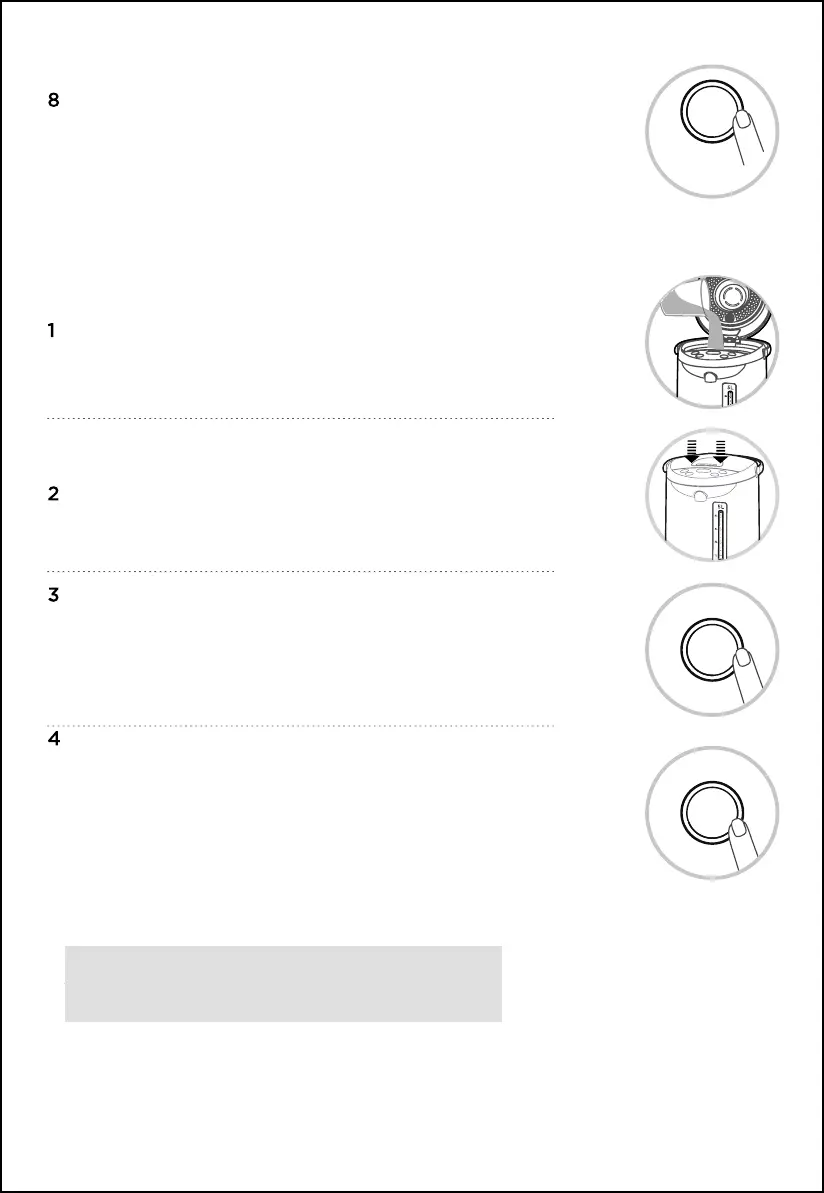
Press the “On/Off” button to close all programs, the water outflow
function can be used normally.
Add 1 L to 5 L of purified water to the kettle with a water
container, and the water level should not exceed the full water
mark.
Close the top cover.
Turn on the power supply, all indicators light up, the buzzer sounds a
long time. After 1 second, all the button indicator light off, except the
“On/Off” button indicator flashes, and the kettle enters the standby
state. (If there is no operation for 30 seconds, the kettle enters the
“Shut Down” state, press the “On/Off” button to enter the standby
state.)
Click on “Keep Warm” button to select the required temperature, and
turn on the “Purified Water” function to boil water. The “Purified
Water” indicator and the corresponding
“Keep Warm” indicator will flash for 5 seconds.
After 5 seconds, the kettle starts to work.
The “Purified Water” indicator will be on constantly, and the “Keep
Warm” indicator will keep on flashing. When the water is boiled to the
pre-set temperature, the “Keep Warm” indicator will turn on
constantly.
When using the “Keep Warm” function, the water will not
boil, the heating will stop after reaching the pre-set
“Keep Warm” temperature!


 To Next Page