12
OPERATION
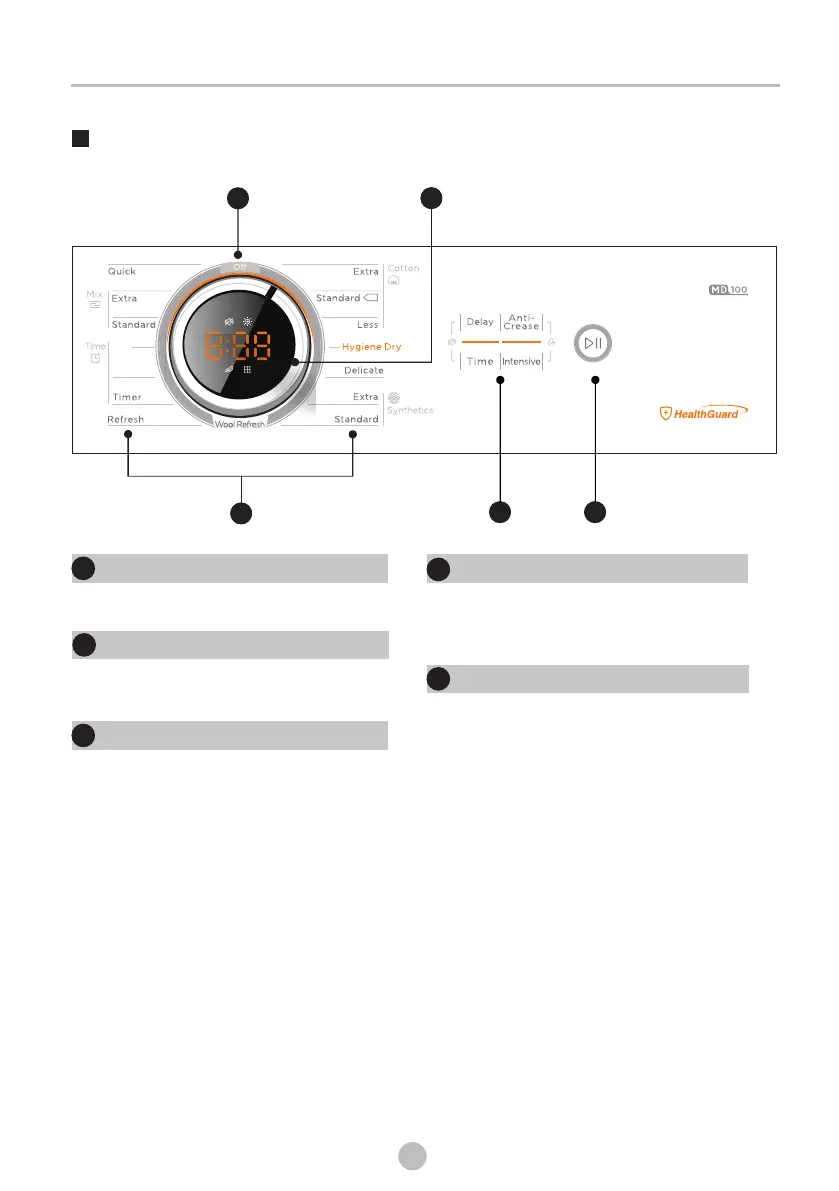
Control Panel
2
Off
Product is switched on or off.
1
1
Start/Pause
the button to start or pause the
drying cycle.
Press
1
2
Option
These buttons are used for setting
additional functions.
3
Display
This display shows the setting, estimated
remaining time and status messages of
your dryer.
4
Programmes
Different Dryer cycle can be selected
according to the user's needs to make the
clothes have more effective drying results.
5
3
1
5
45'
90'
4



 To Next Page