EasyManua.ls Logo

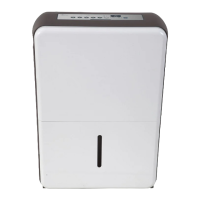
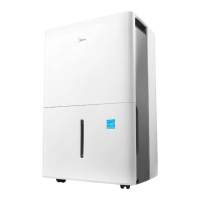
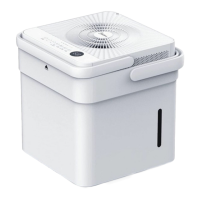
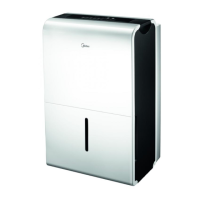
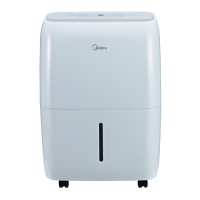
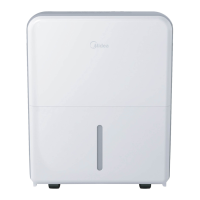
Midea MDP30SR71 - User Manual

Midea MDP30SR71
20 pages
Print Icon
To Next Page IconTo Next Page
Loading...
Dehumidifier
version A - 05 - 2017
MDP30SR71
MDP50SR71
MDP70SR71
MDP70PR71
(w/ pump)
www.midea.com
USER MANUAL
en
MDP
Warning notices: Before
using this product, please
read this manual carefully
and keep it for future
reference.
The design and
specifications are subject to
change without prior notice
for product improvement.
Consult with your dealer or
manufacturer for details.
Rated voltage: 115V
Rated power: 295 ~ 690W
Frequency: 60Hz
Moisture
removal: 30 ~ 70 Pints/day

Questions and Answers

  • K
    Kaitlyn BakerJul 31, 2025
    How to troubleshoot a Midea Dehumidifier that won't start?
    • D
      dmarquezJul 31, 2025
      If your Midea Dehumidifier isn't starting, try the following: * Ensure the dehumidifier's plug is firmly connected to the wall outlet. * Check the house fuse/circuit breaker box. * The dehumidifier may have reached its preset level, or the bucket might be full. * Make sure the water bucket is correctly positioned.
  • O
    Oscar MillerAug 5, 2025
    Why is there frost appearing on the coils of my Midea Dehumidifier?
    • C
      Caitlin NolanAug 5, 2025
      This is normal. The Midea Dehumidifier has an auto-defrost feature.
  • D
    Deborah StanleyAug 8, 2025
    What to do if there's water on the floor near my Midea Dehumidifier?
    • S
      Sandra SingletonAug 8, 2025
      If you find water on the floor near your Midea Dehumidifier, check the following: * Ensure the hose is securely connected to the connector or that the hose connection isn't loose. * If you're using the bucket, make sure the back drain plug is properly installed.
  • M
    Michael JonesAug 13, 2025
    What to do if the pump operation light is blinking on my Midea MDP30SR71 Dehumidifier?
    • J
      Jody MartinAug 13, 2025
      If the pump operation light on your Midea Dehumidifier is blinking at 1 Hz, try these steps: * Clean the pump filter. * Check the pump hose for blockages or leaks. * Empty the water bucket.
  • K
    Kristen HansonAug 17, 2025
    What does it mean when my Midea MDP30SR71 Dehumidifier displays ES, AS, P2, EC, Eb or E3?
    • M
      Mikayla WrightAug 18, 2025
      If you see ES, AS, P2, EC, Eb, or E3 on the display of your Midea Dehumidifier, these are error codes or protection codes. Please refer to the Operating Instructions for guidance.
  • U
    uholmesAug 21, 2025
    Why is my Midea Dehumidifier not drying the air properly?
    • B
      Brandy MoodyAug 22, 2025
      Several factors can cause your Midea Dehumidifier to not dry air effectively: * Insufficient time for moisture removal. * Obstructions blocking the front or back of the unit (curtains, blinds, furniture). * Humidity control set too high. * Open doors, windows, or other openings. * Room temperature below 5°C (41°F). * Presence of a water vapor source in the room.
  • J
    Jesse BaileyAug 26, 2025
    Why is my Midea Dehumidifier making a loud noise?
    • J
      Jeffrey PetersenAug 26, 2025
      Loud noises from your Midea Dehumidifier can be due to a few reasons: * A dirty air filter. Clean the filter. * The unit is tilted and not upright. * The floor surface is uneven.

Summary

Product Identification

Initial Usage Warning

Critical safety notice before operating the unit.

Safety Precautions

Electrical Safety Guidelines

Focuses on proper grounding, cords, and outlets.

Operational Hazard Warnings

Alerts on environment, gas leaks, and improper operation.

Safety Precautions - Electrical

Electrical Information and Receptacles

Details on grounding, receptacles, and extension cords.

Flammable Materials Prohibitions

Avoidance of flammable vapors near the unit.

Unit Specifications and Features

Detailed Model Specifications

Technical Data Table

Comprehensive specs for different models.

Operating Instructions - Controls

Control Panel Button Guide

Explains each button and indicator on the control panel.

Operating Instructions - Functions

Setting Humidity and Timer

How to adjust humidity and program timers.

Error Codes and Protections

Interpreting error messages and system protections.

Collected Water Removal

Water Drainage Methods

Installation Guidelines

Care and Cleaning Procedures

Troubleshooting Common Issues

Midea MDP30SR71 Specifications

General IconGeneral
TypeDehumidifier
Energy Star RatedYes
Weight40.5 lbs
Dimensions15.16 x 10.43 x 24.21 inches
Fan Speeds2
Continuous Drain OptionYes
Noise Level51 dB
ColorWhite
Capacity30 pints
Filter TypeWashable
Coverage Area1, 500 sq. ft.
Operating Temperature41°F to 95°F

Related product manuals