EasyManua.ls Logo

Midea MDDF-16DEN7-QA3 - User Manual

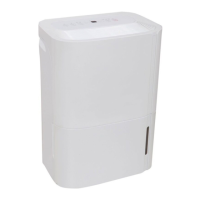
Midea MDDF-16DEN7-QA3
11 pages
Print Icon
To Next Page IconTo Next Page
Loading...
Before operating this product, please read the instructions
carefully and save this manual for future use.
D
E
HU
M
I
D
I
F
I
E
R
The design and specifications are subject to change without prior notice for
product improvement. Consult with the sales agency or manufacturer for details.
Any updates to the manual will be uploaded to the service website, please check
for the latest version.
GD MIDEA AIR-CONDITIONING EQUIPMENT CO.,LTD.
Lingang Road Beijiao Shunde Foshan Guangdong People s Republic of China 528311
,
MODEL: MDDF-16DEN7-QA3
REFRIGERANT: R290/0.075kg
MODEL: MDDF-20DEN7-QA3
REFRIGERANT: R290/0.075kg

Questions and Answers

  • D
    Donna AdamsAug 4, 2025
    How to troubleshoot a Midea MDDF-16DEN7-QA3 Dehumidifier that won't start?
    • M
      Michael BanksAug 4, 2025
      If your Midea Dehumidifier isn't starting, first ensure the plug is fully inserted into the outlet. If that doesn't work, check your house's fuse or circuit breaker box to see if a fuse has blown or a breaker has tripped.
  • K
    Kimberly WardAug 11, 2025
    Why does frost appear on the coils of my Midea MDDF-16DEN7-QA3?
    • E
      Elizabeth TranAug 11, 2025
      If you notice frost appearing on the coils of your Midea Dehumidifier, don't worry. This is a normal occurrence, as the unit is equipped with an auto-defrost feature.
  • T
    Tina AyersAug 19, 2025
    Why is my Midea MDDF-16DEN7-QA3 not drying the air properly?
    • J
      Jenny BrandtAug 19, 2025
      If your Midea Dehumidifier isn't drying the air effectively, several factors could be at play. First, the dehumidifier might have reached its preset humidity level, or the bucket might be full. Ensure the water bucket is correctly positioned. Also, consider whether enough time has passed for the unit to remove the moisture. Check that doors, windows, and other openings are securely closed, and make sure no curtains, blinds, or furniture are blocking the front or back of the unit. The humidity control may not be set low enough. Finally, a kerosene heater or something else in the room might be emitting water vapor.
  • M
    Matthew GrayAug 26, 2025
    What to do if there is water on the floor near my Midea Dehumidifier?
    • D
      durantinaAug 26, 2025
      If you find water on the floor near your Midea Dehumidifier, and you're intending to use the bucket to collect water, check to ensure that the back drain plug is properly installed and not removed.

Summary

Control Pads on the Dehumidifier

Control pads

Button functions for operating modes, fan speed, timer, and wireless connection.

Wireless Pad(optional)

Initiates and manages wireless connection setup for the unit.

Identification of Parts

Front

Details of the front panel components, including control panel and air outlet grille.

Rear

Details of the rear panel components, including drain hose outlet and power cord.

Positioning the unit

Casters(Install at four points on the bottom of unit)

Instructions for installing casters and precautions for moving the unit.

Operating the Unit

Removing the collected water

Methods for emptying the water bucket and continuous draining setup.

Care and Maintenance

Clean the Grille and Case

Instructions for cleaning the unit's exterior and grilles.

Clean the bucket

Procedure for cleaning the water collection bucket to prevent mold.

Midea MDDF-16DEN7-QA3 Specifications

General IconGeneral
BrandMidea
ModelMDDF-16DEN7-QA3
CategoryDehumidifier
LanguageEnglish

Related product manuals