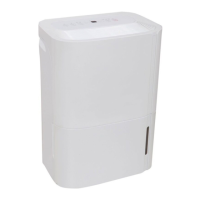
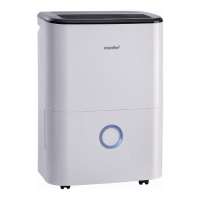
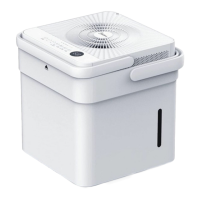
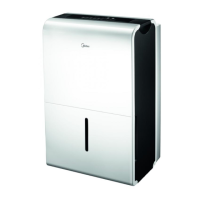
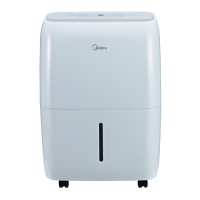
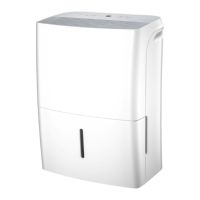
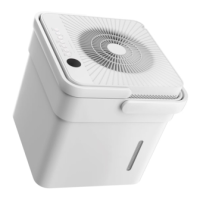
This document is an Owner's Manual and Installation Manual for a Midea dehumidifier. It provides comprehensive information on safety precautions, preparation, operating instructions, care, maintenance, and troubleshooting.
Function Description:
The Midea dehumidifier is designed to remove excess moisture from indoor air, helping to prevent moisture damage, mold, mildew, and bacterial growth. It is intended for indoor residential applications and should not be used outdoors or for commercial/industrial purposes. The unit can operate continuously to reduce humidity levels within a room. Some models offer additional features such as air purification, anti-mould function, and a dryer mode for clothes.
Important Technical Specifications:
- Operating Environment: The unit is designed to operate within a temperature range of 5°C/41°F to 32°C/90°F and a relative humidity range of 30%RH to 80%RH.
- Refrigerant: Some units may use R32/R290 flammable refrigerants. Specific information on the type, amount, and CO2 equivalent is provided on the unit's label. Installation, service, maintenance, repair, uninstallation, and recycling of units using fluorinated greenhouse gases or flammable refrigerants must be performed by certified technicians.
- Electrical: The unit requires a properly grounded wall receptacle. The circuit board (PCB) is designed with a fuse for overcurrent protection (e.g., T3.15A/250V or 350V).
- Airflow: For optimal performance, allow at least 20cm of air space on all sides of the unit, and at least 40cm of air space on the air outlet. When using dryer mode, maintain 30-50cm distance from wet clothes.
- Floor Area (for R32/R290 refrigerants): The appliance should be installed, operated, and stored in a room with a floor area larger than 4 m².
Usage Features:
- Control Panel: The dehumidifier can be controlled via the unit's control panel. Multiple control panel layouts are shown (A-M), indicating variations in available buttons and indicators depending on the model. Common buttons include Power, Mode, Timer, Fan/Turbo, Ion/Fresh, Pure/Anti-mould, and Up/Down arrows for setting humidity or timer.
- Power/ON/OFF Button: Turns the dehumidifier on or off. A beep sound indicates mode changes.
- Mode Button: Selects operation modes such as Dehumidifying, Dryer (optional), Continuous Dehumidifying, and Smart Dehumidifying (optional).
- Fan/Turbo Button: Controls fan speed (Low, Med, High). Some models offer High or Normal speed. In some models, pressing the Turbo button for 3 seconds enables the Self-clean function.
- Ion/Fresh Button: Activates the ionizer to generate anions, which deactivate airborne chemical vapors and dust particles, purifying the air.
- Pure/Anti-mould Button: Activates the Air purifier function using a HEPA filter (if included) to reduce dust, bacteria, and allergens. Pressing for 3 seconds enables the Anti-mould function.
- Up(+)/Down(-) Buttons: Adjusts humidity levels (35%RH to 85%RH in 5% increments) or sets Auto start/stop times (0.0 to 24 hours in 0.5 or 1-hour increments). On some models (e.g., control panel E), pressing '+' for 3 seconds displays room temperature.
- Timer Function: Initiates Auto start and Auto stop features. Can be set for up to 24 hours.
- Display: Shows set humidity level, auto start/stop time, and actual room humidity level (±5% accuracy). Displays error codes (AS, ES, P2, P1, E4) for troubleshooting.
- Bucket Full Light: Illuminates when the water bucket is full or incorrectly positioned. The unit will beep and/or flash the indicator light.
- Auto Defrost: Automatically cycles off the compressor and runs the fan when frost builds up on evaporator coils, allowing the frost to disappear.
- Auto Shut Off: The dehumidifier shuts off when the bucket is full or removed/improperly placed. The fan motor may continue to run for 30 seconds on some models.
- Wait 3 minutes before resuming operation: A 3-minute delay protects the unit before restarting after being switched off.
- Auto-Restart: If power is interrupted, the unit restarts with previous settings once power resumes.
- Smart Dehumidifying Mode (optional): Automatically controls room humidity within a comfortable range (45%~55%) based on room temperature, disabling manual humidity setting.
- Dryer Mode (optional): Provides MAX dehumidification with fixed high fan speed. Some models will exit dryer mode after 10 hours.
- Wireless Connection (optional): Initiated by pressing the MODE or ION pad for 3 seconds on specific control panels. The LED display shows 'AP' during connection setup.
- Water Collection:
- Using the Bucket: Water collects in a removable bucket. When full, the unit alerts the user. The bucket should be carefully removed, emptied, and securely replaced.
- Continuous Draining: A water hose (not included) can be attached to the drain hose outlet at the back of the unit to automatically empty water into a floor drain. The hose must be secure, free of kinks, and positioned lower than the drain hose outlet for smooth flow.
Maintenance Features:
- Cleaning:
- Grille and Case: Clean with water and a mild detergent. Avoid bleach, abrasives, or splashing water directly on the unit. Use a vacuum attachment or brush for intake and outlet grilles.
- Bucket: Clean every few weeks with clean water and a mild detergent to prevent mold and bacteria. Do not use a dishwasher. Ensure the bucket is securely seated after cleaning.
- Air Filter: Check and clean at least every two weeks. Remove the filter by gripping the tab and pulling it outward/upward. Wash with warm, soapy water, rinse, and air dry. Do not use a dishwasher. Reinsert the filter from underside to upside.
- Cabinet and Front: Dust with an oil-free cloth or wash with a cloth dampened in a solution of warm water and mild liquid dishwashing detergent. Rinse thoroughly and wipe dry. Avoid harsh cleansers, wax, or polish. Wring excess water from the cloth before wiping around controls.
- Storage (for long time periods):
- Empty the bucket one day after turning off the unit.
- Clean the main unit, water bucket, and air filter.
- Cover the unit with a plastic bag.
- Store the unit upright in a dry, well-ventilated place.
Safety Precautions:
The manual emphasizes reading safety precautions before operation and installation to prevent injury or property damage. Key warnings include:
- Do not exceed power outlet ratings.
- Do not operate/stop by switching power on/off.
- Do not damage or use unspecified power cords.
- Do not modify cord length or share outlets.
- Do not insert/pull plug with wet hands.
- Do not install near combustible gas or heat sources.
- Disconnect power if strange sounds, smell, or smoke occur.
- Do not attempt self-repair.
- Unplug before cleaning.
- Do not use near flammable gases/combustibles.
- Do not drink drained water.
- Do not remove water bucket during operation.
- Do not use in small spaces or where water may splash.
- Place on a level, sturdy floor.
- Do not cover intake/exhaust openings.
- Exercise caution around infants, children, elderly, or humidity-sensitive individuals.
- Do not use in areas with chemicals.
- Do not insert fingers or foreign objects into grills/openings.
- Do not place heavy objects on the power cord or compress it.
- Do not climb or sit on the unit.
- Insert filters securely and clean every two weeks.
- If water enters the unit, turn off, unplug, and contact a technician.
- Do not place flower vases or other water containers on top.
- Do not use extension cords.
- Children aged 8 and above, and persons with reduced physical/sensory/mental capabilities or lack of experience/knowledge, can use the appliance if supervised and instructed safely. Children should not play with the appliance or perform cleaning/maintenance without supervision.
- Damaged supply cords must be replaced by the manufacturer, service agent, or qualified persons.
- Disconnect from supply mains before cleaning/maintenance.
- If the appliance is knocked over, turn off, unplug, and inspect for damage. Contact service if damage is suspected.
- In thunderstorms, cut power to prevent lightning damage.
- Do not run cords under carpeting or furniture.
- Do not operate with a damaged cord or plug.
- Do not use with solid-state speed control devices.
- Install according to national wiring regulations.
- Contact authorized service technician for repair/maintenance.
- Turn off when not in use.
- Ensure proper grounding.
- Do not operate in wet rooms like bathrooms or laundry rooms.
- For R32/R290 refrigerants: Do not use means to accelerate defrosting or clean other than recommended by the manufacturer. Store in a room without continuously operating ignition sources. Do not pierce or burn. Be aware refrigerants may not have an odor. Install, operate, and store in a room with a floor area corresponding to the refrigerant charge (refer to unit label). Observe national gas regulations. Keep ventilation openings clear. Store to prevent mechanical damage. Store in a well-ventilated area. Only industry-accredited personnel should work on refrigerant circuits. Servicing should follow manufacturer recommendations and be supervised by competent persons.
- Detailed procedures for transport, marking, disposal, storage, and servicing of equipment containing flammable refrigerants are provided, including checks to the area, work procedures, general work area safety, checking for refrigerant presence, fire extinguisher availability, avoiding ignition sources, ensuring ventilation, checks to refrigeration equipment, checks to electrical devices, repairs to sealed components, repairs to intrinsically safe components, cabling checks, leak detection methods, removal and evacuation procedures, and charging procedures.


 To Next Page
 General