EasyManua.ls Logo

Midea MSX HRDN1 Series - User Manual

Midea MSX HRDN1 Series
16 pages
Print Icon
To Next Page IconTo Next Page
Loading...
Before using your air conditioner, please read
this manual carefully and keep it for future reference.
Before using your air conditioner, please read
this manual carefully and keep it for future reference.
Before using your air conditioner, please read
this manual carefully and keep it for future reference.
Before using your air conditioner, please read
this manual carefully and keep it for future reference.
Before using your air conditioner, please read
this manual carefully and keep it for future reference.
Before using your air conditioner, please read
this manual carefully and keep it for future reference.
Before using your air conditioner, please read
this manual carefully and keep it for future reference.
Before using your air conditioner, please read
this manual carefully and keep it for future reference.
Before using your air conditioner, please read
this manual carefully and keep it for future reference.
Before using your air conditioner, please read
this manual carefully and keep it for future reference.
Before using your air conditioner, please read
this manual carefully and keep it for future reference.
Before using your air conditioner, please read
this manual carefully and keep it for future reference.
Read This Manual
Inside you will find many helpful hints on how
to use and maintain your air conditioner properly.
Just a little preventative care on your part can
save you a great deal of time and money over
the life of your air conditioner. You'll find many
answers to common problems in the chart of
troubleshooting tips. If you review the chart of
Troubleshooting Tips first, you may not need
to call for service.
INVERTER SPLIT TYPE
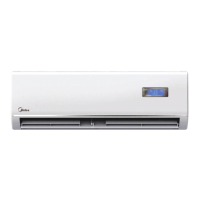
ROOM AIR CONDITIONER
-
Question and Answer IconNeed help?

Do you have a question about the Midea MSX HRDN1 Series and is the answer not in the manual?

Overview

This document is a user manual for an Inverter Split-Type Room Air Conditioner. It provides comprehensive instructions for its operation, maintenance, and troubleshooting.

Function Description

The air conditioner is designed to provide cooling and heating (for relevant models) for indoor spaces. It utilizes inverter technology for efficient operation. Key functions include:

  • Cooling Operation: Reduces room temperature to a desired setting.
  • Heating Operation (for cooling & heating models): Increases room temperature to a desired setting.
  • Dry Mode: Dehumidifies the room.
  • Fan Only Mode: Circulates air without cooling or heating.
  • Auto Operation: Automatically selects the appropriate mode (cooling or heating) based on the room temperature and the set temperature, adjusting fan speed accordingly.
  • Timer Function: Allows users to set specific times for the unit to turn on or off.
  • Airflow Direction Control: Enables adjustment of both vertical (up-down) and horizontal (left-right) airflow to optimize comfort and prevent uneven temperature distribution. The vertical louver can be set to swing automatically.
  • Special Functions:
    • CLEAN AIR function (optional): Equipped with an Ionizer or Plasma Dust Collector (depending on the model) to generate anions, refreshing the air and attracting dust, smoke, and pollen particles to an electrostatic filter, improving indoor air quality.
    • TURBO operation: Provides rapid cooling or heating.
    • SELF CLEAN function: Used after cooling operation to clean the evaporator, preventing mold growth and keeping the unit fresh for subsequent use. This function operates in FAN ONLY mode for a set duration (30 minutes for cooling-only models, or a sequence of FAN ONLY and heating for cooling & heating models) before turning off.
    • Follow Me function: The remote control acts as a remote thermostat, allowing for precise temperature control at its location. The remote sends temperature signals to the air conditioner at 3-minute intervals.
  • Auto-restart function: In case of power failure, the unit automatically restarts with all previous settings preserved once power is restored (for models with this feature).

Important Technical Specifications

While specific numerical values are not provided in the general overview, the manual highlights several operational parameters and conditions:

  • Temperature Range for Cooling Operation: Indoor room temperature between 17°C and 32°C; Outdoor temperature between 18°C and 50°C (for models with low temperature cooling system, outdoor temperature can be -15°C to 50°C).
  • Temperature Range for Heating Operation: Indoor room temperature below 30°C; Outdoor temperature between -10°C and 50°C.
  • Humidity for Optimal Operation: The manual suggests that if air conditioner is used outside of the above conditions, especially with room relative humidity less than 80%, the air conditioner may operate abnormally.
  • Power Supply: Requires proper connection to a dedicated power circuit with a correctly rated breaker or fuse.
  • Fan Speed Levels: AUTO, LOW, MED, HIGH.
  • Compressor Protection: Features a 3-minute protection delay before restarting.
  • Air Filter Cleaning Frequency: Recommended every two weeks.
  • Air Freshening Filter Replacement: Every 4-5 months.

Usage Features

The air conditioner is designed for user-friendly operation, primarily through a remote controller, but also with a manual control button on the indoor unit.

  • Remote Control: The primary interface for setting modes, temperature, fan speed, timer, and activating special functions like CLEAN AIR, TURBO, SELF CLEAN, and Follow Me.
  • Manual Operation: A manual control button (AUTO/COOL) on the indoor unit allows for basic operation in case the remote controller is unavailable or disabled.
  • Display: The indoor unit features an LCD display showing current settings (temperature, fan speed, timer, operation mode) and indicators for various functions (TIMER, CLEAN AIR, TURBO, SELF CLEAN, FAN SPEED, Operation Frequency).
  • Safety Precautions: The manual emphasizes critical safety measures, including:
    • Proper power connection and earthing.
    • Avoiding operation with wet hands or in damp environments.
    • Not damaging the power cord or using an unspecified one.
    • Not operating or stopping the unit by switching power on/off.
    • Disconnecting power if abnormal conditions (sounds, smell, smoke) occur.
    • Ensuring proper ventilation when used with other gas appliances.
    • Not disassembling or modifying the unit.
    • Caution against touching metal parts when removing filters.
    • Avoiding direct airflow at room occupants for extended periods.
    • Not using the unit for special purposes (e.g., preserving precision devices, food, pets).
    • Turning off the main power switch when not in use for a long time.
    • Ensuring the installation bracket of the outdoor unit is not damaged.

Maintenance Features

Regular maintenance is crucial for the longevity and efficient operation of the air conditioner. The manual outlines several user-performable tasks:

  • Cleaning the Grille, Case, and Remote Controller: Wipe with a soft, dry cloth. Avoid strong detergents, wax, thinner, or benzene, as these can damage the surface.
  • Cleaning the Air Filter:
    • The air filter should be cleaned every two weeks.
    • To clean, lift the indoor unit front panel, take out the filter handle, pull it downwards, and remove the filter.
    • Clean the filter with water (below 40°C) or a vacuum cleaner, then dry it in a cool place before reinstallation.
  • Cleaning the Air Freshening Filter (Optional):
    • Remove the air freshening filter from its support frame.
    • Clean at least once a month with a vacuum cleaner and dry in a cool place.
    • Replace every 4-5 months.
    • Caution: Do not touch the Plasma Dust Collector Filter within 10 minutes after opening the front panel, as it may cause electric shock.
  • Long-Term Storage Preparation:
    • Operate the fan for about half a day to dry the inside of the unit.
    • Stop the air conditioner and disconnect power.
    • Remove batteries from the remote controller.
    • The outdoor unit requires periodic maintenance and cleaning by a qualified servicer.
  • Pre-Operation Checks: Before restarting after a long period of disuse, check that wiring is intact, the air filter is installed, and air inlet/outlet are not blocked.

The manual also includes a troubleshooting guide to help users identify and resolve common issues before contacting a service technician.

Midea MSX HRDN1 Series Specifications

General IconGeneral
BrandMidea
ModelMSX HRDN1 Series
CategoryAir Conditioner
LanguageEnglish

Related product manuals