EN-22
• Press "1, 5, 0, 0" in order for 15:00 to appear in the display.
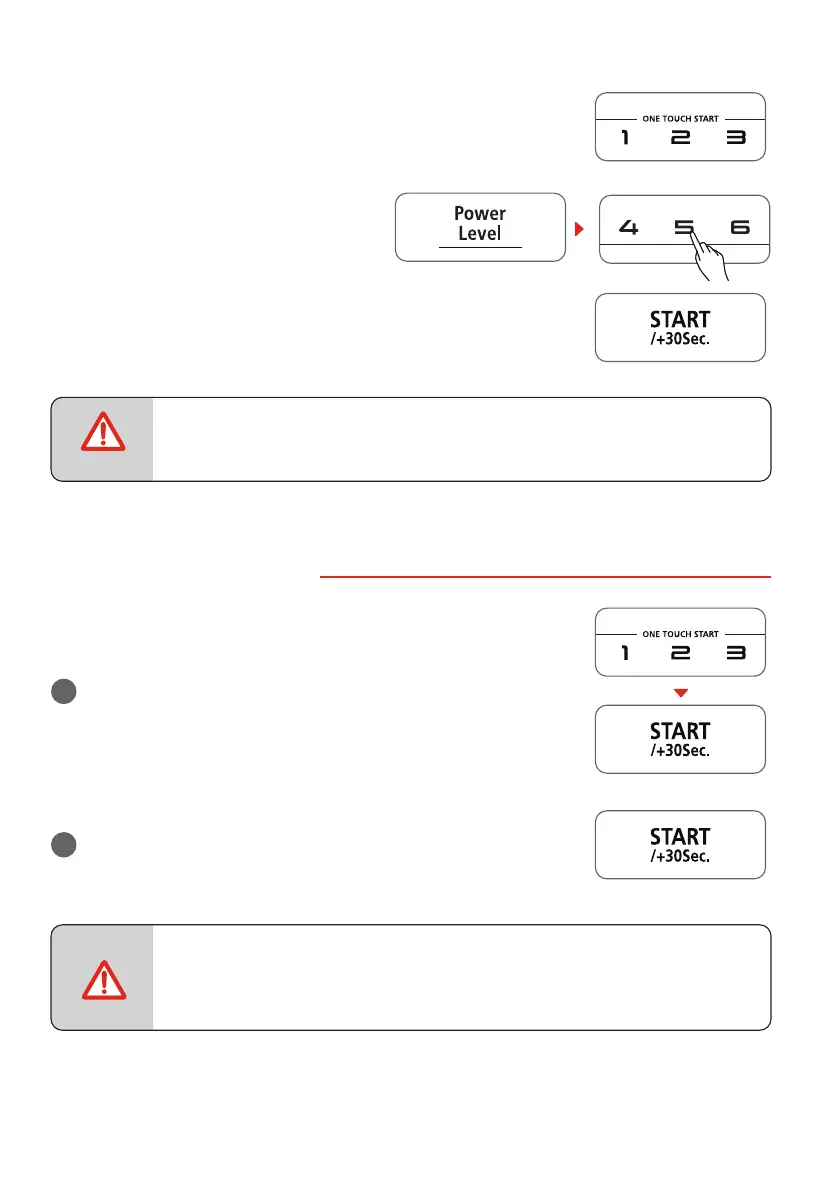
• Press "Power Level" , then press "5" to
select 50% microwave power.
• Press " START/+30Sec. " to start cooking. The remaining cooking
time will display.
• In the process of setting, if the " STOP/Cancel " pad is pressed or if there is no
operation within 1 minute, the oven will automatically return to display the
clock.
5. ONE TOUCH START
a
Instant cooking at 100% power level and 1 to 6 minutes
cooking time can be started by pressing number pads 1 to 6.
Press " START/+30Sec. " to increase the cooking time by 30
seconds with each press. The maximum cooking time is 99
minutes, 99 seconds.
b
Instant cooking at 100% power level and 30 seconds cooking
time can be started by pressing " START/+30Sec. ". Each
repeated press will increase cooking time by 30 seconds. The
maximum cooking time is 99 minutes, 99 seconds.
• Time can also be added in 30 second increments by pressing " START/+30Sec.
" during Microwave Cooking, Time Defrost and Multi-stage Cooking.
• Time cannot be added by pressing " START/+30Sec. " during Weight Defrost
and Kitchen Timer functions.
NOTE
NOTE



 To Next Page