3.2 Transposition
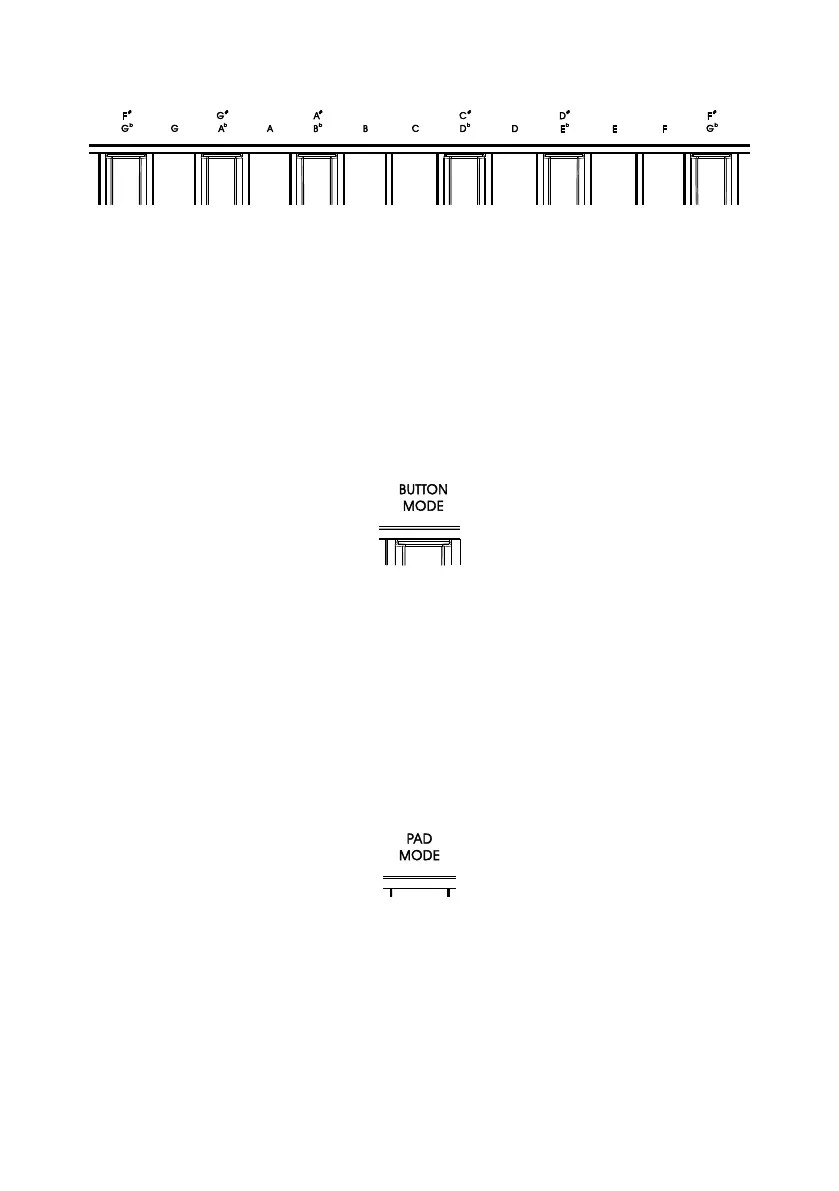
The X pro mini provides a quick way to transpose keys. Press the MIDI/SELECT button, and one of the
13 keys labeled “F
#
/G
b
, G, G
#
/A
b
……” to transpose. The notes lower than middle C will transpose
down, and notes above middle C will transpose up. Press the middle C key to cancel the
transposition.
Tips: The range of the transpose function is -6 to +6 notes. Use the octave buttons to extend this range.
3.3 Changing The "B1 ~ B8" Buttons' Mode
The X pro mini's 8 buttons has dual functions. You can change the button to Program Change mode
or MIDI CC mode in Edit Mode.
To change the button mode, press the MIDI/SELECT button, and then press the key labeled “Button
Mode”. The display will show the currently selected button mode.
3.4 Changing The "P1 ~ P8" Pads' Mode
The X pro mini's 8 pads also has dual functions. You can change the pad to MIDI Note mode or MIDI
CC mode in Edit Mode.
To change the pad mode, press the MIDI/SELECT button, and then press the key labeled “Pad
Mode”. The display will show the currently selected pad mode.
11



 To Next Page