12
Whenever a signal is detected, the radio will stop scanning. It will resume to scan once the
signal will disappear.
SE: Search Scan
The radio will stop scanning and exit the Scan mode once detected a signal.
3. To confirm press ENTER then Press BACK to exit the MENU.
TOT (TX timeout timer)
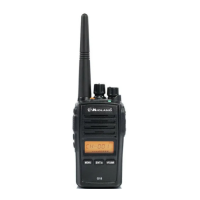
The PRO5X can be programmed with a transmission timer that temporarily blocks
transmissions if the radio has been used beyond the maximum time permitted.
The radio is forced in reception mode if it continues transmitting after the preset timer
threshold has been reached.
To restart the transmission, release the PTT.
To enable this function:
1. Press the MENU button.
2. Turn the CH +/- knob until TOT is displayed.
3. Push ENTER to enter the function.
4. Turn the CH +/- knob and set a timer from 30 to 180 seconds.
5. Confirm your selection with ENTER.
6. Press BACK to exit the menu.
Light (Display backlight)
To enable/disable the LCD backlight:
1. Press the MENU button.
2. Turn the CH +/- knob until LIGHT is displayed.
3. Push ENTER to enter the function.
4. Turn the CH +/- knob to activate/deactivate the backlight.
5. There are 3 available options: “ON”, “OFF” and “TIME”-
TIME: The display backlight activates when you press any key and lasts a few seconds.
OFF: Backlight is off at all times and for all functions.
ON: Backlight always on.
NOTE: in this mode the power save is off, so the battery consumption will increase.
6. Confirm your selection with ENTER.
7. Press BACK to exit the menu.
Reset
With reset, all functions and parameters will return to factory settings.
We suggest that you making this procedure only if really needed.
While turning on the radio, keep pressed “FUNCTION KEY 2” + “ENTER”. The display will
show RESET and the radio will re-boot.


 To Next Page