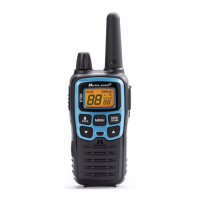
Model XT511A Series
Page 14
midlandusa.com
KEYPAD LOCK
To avoid accidentally changing the radio setting, press and hold the
CALL/LOCK button for about 4 seconds. The LOCK icon will appear
on the display. The PTT, CALL, and MONITOR function will still be
active. Repeat the same procedure to unlock the keypad.
DISPLAY ILLUMINATION
During Power on, the display illumination will activate for approx. 5
seconds. The display illumination can also be activated when the
MENU, SCAN, or MONITOR button is pressed. It can also be
activated if the TUNING knob is turned.
Note: In Clock Mode (Power Off) the display illumination can be
activated by pressing any button or when the Tuning knob
is turned.
SETTING PRIVACY CODES
Your radio has 121 Privacy Codes available. The selected Privacy
Code may be different for each channel. To select a Privacy Code
for the current channel press the MENU button once, and then turn
the TUNING knob to select between oF/CTCSS/DCS. Then press
again the MENU button, and then turn the TUNING knob to select
one of the 38 CTCSS Privacy Code or one of the 83 DCS Privacy
Code. The Privacy Code icon on the display will indicate whether
you set your Privacy Code in CTCSS or DCS mode. To confirm the
selection, press the PTT button or press MENU button again to move
to the next feature setting.
Note : If you select any CTCSS Privacy Code, any pre-selected
DCS Privacy Code will be cancelled and vice-versa.
Selecting a Privacy Code of "oF" will disable the Privacy
feature. To communicate between two XT511A Series
radios, all radios in your group must be set to the same
channel and Privacy Code selections.
TRANSMIT (TX) POWER LEVEL SELECTION
Your radio has 2 power level settings. To select the power level on
channels 1~7 and 15~22, press the MENU button until a “Pr” icon will
appear on the display. Then turn the TUNING knob to select
TRANSMIT POWER LEVEL (H: Hi or L: Lo). To confirm, press the
PTT button or press MENU button again to move to the next feature
setting.
!



 To Next Page