Model XT511A Series
Page 7
midlandusa.com
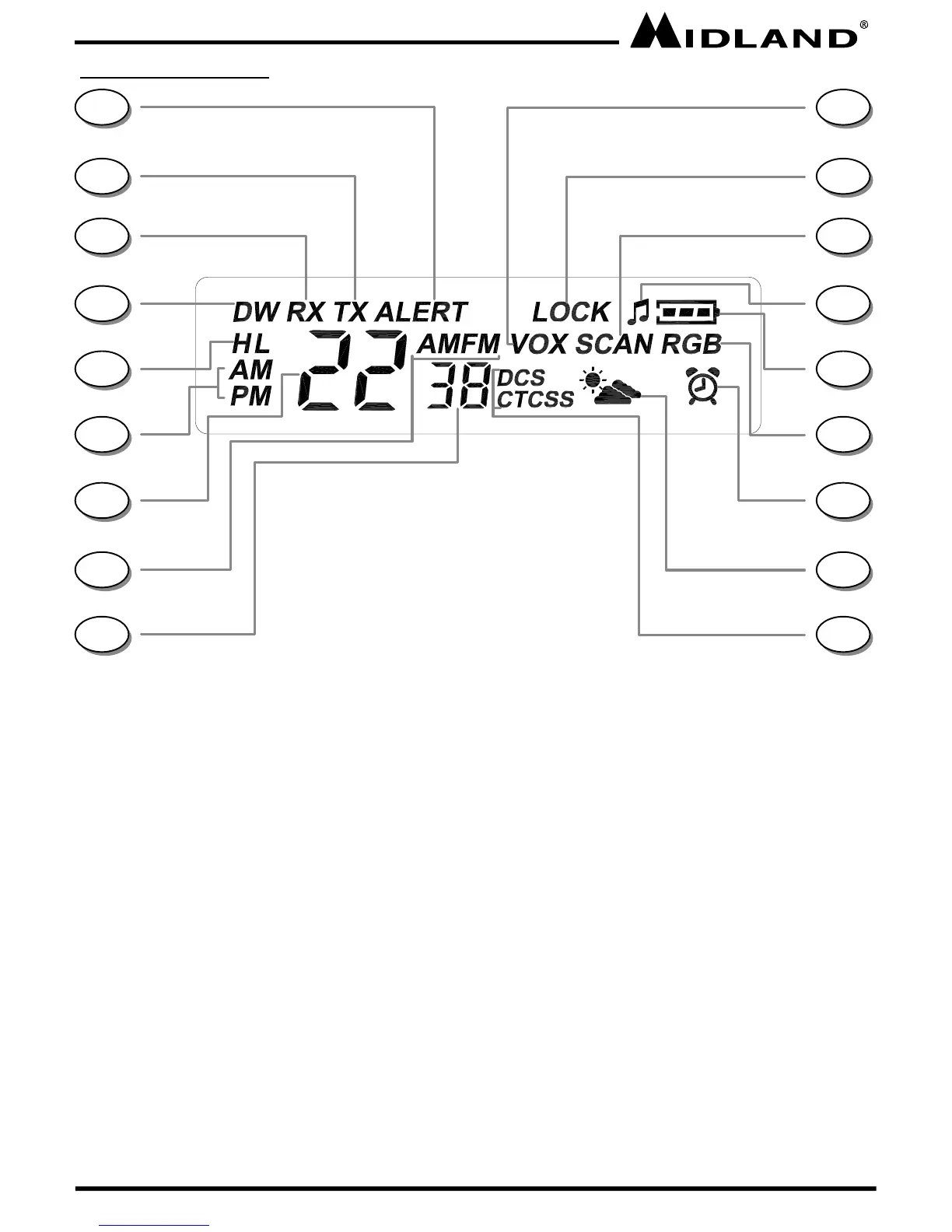
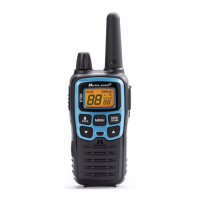
LCD DISPLAY
1. NOAA WEATHER (WX) ALERT ICON –
Indicates the NOAA Weather Alert function
is on.
2. TRANSMIT (TX) ICON – Indicates radio is
transmitting a signal.
3. RECEIVE (RX) ICON – Indicates radio is
receiving a transmission.
4. DUAL WATCH ICON – Indicates the Dual
Watch function is on.
5. TRANSMIT POWER LEVEL ICON –
Indicates TX Power setting (H/L)
6. CLOCK AM/PM ICON – Indicates the
clock is set in AM or PM.
7. CHANNEL NUMBER – Changes from
1~22 on GMRS/FRS band (1~10 on WX
band). This is also used to indicate in part
the current AM/FM receiver frequency
setting and the current clock setting.
8. AM/FM RECEIVER ICON – Indicates
radio is in AM or FM receiver mode.
9. PRIVACY CODE – Indicates Privacy Code
selected by user (oF~38/oF~83). This 2
digit readout is also used to display AM/
FM receiver frequency and for the clock
function.
10. VOX ICON – Indicates when VOX mode
is active.
11. KEY LOCK ICON – Indicates KEY
LOCK mode is on.
12. SCAN ICON – Indicates when the radio
is in Scan mode.
13. KEY TONE ICON – Indicates radio’s Key
Beep Tone is on.
14. BATTERY METER – Indicates the
battery level.
15. ROGER BEEP ICON – Indicates radio’s
Roger Beep Tone is on.
16. ALARM CLOCK ICON – Indicates when
the Alarm Clock is on.
17. NOAA WEATHER (WX) BAND ICON–
Indicates when the radio is in Weather
Band mode.
18. PRIVACY CODE ICON – Indicates
Privacy Code setting (CTCSS/DCS).
1
15
14
13
12
11
10
9
8
7
6
5
4
3
2
18
17
16



 To Next Page