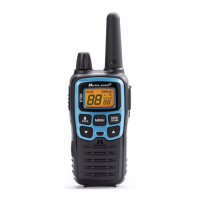
Model XT511A Series
Page 21
midlandusa.com
PROBLEM SOLUTION
No Power - Check battery installation and/or replace batteries.
Cannot Receive
Messages
- Confirm the radios have the same channel
and Privacy Code settings.
- Make sure that you are within range of the other
transceivers.
- Buildings and other structures may interfere with
your communication.
(see ABOUT RANGE on Page 12)
Radio is not responding
to button presses
- Make sure key lock is not on (See Keypad Lock on
Page 13).
- Radio might need to be reset. Turn radio off then
on.
- Ensure accessory microhone is set properly
Display is dim - Recharge or replace batteries.
Charger not functioning - Ensure the Charger Plug is installed in the radio
properly.
- Ensure the outlet where the charger is plugged
in is functioning properly.
- Check that the battery pack is installed in the radio
properly.
USE AND CARE
1. Use a soft damp cloth to clean the radio.
2. Do not use alcohol or cleaning solutions to clean the radio.
3. Do not immerse the radio in water.
4. Dry the radio with a dry lint-free cloth should it get wet.
5. Turn off the radio and remove the batteries during long-term
storage.
If you have a problem which you believe requires
service, please call first and speak with a service
technician at 816-241-8500. Many problems can be
remedied over the phone without returning the unit for
service.
TROUBLESHOOTING GUIDE



 To Next Page