Before using for the first time
23
Before using for the first time
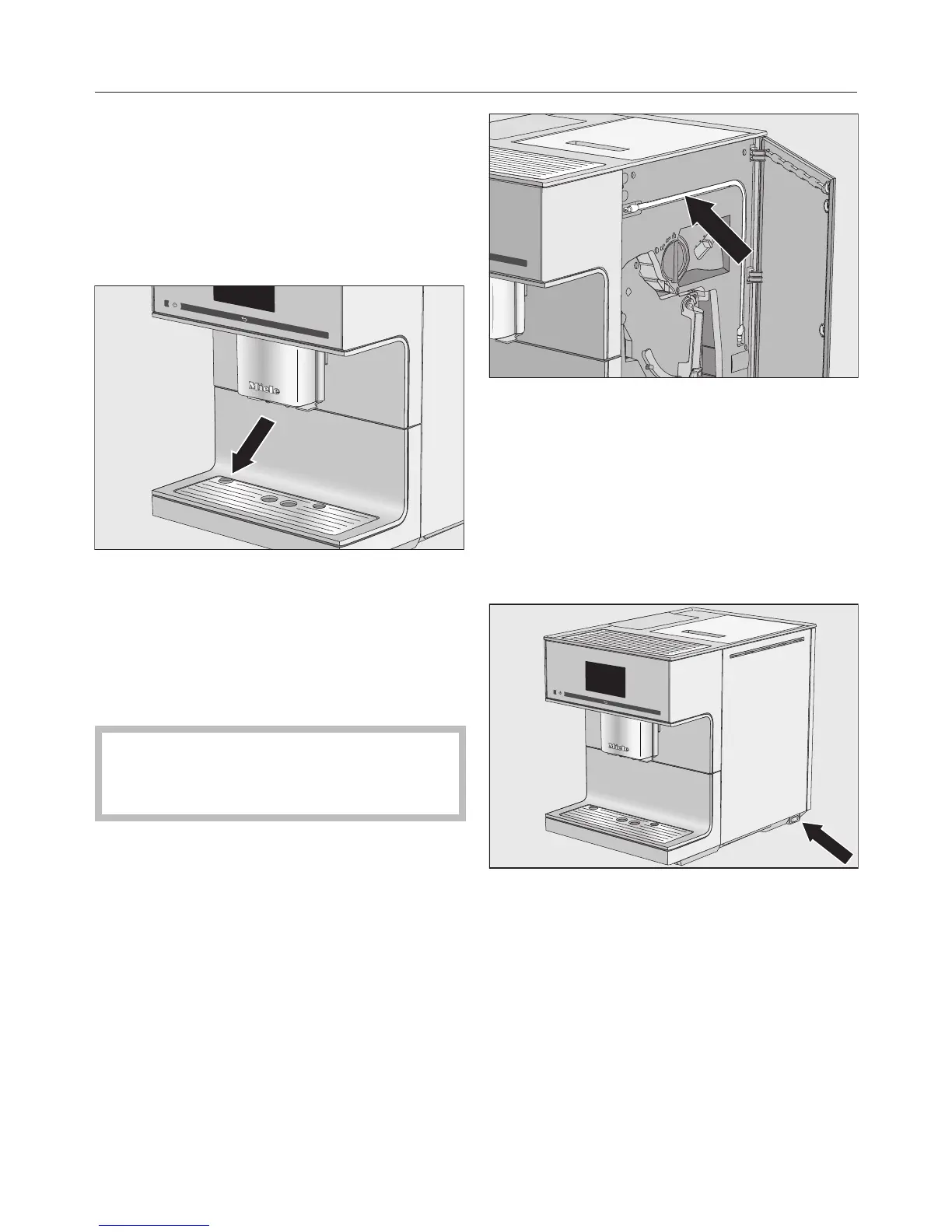
Remove any protective foil and
stickers from the machine. Exception:
Please do not remove any labels (e.g.
the data plate which are visible when
you pull out the lower panel).
Remove the protective foil from the
drip tray and place the drip tray into
the lower panel.
Place the coffee machine on a flat
surface that is not sensitive to water
(see "Installation").
Clean the appliance thoroughly
before filling it with water and coffee
beans (see "Cleaning and care").
Insert the plug of the coffee machine
into the socket.
Remove the water container and fill it
with fresh, cold tap water. Only fill the
water container up to the "max."
marker and then push it back into the
machine.
Take the lid off the coffee bean
container, fill it with roasted coffee
beans and replace the lid.
Useful tip: The milk tube can be stored
behind the appliance door when not in
use.
Switching on for the first time
Switch the master switch on the right-
hand side of the machine to the "I"
position.
When you connect the machine to the
mains power, the following message
will appear in the display: Miele -
Willkommen.
When you switch the coffee machine on
for the first time, you will be prompted
to set the following:
– Language and country
– Date
– Time of day


 To Next Page