Making coffee
32
Cancelling preparation
TouchStop or Cancel.
DoubleShot
Select the DoubleShot function if you
would like a particularly strong and
aromatic coffee. With this function more
beans are ground and brewed half way
through the brewing process. Because
the brewing duration is shorter, fewer
unwanted aromas and bitter agents are
released.
DoubleShot will appear when drinks are
being made. This function is available
for all drinks except "Ristretto" and
"Long black".
Making a DoubleShot of coffee
The Drinks menu is visible in the display.
Place a cup under the central spout.
Select the type of coffee you want.
Dispensing will start and the following
will appear at the bottom of the display:
Touch DoubleShot.
Two portions of coffee beans will be
ground and brewed.
Double portion
You can also dispense two portions of a
drink at once into one cup or into two
cups at the same time.
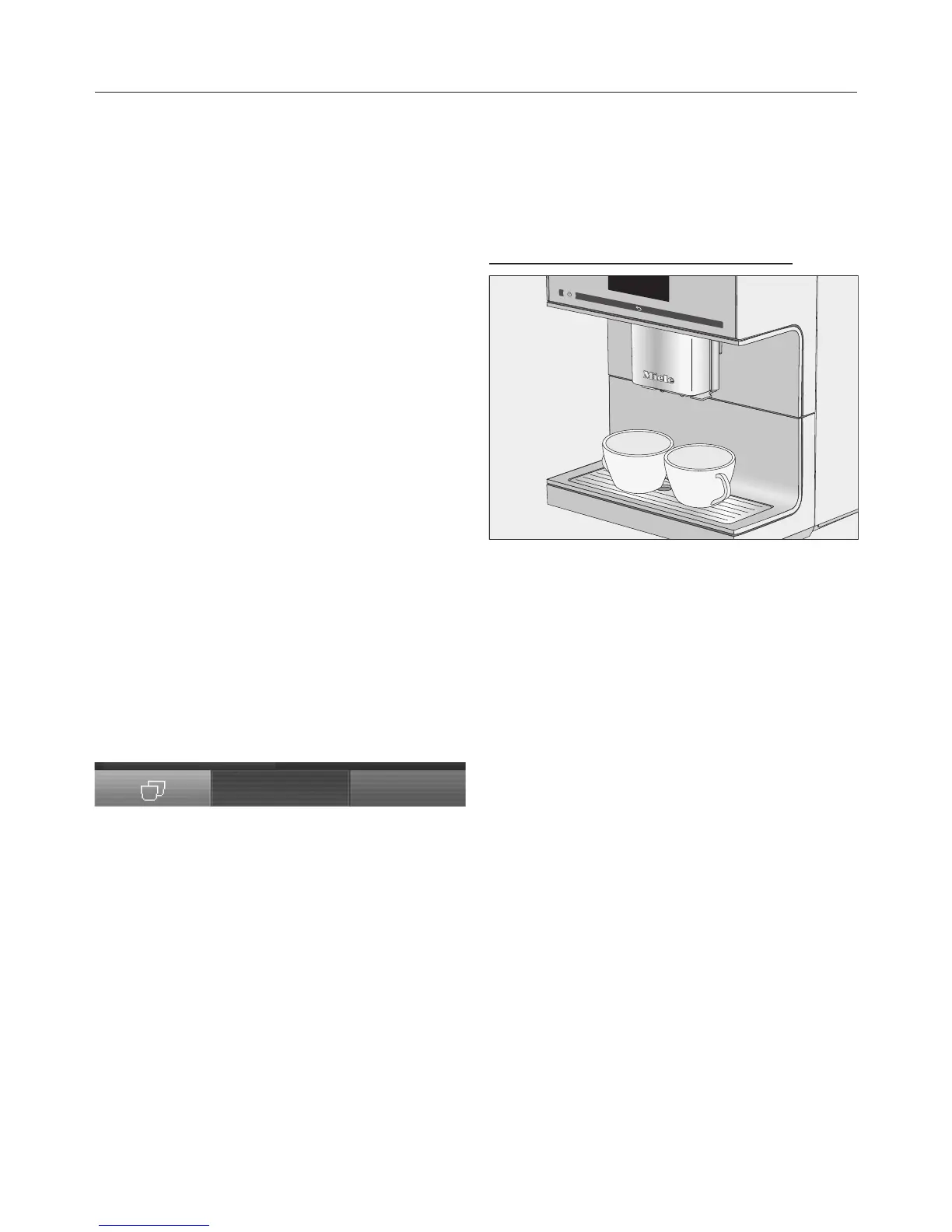
To fill two cups at the same time:
Place one cup under each of the
coffee spouts.
Touch .
Select a drink.
Two portions of the drink will be
dispensed.


 To Next Page