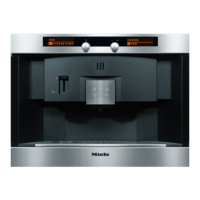
The coffee system can be customized
to suit individual preferences.
Selecting a language
SETTINGS F
K12345 L on
G
k
C
^
Turn the left jog shuttle to "Settings".
LANGUAGE
F Y
K n I IJZ
The language symbol is selected in the
right display.
^
Press the right jog shuttle to select
the language option.
LANGUAGE
English B
~
^ Turn the right jog shuttle until the
desired language shows in the
display.
A check marks the selected language.
Selectable languages: English,
German, Spanish, French, Dutch,
Italian, Portuguese, Turkish, Swedish,
Norwegian, Danish, Finnish, Polish,
Czech, Hungarian, Greek and Russian.
^
Press the right jog shuttle to select
the language option.
The setting will be automatically saved
and the display will go back to the
previous screen.
All displays will now appear in the
selected language.
If a language is accidentally
selected, follow the flag to return to
the language setting.
Settings
27
www.dexpress.com Page 36 of 105 12/31/2010
www.dexpress.com Page 36 of 105 12/31/2010
CVA2650
CVA2650
Mfr Sup
Mfr Sup



 To Next Page