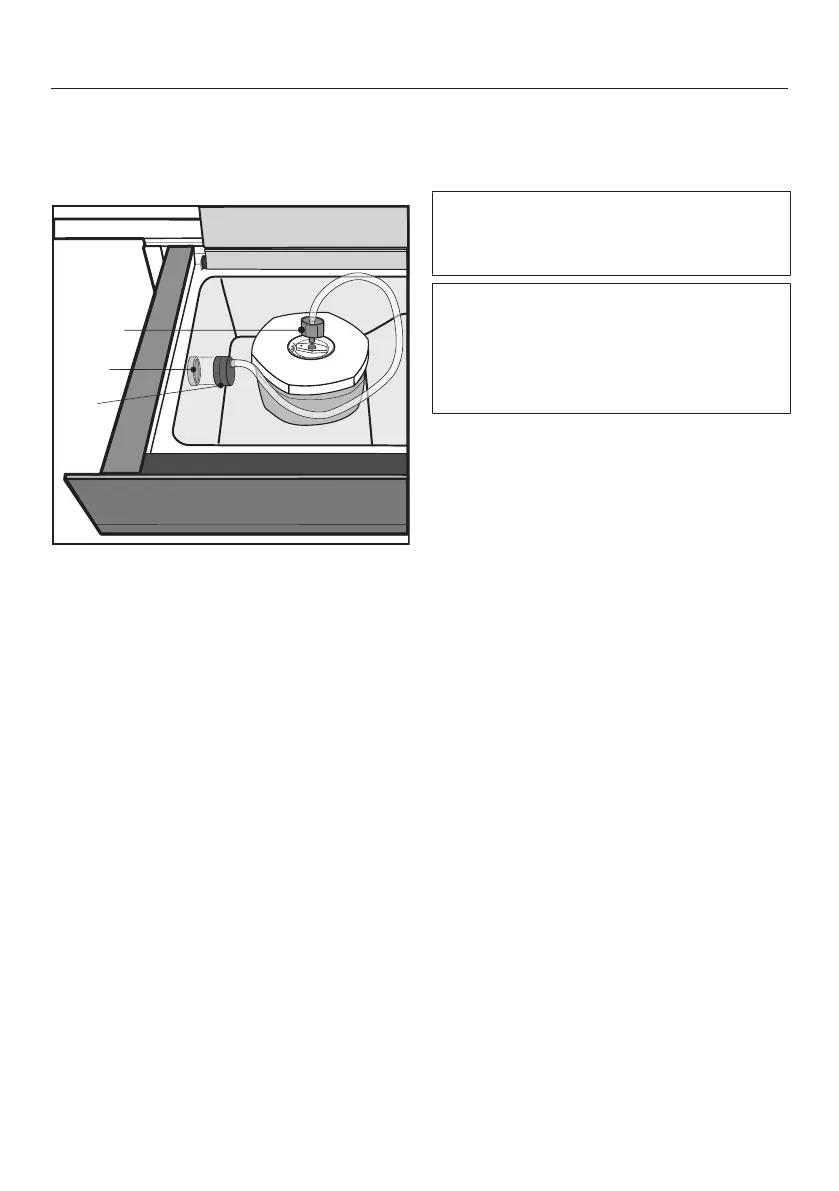
Operation
30
Place the lid on the container and
press it down.
Open the drawer and the glass lid.
Place the vacuum adapter over the
vacuum pump air-intake valve.
Attach the connector to the con-
tainer lid. Make sure that the closure
of the lid is turned to “SEAL” (closed).
Switch the drawer on with the On/
Off sensor control.
The segment bar indicator lights above
theVaccum and Sealsensor controls
light up.
Touch the Containersensor control.
The segment bar indicator lights above
theVaccum and Sealsensor controls
go out. The segment bar indicator lights
above theContainer and sensor
controls light up.
Touch the Containersensor control
repeatedly until the segment bar indi-
cator light for the required vacuum
setting lights up.
Touch the Startsensor control.
The vacuum-sealing process will start.
The Startsensor control goes out and
the Stopsensor control lights up.
Leave the glass lid open for the entire
duration of the vacuum-sealing
process.
If an excessive amount of bubbles
form you can cancel the vacuum-seal-
ing process by pressing theStopsen-
sor control (see “Operation – Cancel-
ing a vacuum-sealing process”).



 To Next Page