Timer
Depending on model, your appliance
may be fitted with a timer.
Functions
The timer can:
– show the time of day,
– switch the oven off, or on and off
automatically.
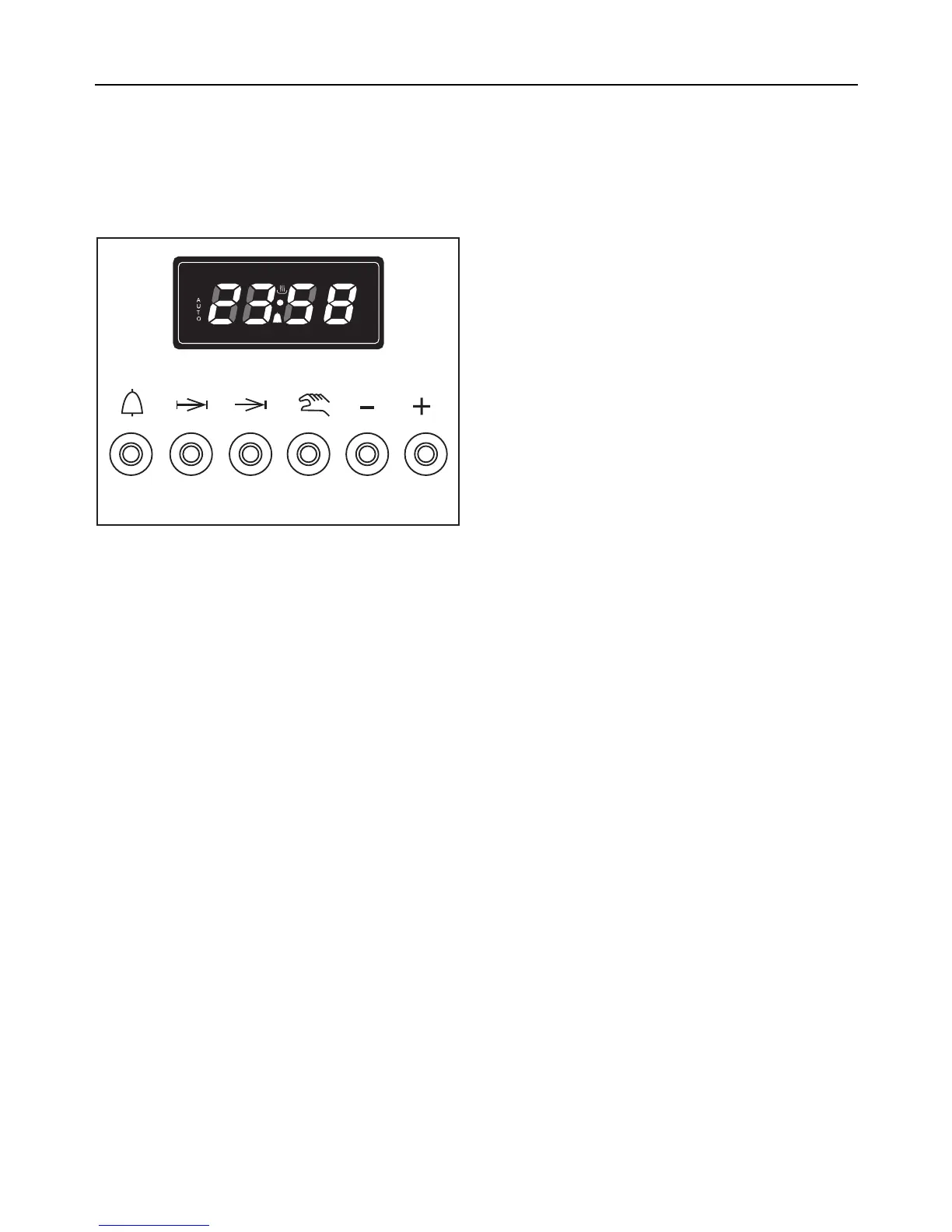
Push buttons
With the push buttons you can:
l
– enter a short time as a minute
minder.
g
– enter the duration of a cooking
process.
)
– enter the end of a cooking process.
i
– cancel an entered cooking process.
– Switch the oven to manual oper-
ation ("@" lights up in the display).
+ and –
– enter or change times.
Symbols in the display
The following symbols appear:
l
– lights up when a short time is set.
AUTO
– lights up when a cooking process is
selected.
– flashes when the cooking time is
complete.
AUTO and @
– light up as the cooking time pro-
ceeds.
@
– lights up when the oven can be
switched on independently of the
timer (manual operation).
Timer
28



 To Next Page