Removing the back panel
^
First remove the runners.
^
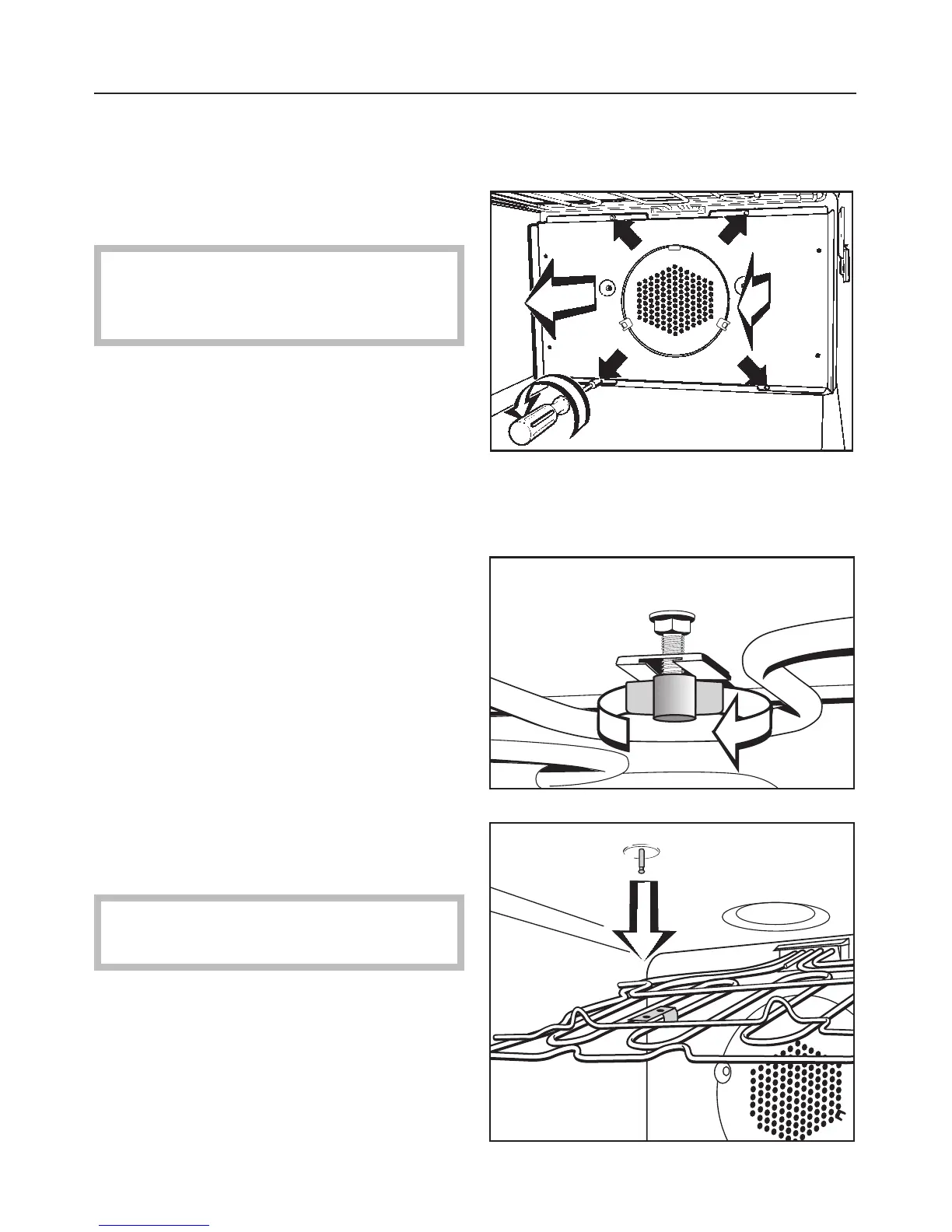
Loosen the screws in the rear panel
and remove the panel.
The oven must not be used without
the back panel fitted. This could
lead to injuries.
Reassemble in the reverse order,
ensuring all parts are correctly in place.
Lowering the upper heating element
^ First remove the runners.
^ Loosen the wing nut.
^
Gently lower the upper heating
element.
Do not use force to lower it, as this
could cause damage.
^
Reassemble in the reverse order,
ensuring all parts are correctly in
place.
Cleaning
59



 To Next Page