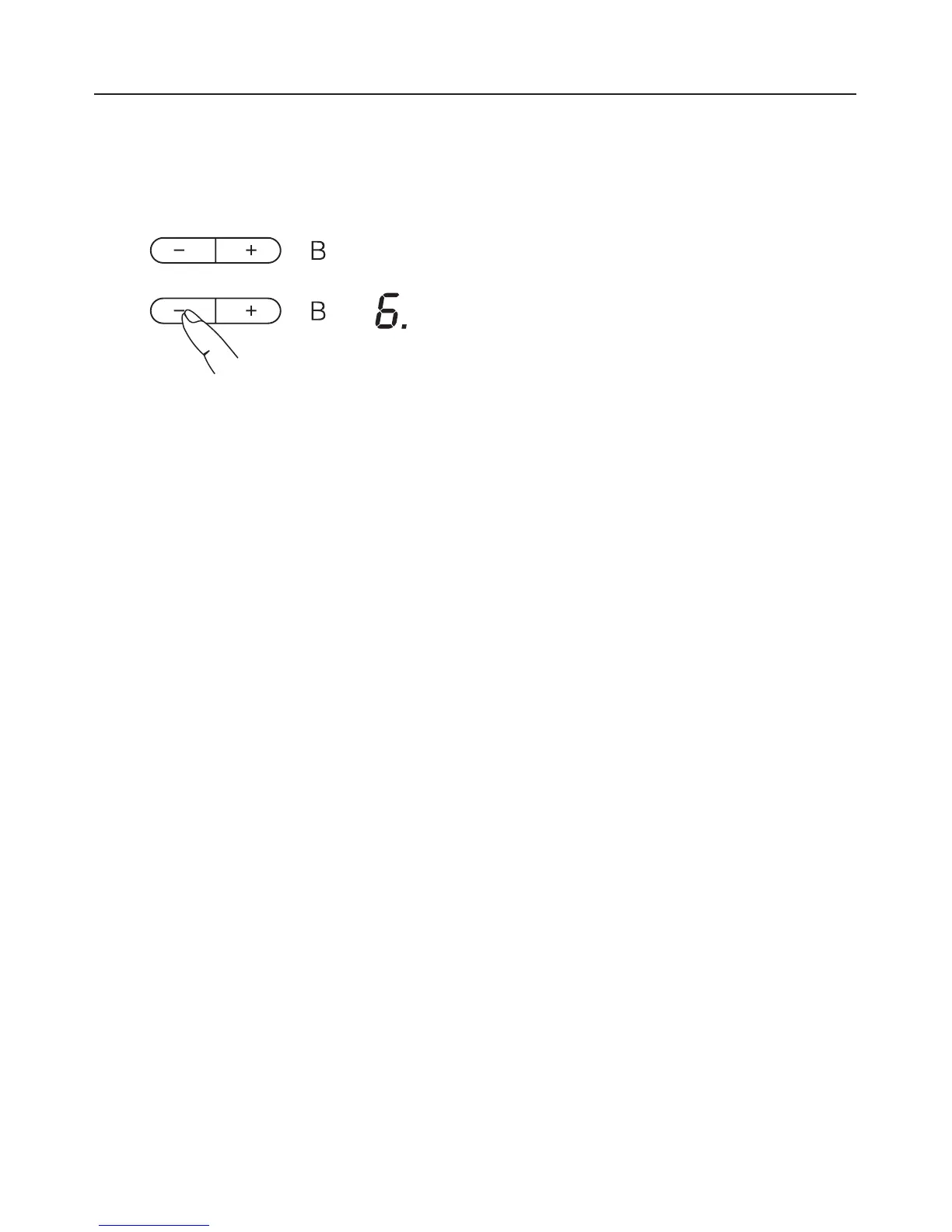
How to activate Auto heat-up
^
Press the - sensor until the required
continued cooking setting appears,
e.g. 6.
During the heat-up time a dot will light
up to the right of the continued cooking
setting, and go out at the end of it.
At any point during the Auto heat-up
time you can use - or + to lower or
increase the continued cooking setting.
The Auto heat-up time will alter
accordingly.
In the extended range of settings (see
"Programming - P6."), A flashes
alternately with the continued cooking
setting until the heat-up time has
finished.
Operation
31



 To Next Page