Auto heat-up
Continued
cooking setting*
Heat-up time
in minutes and
seconds
(approx.)
1 0:15
1. 0:15
2 0:15
2. 0:15
3 0:25
3. 0:25
4 0:50
4. 0:50
5 2:00
5. 5:50
6 5:50
6. 2:50
7 2:50
7. 2:50
8 2:50
8. 2:50
9-
* The continued cooking settings with
a dot after the number are only
available if the power level range has
been extended (see "Programming").
When Auto heat-up has been activated,
the cooking zone switches on
automatically at the highest setting and
then switches to the continued cooking
setting which you have previously
selected. The heat-up time depends on
which continued cooking setting has
been chosen (see chart).
Taking a pan off the zone whilst Auto
heat-up is in operation interrupts the
Auto heat-up. It will resume if a pan is
placed back on the zone within 3
minutes.
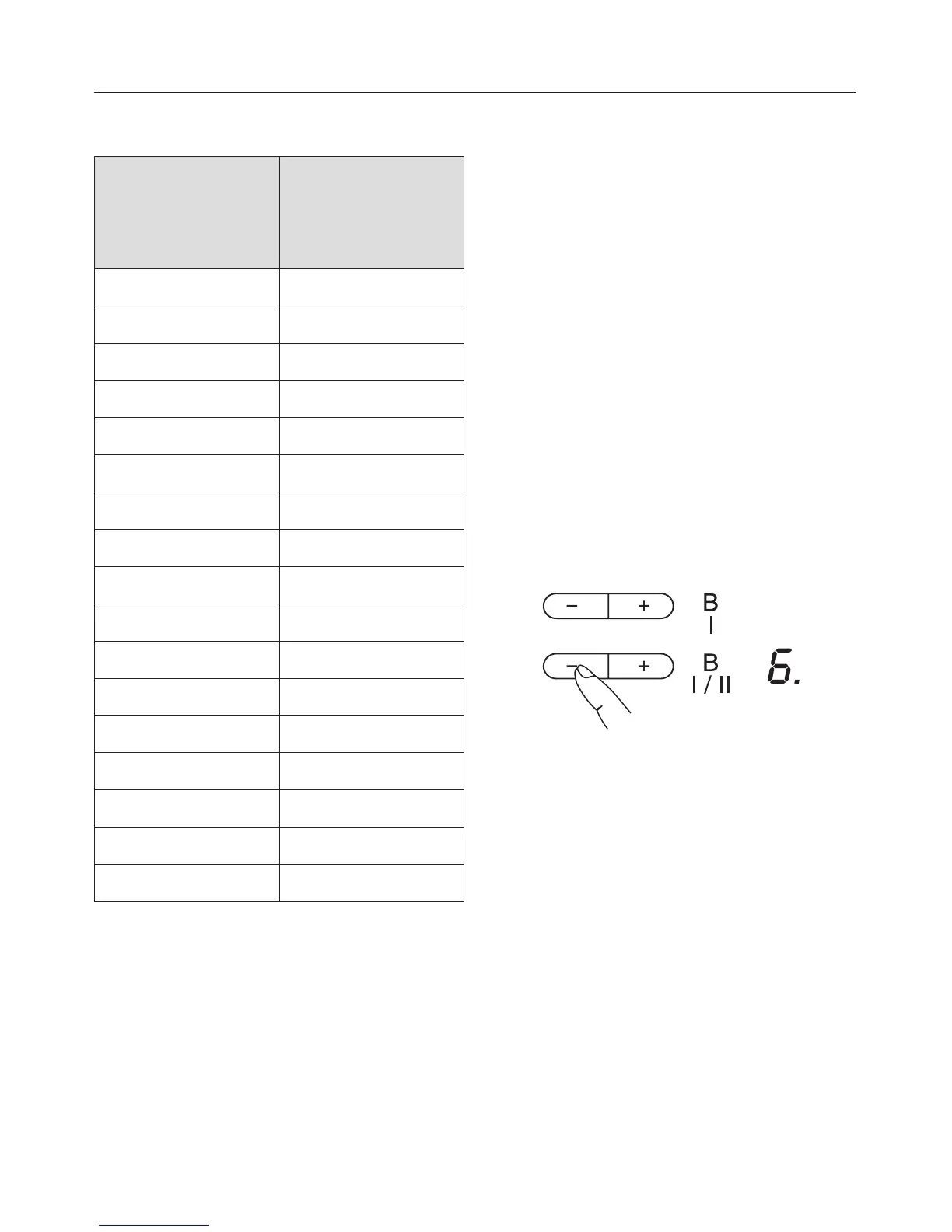
To activate Auto heat-up
^ Press the - sensor until the required
continued cooking setting appears,
e.g. 6.
During the heat-up time an indicator
lamp to the right of the continued
cooking setting will light up, and go out
at the end of it.
At any point during the Auto heat-up
time you can use - or + to lower or
increase the continued cooking setting.
The Auto heat-up time will alter
accordingly.
In the extended range of settings (see
"Programming - P2"), A flashes
alternately with the continued cooking
setting until the heat-up time has
finished.
Use
33


 To Next Page