Appliance description
13
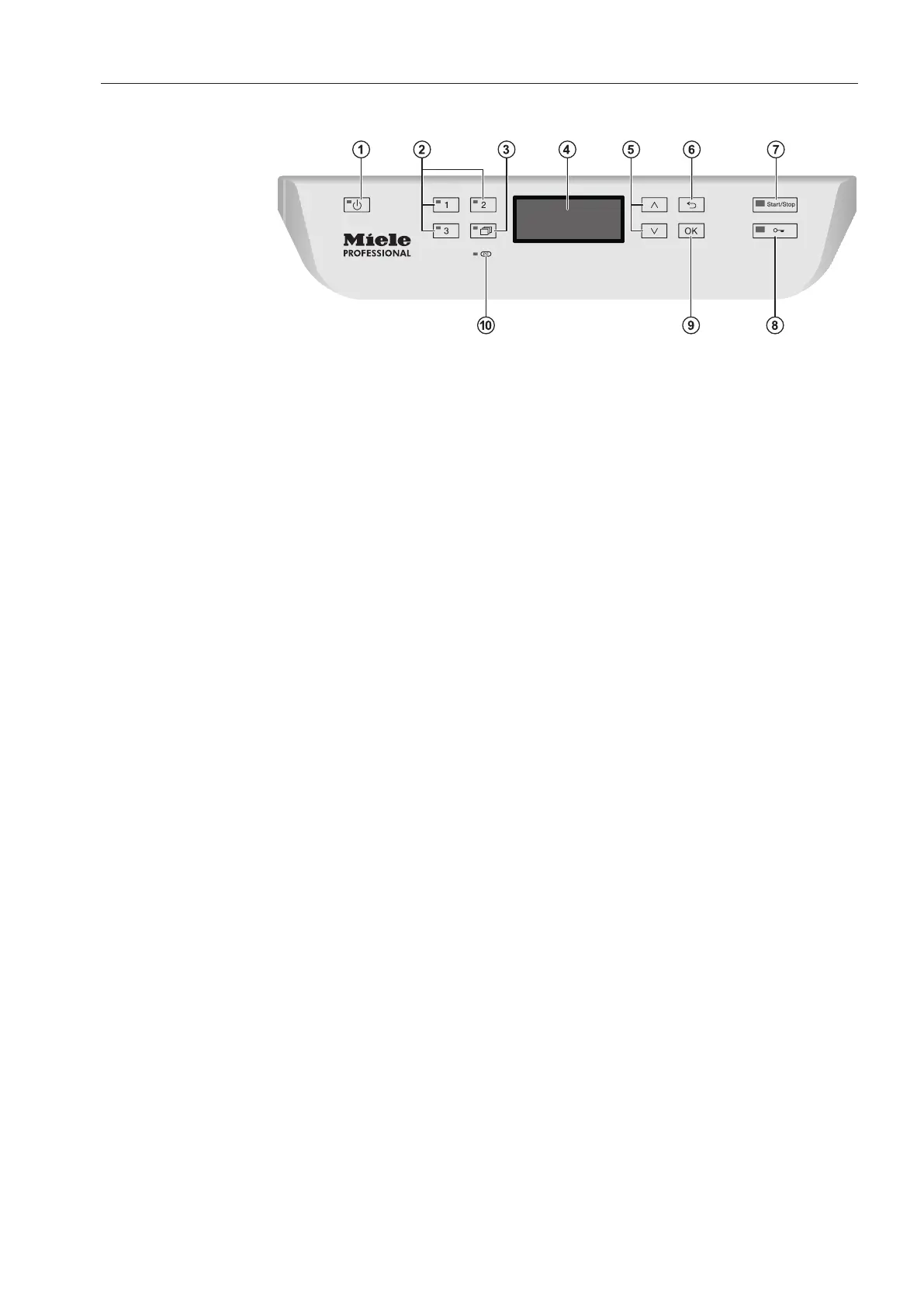
Control panel
a
button (On/Off)
For turning the dishwasher on and off
b
Buttons 1 - 3 (program selection buttons)
Shortcut buttons for storing favorite programs
c
button (additional programs)
For selecting additional programs
d
Display
User interface output
e
and button (arrow buttons)
Navigation in user interface
f
button (cancel or back)
For canceling a process in the user interface
(not for canceling programs)
g
Start/Stop button
For starting or cancelling a program
h
button (door release)
For opening the door or interrupting a program
i
OK button (confirmation)
For selecting or confirming entries in the user interface
j
Optical interface
Testing and transmission point for Miele customer service techni-
cians.



 To Next Page