Regulating the suction
^
Switch on the vacuum cleaner.
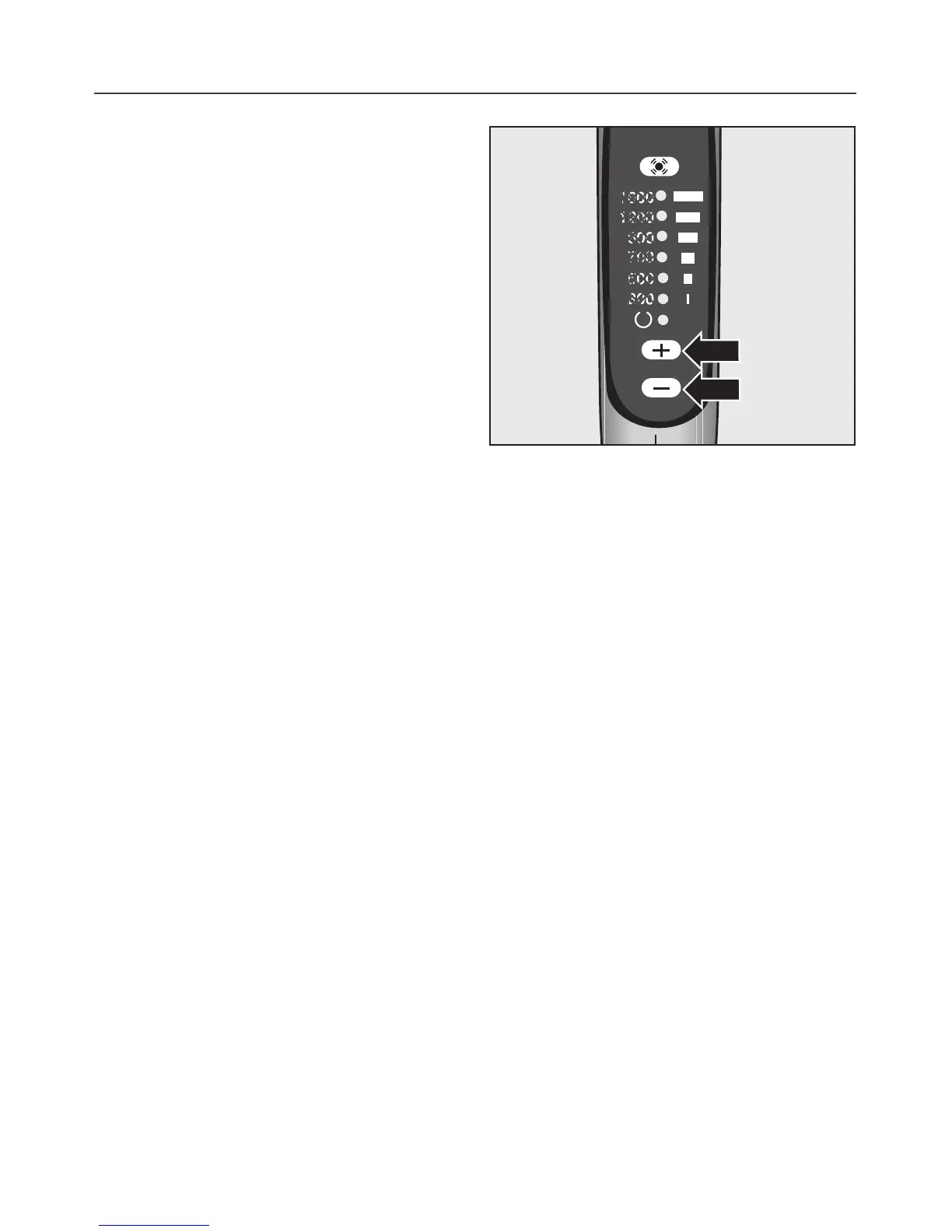
Use the p and m on the hand-piece
to regulate the suction to suit the type
of flooring.
The higher the wattage the more pow
-
erful the suction.
Setting 9 = no suction
Low setting = weak suction
High setting = strong suction
The symbols on the controls of your
vacuum cleaner indicate the type of
use the settings are suitable for.
a= curtains, lightweight fabrics
b= upholstery, cushions
c= thick pile carpets, rugs and
runners
d= for energy-saving daily use
e= lightly soiled textured carpets
f= textured hard flooring, and for
intensive cleaning of carpets
Use
20



 To Next Page