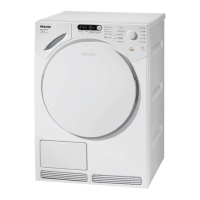
To access programmable
functions
The programmable functions are
accessed via the
Start/Stop
button
and the programme selector.
Before you begin, first ensure that:
–
The tumble dryer is switched off.
–
The door is closed properly.
A Press the
Start/Stop
button and keep
it pressed in whilst carrying out steps
B to C.
B Press the
I-On/0-Off
button in.
Wait until the indicator light for the
Start/Stop
button lights up constantly . .
.
C . . . and then release the
Start/Stop
button. The following will appear in
the display:
Language F ...
To select a programmable
function
D Turn the programme selector until the
programmable function you require
appears in the display.
E Press the
Start/Stop
button to confirm
your selection.
To alter a programmable
function
You can see the different options
available for a programmable function
by turning the programme selector.
The option which is currently set will
have a tick L beside it.
F Turn the programme selector until the
option you want appears in the
display.
G Press the
Start/Stop
button to
activate this option.
To come out of programmable
functions
H Turn the programme selector until
Back
A appears in the display.
I Press the
Start/Stop
button.
Language J
The display can be set to appear in
one of several different languages.
The flag J after the word
Language
acts as a guide to prevent a language
which will not be understood from
being set.
The language selected is saved to
memory.
Programmable functions
48


 To Next Page