Guide to the washer
8
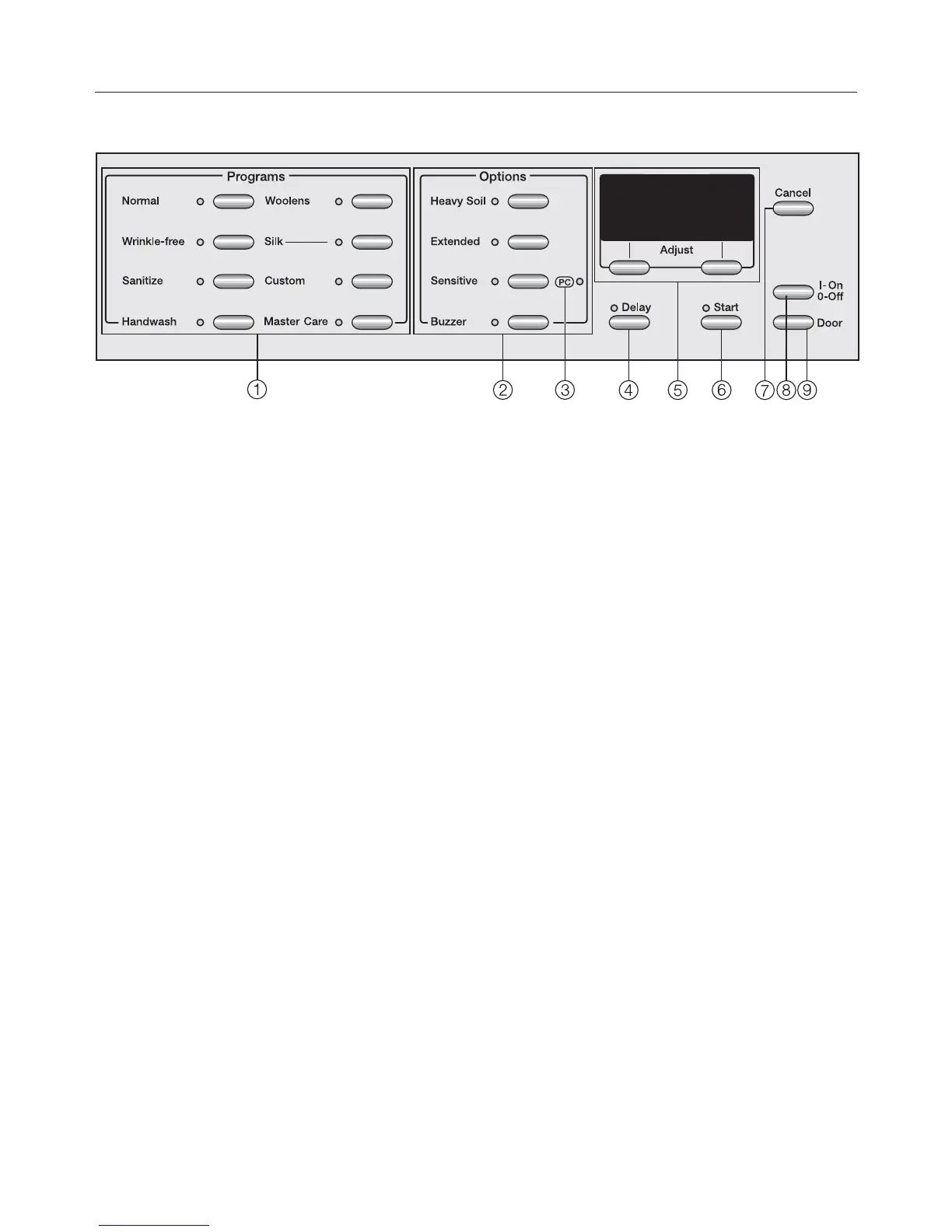
Control panel
a
Program buttons
To select a wash program
b
Option buttons
Special features to enhance a wash
program
c
PC Indicator
Allows a service technician to check
and update the wash programs
d
Delay Start button
To delay the start of a program
e
Display with Menu buttons
See more information on the
following pages
f
Start button
Starts the selected wash program
g
Cancel button
Switches back to the previous menu
during program selection or cancels
the running program
h
On/Off button
Turns the machine on and off
i
Door button
Opens the drum door


 To Next Page