Before using for the first time
22
Settings for compartment
The UltraPhase2 values are preset in
the standard settings.
After the cartridge has been pushed in,
the display message switches to:
Confirm with the OKsensor control.
Confirm with the OKsensor control.
The dispensing quantity for
UltraPhase2 is preset for (hardness
level II).
Confirm the preset value with the
OKsensor control. If you want to
change this value, use the
sensor controls and confirm with
the OK sensor control.
UltraPhase2
Hardness level I 36ml
Hardness level II 45ml
Hardness level III 54ml
The following will appear in the display:
Insert
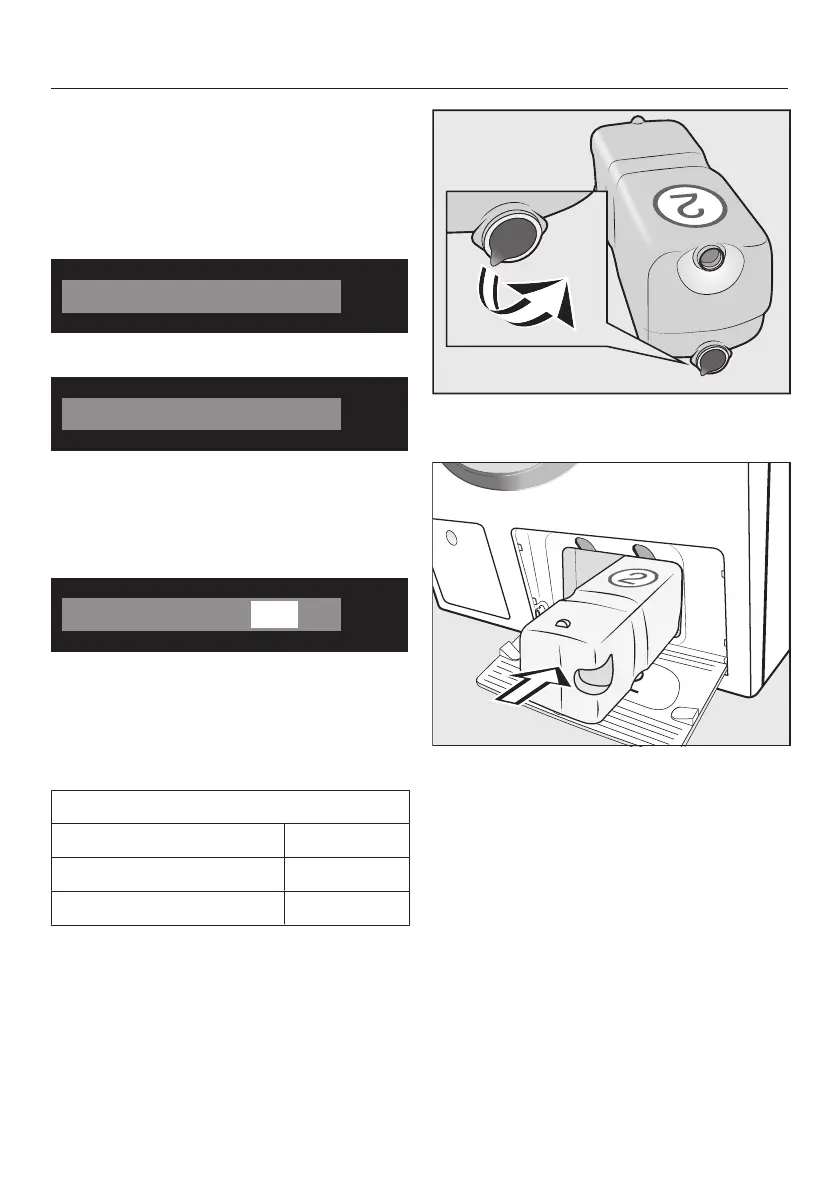
Remove the film from the detergent
cartridge.
Push the UltraPhase2 detergent
cartridge into compartment2 until it
locks into position.
When the cartridge is pushed in, the
display message switches to:
"TwinDos" is set. Can be changed in "Set-
tings".
Confirm with the OK sensor.
Close the TwinDos access panel.



 To Next Page