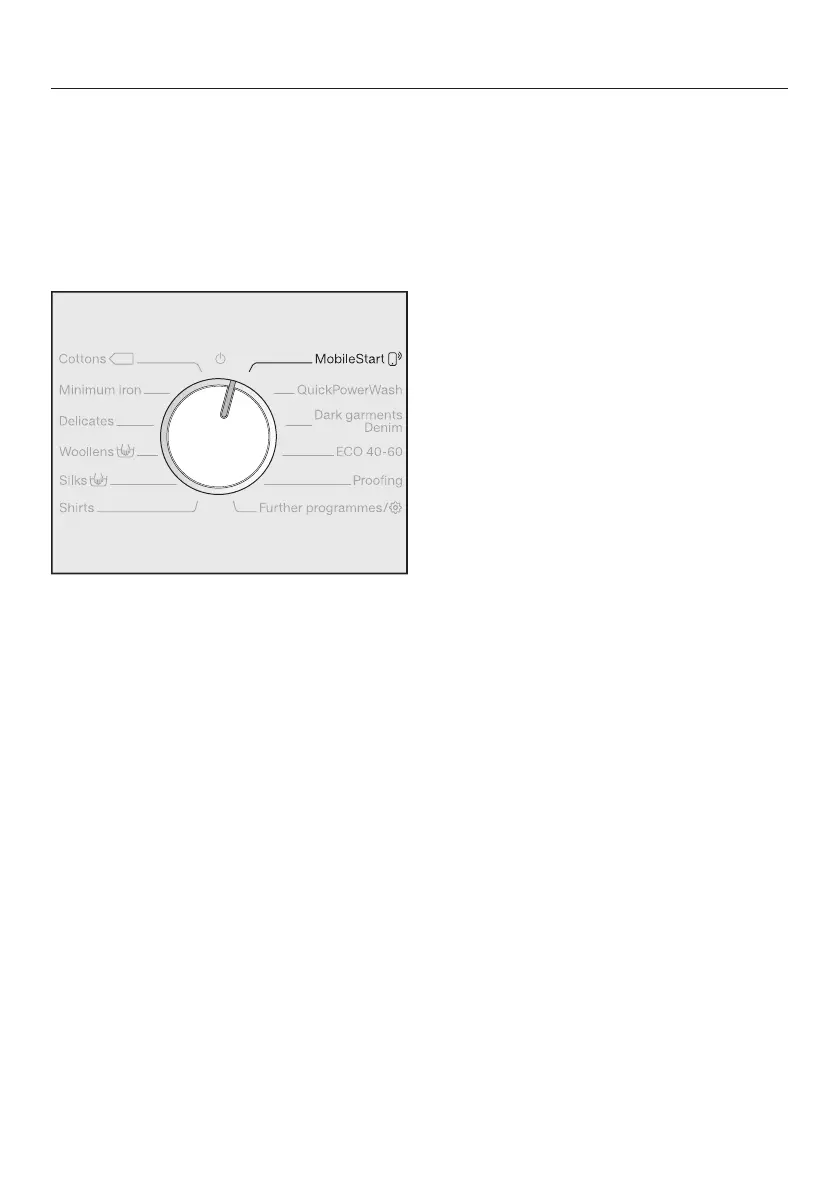
2. Select a programme
27
3. Selecting programmes via the Mo-
bileStartprogramme selector pos-
ition and the Miele@mobile app
Tip: In order to use MobileStart, the
washing machine must be logged on to
the WiFi network and Remote control
must be switched on.
Turn the programme selector to the
MobileStartposition.
The following appears in the display:
Load laundry, close the door and press
"Start". Appliance can be remotely con-
trolled
Follow the instructions in the display
and start the programme.
The following appears in the display:
MobileStart
The washing machine can now be oper-
ated with the Miele@mobile app.



 To Next Page