QUICKGUIDE OMEGA
2
BASIC II
UK
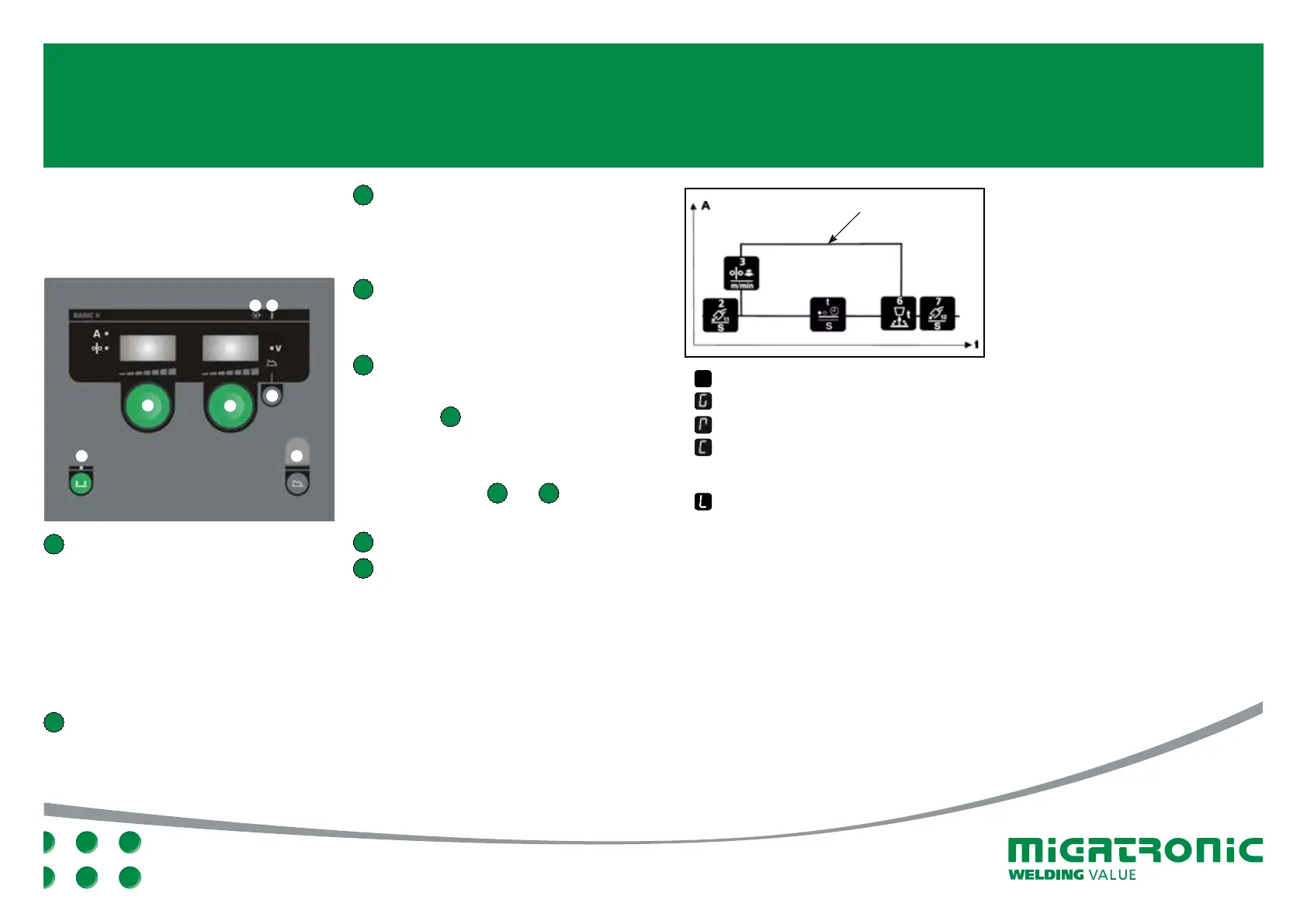
3 Control knob
Setting the arc voltage. If the key
for secondary parameters is active,
it is possible to trim the secondary
parameters.
4 Wire feed speed and arc length
Press the key and turn the control knobs
until the desired wire feed speed and arc
length are achieved.
5 Secondary parameters
Press the key until the desired
parameter is shown on the display.
Press key 4 briefly to finish.
Lock function
(under secondary parameters)
Lock/unlock secondary parameters
by pressing keys 1 and 4
simultaneously.
A Welding voltage
B Warning – overheating
BASIC II CONTROL PANEL
I. Switch on the machine
II. Set wire feed speed
III. Set arc voltage
1 Selecting trigger mode
Change between 2-stroke (indicator off)
and 4-stroke (indicator on).
2-stroke: The welding process starts
when the torch trigger is activated and
ends when the torch trigger is released.
4-stroke: The welding process starts
when the torch trigger is activated
and released, and ends when the torch
trigger is activated again.
2 Control knob
Setting the wire feed speed and inching
speed during wire inching.
Arc adjust (electronic choke)
GAS
Remote control
Cooling Press and hold down 4-stroke key (1)
to activate/deactivate cooling using control
knob 3 (Omega
2
400/550 only)
Lock funktion
Set welding current (A)
Soft start
(m/min.)
Gas
pre flow (t)
Burnback
Gas post
flow (t)
1
2
B
1
A
4
3
5
Spot time (s)




 To Next Page