EasyManua.ls Logo

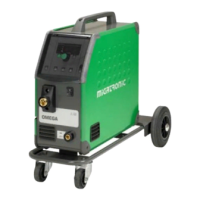
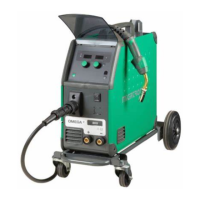
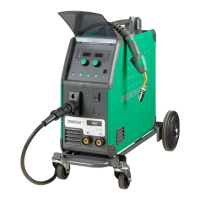
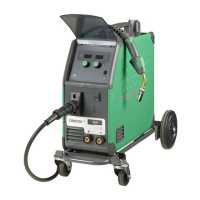
Migatronic OMEGA3 YARD 300 - User Manual

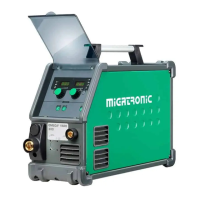
Migatronic OMEGA3 YARD 300
114 pages
Go to English
Print Icon
To Next Page IconTo Next Page
Loading...
BRUGSVEJLEDNING
USER GUIDE
BETRIEBSANLEITUNG
GUIDE DE L’UTILISATEUR
BRUKSANVISNING
GUIDA PER L’UTILIZZATORE
GEBRUIKERSHANDLEIDING
YTTÖOHJE
VOD K OBSLUZE
PODRĘCZNIK UŻYTKOWNIKA
KEZELÉSI ÚTMUTA
OMEGA
3
YARD 300
50115024 C2 Valid from 2017 week 20

Questions and Answers

  • L
    Laurie BradyAug 17, 2025
    What to do if Migatronic OMEGA3 YARD 300 Welding System shows Err GAS?
    • D
      Dale DixonAug 17, 2025
      If your Migatronic Welding System displays an 'Err GAS' message, the suggested solution is to check the gas supply. You can cancel the gas fault by briefly pressing any key.
  • D
    Diana FrankAug 19, 2025
    What to do if Migatronic OMEGA3 YARD 300 displays E20-00 E20-02 E21-00 E21-06 E21-08?
    • D
      Denise BarberAug 19, 2025
      If your Migatronic Welding System displays error codes E20-00, E20-02, E21-00, E21-06, or E21-08, download the Omega software to the SD card, then insert the SD card into the control unit and turn on the machine. If the problem persists, replace the SD card.
  • O
    ogonzalezAug 22, 2025
    What to do if Migatronic OMEGA3 YARD 300 Welding System displays E20-01 E21-01?
    • N
      Nathan MilesAug 22, 2025
      If your Migatronic Welding System displays error codes E20-01 or E21-01, it may be because the SD card is not formatted. Format the SD card in a PC as FAT, and then download the Omega software to the SD card. If necessary, replace the SD card.
  • S
    Shawn McgeeAug 25, 2025
    What to do if Migatronic OMEGA3 YARD 300 displays E20-03 E21-02?
    • A
      Amanda Decker MDAug 26, 2025
      If your Migatronic Welding System shows error codes E20-03 or E21-02, this indicates that the SD card has multiple files with the same name. To resolve this, delete the files on the SD card and reload the software.
  • K
    Kathryn McfarlandAug 28, 2025
    What to do if Migatronic OMEGA3 YARD 300 displays E20-04?
    • K
      Kenneth HunterAug 28, 2025
      If your Migatronic Welding System displays error code E20-04, it means the control unit has tried to load more data than available memory. Try reinserting the SD card or replacing it. If the issue continues, further assistance is needed.
  • T
    Tiffany ColonAug 31, 2025
    What to do if Migatronic OMEGA3 YARD 300 displays E20-10 E21-07?
    • J
      Jessica JohnsonAug 31, 2025
      If your Migatronic Welding System displays error codes E20-10 or E21-07, the loaded file is defective. Try reinserting the SD card, or replace it.
  • R
    Ross StanleySep 2, 2025
    What to do if Migatronic OMEGA3 YARD 300 Welding System displays E21-03 E21-04?
    • B
      bradleyshawnSep 2, 2025
      If your Migatronic Welding System displays error codes E21-03 or E21-04, it indicates that the welding program package does not match this control unit. Use an SD card with software that matches your type of control unit.
  • V
    Victoria MeyersSep 5, 2025
    What to do if Migatronic Welding System displays E20-05 E20-06?
    • H
      haynesdawnSep 5, 2025
      If your Migatronic Welding System displays error codes E20-05 or E20-06, the software on the SD card is locked for another type of control unit. Use an SD card with software that matches your type of control unit.
  • R
    robertsontanyaSep 7, 2025
    What to do if Migatronic Welding System displays E02-04?
    • S
      Sarah AdamsSep 7, 2025
      If your Migatronic Welding System displays error code E02-04, check the intermediary cable/plug.
  • G
    garythompsonSep 12, 2025
    What to do if Migatronic Welding System displays E20-07?
    • C
      Clifford GarciaSep 12, 2025
      If your Migatronic Welding System displays error code E20-07, the internal copy protection does not allow access to the micro-processor. Reinsert the SD card into the machine.

Summary

Connection and start-up

Permissible installation

General guidelines for installing the machine safely and correctly.

Mains connection

Instructions on how to connect the machine to the main power supply.

Connections and Gas Flow

Details on connecting gas, torch, wire feed, and polarity.

Switch on, press, weld

Steps for starting the welding process, including program selection and parameter adjustment.

Special functions

Menu Navigation and Parameter Settings

How to navigate menus and adjust parameters for special functions.

Troubleshooting Guide

Fault symbols

Icons and their meanings indicating specific faults or conditions.

Temperature fault

Explanation of the temperature fault indicator and how to resolve it.

Migatronic OMEGA3 YARD 300 Specifications

General IconGeneral
Mains voltage3x400V
Mains frequency50/60 Hz
Mains fuse16 A
Protection classIP23
Duty Cycle60%
StandardsEN/IEC 60974-1, EN/IEC 60974-10

Related product manuals