19
GRN
WHT
BAT+
AUTO
CLOSE
RESET
PULL
STAGGER
WARNING
BAT–
GRN
WHT
RED
BLK
RED
BLK
COM
COM
CYCL
SAFE
EXIT
SHDW
AUX
V+
AUX
V-
LOCK
V+
LOCK
V-
CLOSE
EDGE
OPEN
EDGE
PRIMARY
SECONDARY
LOCK AUX
SW1
SW2
PUSH
12345
+
TERM6
GRN
WHT
BAT+
BAT–
RED
BLK
SECONDARY
SW1
SW2
TERM6
BLACK– RED+
+
+
–
–
BLACK– RED+
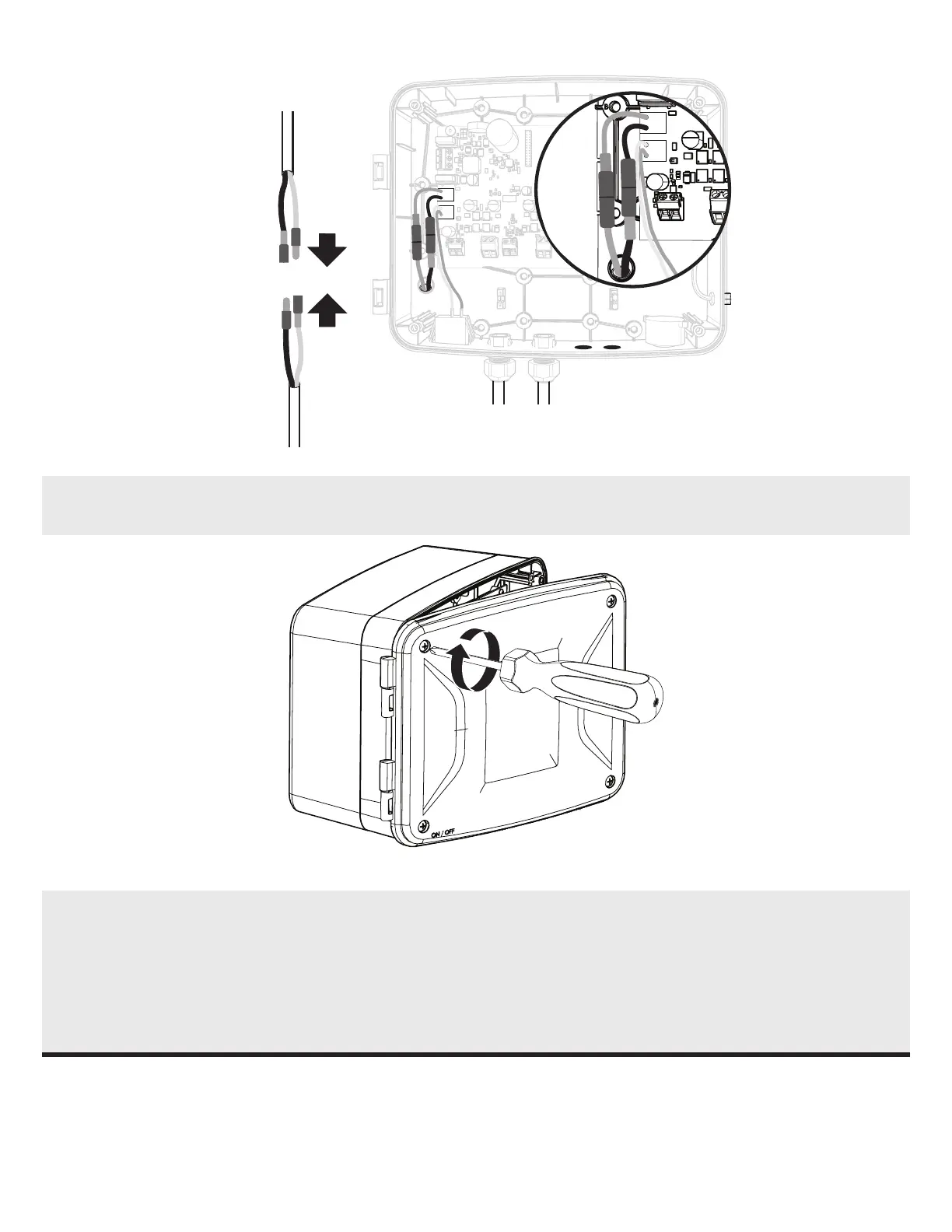
6. Connect the harness (Red+ to Red+) and (Black– to Black–).
7. Align the hinges of the Control Box cover, then close the cover.
NOTE: For MM371W, MM372W and TS571W, the Control Box and Cover can be attached to the Battery Enclosure Kit. In this
situation, the provided Battery Enclosure Kit Cover may be discarded.
8. Secure the cover with the four provided screws.
If desired, the battery enclosure can also be installed separately from the control box. To do so, simply follow steps outlined
for the MM272.


 To Next Page