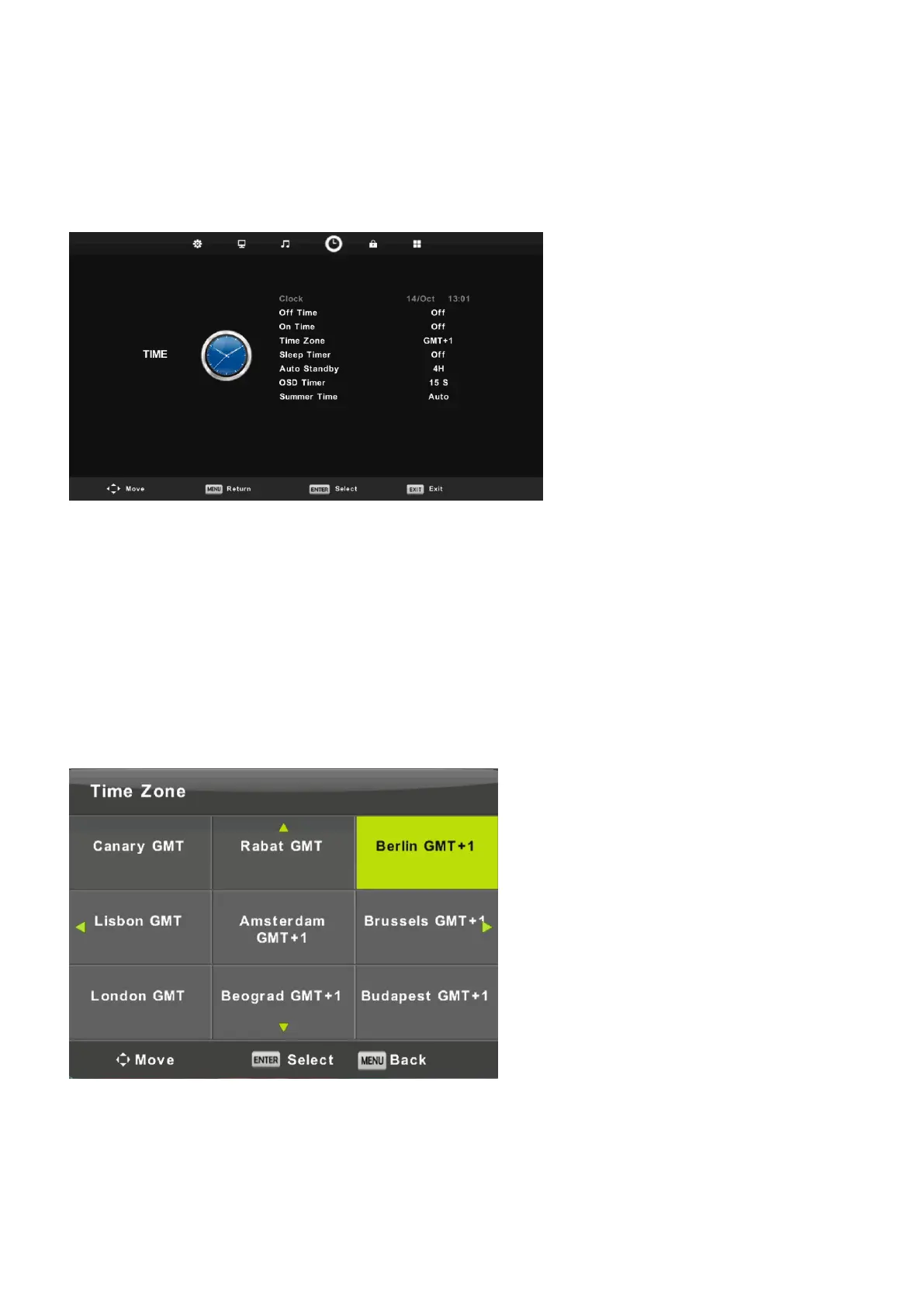
Time Menu
Press MENU button to display the main menu.
Press ◄ / ► button to select TIME in the main menu.
1. Press ▼ / ▲ button to select the option that you want to adjust in the TIME menu.
2. Press Enter button l to adjust.
3. After finishing your adjustment, Press Enter button to save and return to the previous menu.
22
Time Zone Press ▼ / ▲ button to select Time Zone, then press Enter button to enter sub-menu.
Press ▼ / ▲ / ◄ / ► button to select time zone.
Off Time Press ◄ / ► button to select On/Off.
On Time Press ◄ / ► button to select On/Off.



 To Next Page