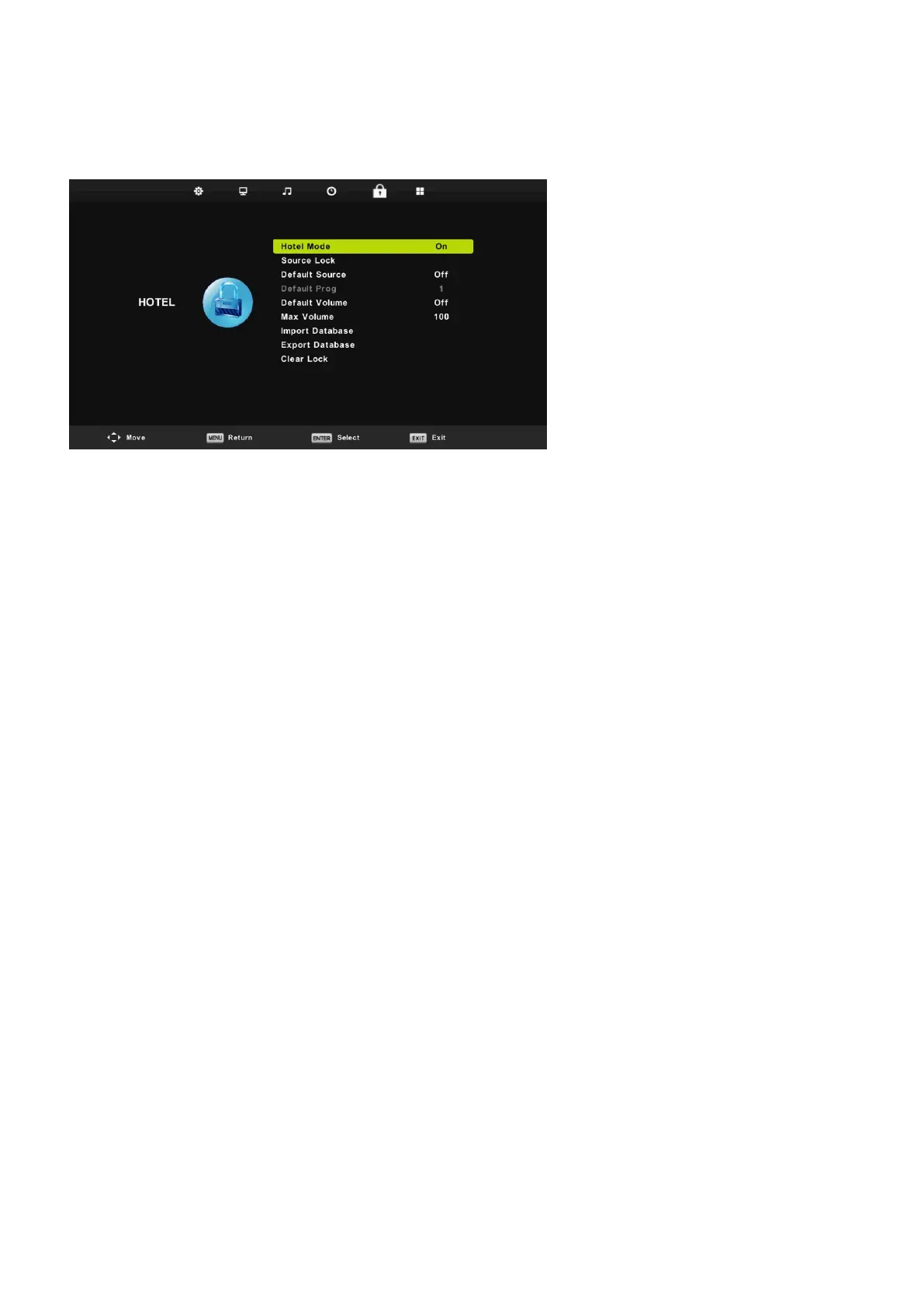
Hotel Mode
26
1. Press ▼ / ▲ button on the remote control to select hotel mode in the Lock menu.
2. Press Enter button on the remote control to enter the sub-menu.
3. After finishing your adjustment, Press MENU button to save and return back to the previous menu.
Hotel Mode
Press ▼ / ▲ button to select Hotel Mode, then press ◄ / ► button to select on or off.
Source Lock
Press ▼ / ▲ button to select Source Lock to lock the source you want,
then press Enter button to enter sub-menu to select.
Default Source
Press ▼ / ▲ button to select Default Source, then press Enter button to enter sub-menu to select.
Default Prog
Press ▼ / ▲ button to select Default Prog, then press ◄ / ► button to adjust.
It is available when the default source is TV.
Max Volume
Press ▼ / ▲ button to select Max Volume, then press ◄ / ► button to adjust.
Clear Lock
Press ▼ / ▲ button to select Clear Lock, then press Enter button to clear the setting you have done before.


 To Next Page