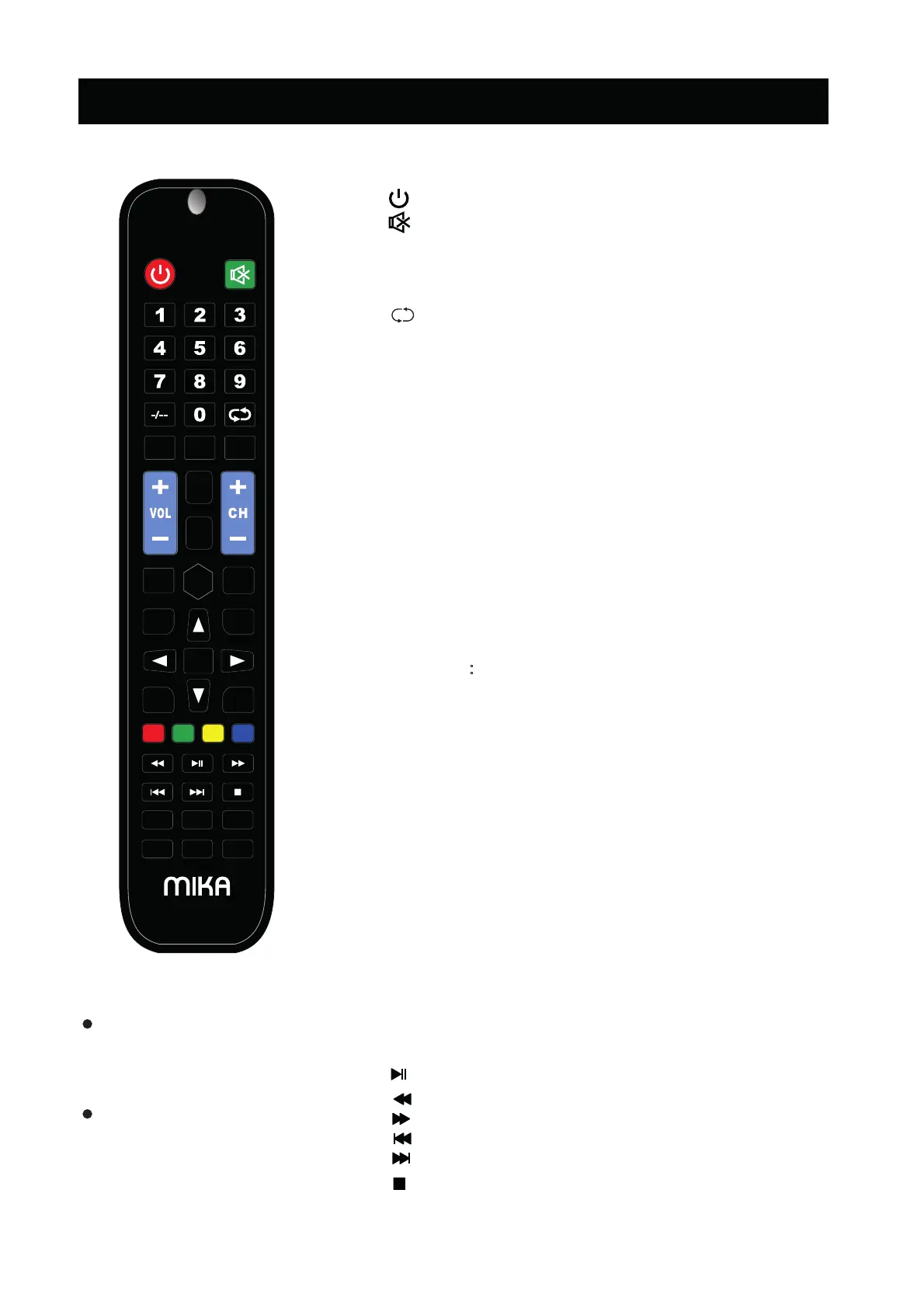
REMOTE CONTROL
The buttons of the original re mote control are as following:
7
Definition of the buttons on remote control:
1.
: Enter or quit the standby mode.
6.
: Change the channel bits want to input.
2. : Mute or restore sound.
4. NUMBER BUTTONS: Use to choose channels.
8.
10.
Press to cycle through
the available video
picture mode.
13.
Press to cycle through the different sound
14.
Press to display/disappear the on screen
15. Select or confirm menu item.
16.
▲/▼/◄/►: Select direction.
17.
18.
26.
EPG: Call up the EPG (Electronic Program Guide) ,using in the
settings.
SLEEP: Set the sleep timer.
20.
3. COLOR BUTTONS: Red/green/yellow/blue key
navigation link.
:
Fast reverse (in MEDIA mode)
: Fast forward (in MEDIA mode)
: Previous (in MEDIA mode)
: Next (in MEDIA mode)
35.
: Stop (in MEDIA mode)
NOTE:
All pictures in this manual are
examples, onl
y
for reference,
actual product may dier from the
pictures.
The buttons not mentioned
here are not used.
30. : Play / Pause (in MEDIA
mode)
: Display the current program information on the screen.
P.MODE:
9.
S.MODE:
MENU:
OK:
menus or to quit some operations.
EXIT: Quit the current interface.
VOL+/VOL-: Increase/Decrease audio volume.
CH+/CH-: Scroll to next/previous channel.
19. ASPECT: Adjust displayable aspect ratio.
24.
21.
27.
28.
29.
DISP
HOLD:Hold the teletext page on display press again to release .
INDEX:
Go to index page/
Enter the Recorded list.(In PVR mode).
: Return to last viewed program.
5.
- /--
12.
AUDIO: Switch between NICAM DUAL /NICAM
DUAL / NICAM DUAL + /MONO and switch
Audio language in DTV mode .
7. REC: To start recording(In PVR Mode).
INPUT:
Enter the source mode.
11.
FAV:Display the favorites program.
22.
23.
25. REVEAL: Reveal the hidden information of some teletext pages.
31.
32.
33.
34.
TEXT:Enter the Teletext, press again for MIX mode, press
this button again to exit .
DTV mode.
SIZE: Change the size of Teletext screen in display mode.
SUBTITLE: Enter subtitle mode.
SUBPAGE: Enter the subpage.
OK
--/- --/-
AUDIO
EXITMENU
INPUT
DISP
P.MODE S.MODE SLEEP
ASPECT
REC
INDEX
FAV
REVEAL EPG
TEXT
SUBTITLE
HOLD
SUBPAGE
SIZE



 To Next Page