38
TROUBLE SHOOTING
When you meet the following comm on problems, you might diagnose an d get the solutions without
contacting with the technicians.
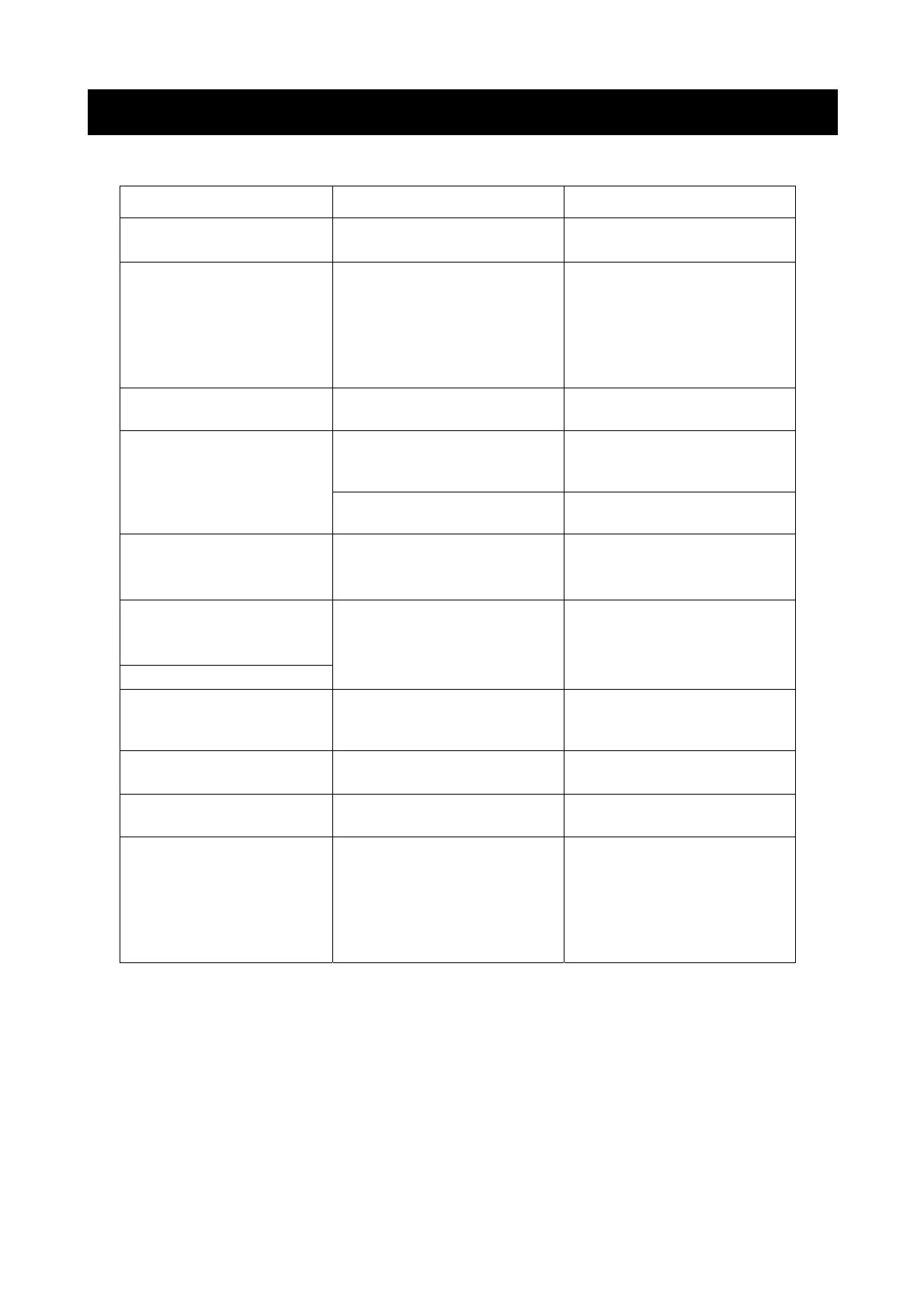
Symptoms Possible Reason Solutions
No picture, no sound, and no
indicator light on
The power cord is not connected
with AC power.
Connect the AC power cable with
100-240V AC power supply.
1.Adjust the value of Contrast,
sharpness, and color
1.Contrast, sharpness, and color
are set improperly
Picture and sound with
abnormity
2.Set the Color system to the
country broadcasting standard
2.Color system is set improperly
3.Sound system is set improperly 3.Set the Sound system to the
country broadcasting standard
Signal source is low-grade or the
signal cord is in a lower quality
Use the qualied signal cord Picture is spotted or with snow
Contrast, brightness, color and
volume are all in the minimum
value or TV is in mute mode.
Adjust the value of contrast,
brightness, color and volume
No picture, no sound and
indicator light is on
The signal cable is not correctly
connected.
Connect the signal cable correctly
There is no signal input or the video
cable is not connected or
incorrectly connected
Blue screen, AV or S-VIDEO is
displayed
Connect the video cable correctly
Picture is unclear or shaking or
with black horizontal strips (in
PC mode)
Select “Auto Adjust” item to
perform automatic calibration and
adjust “Phase” to solve the problem
PC picture is not correctly adjusted.
PC picture is not centered
There is no audio signal input or
audio cable is not connected
correctly
No sound Connect the audio cable correctly
PC picture display with improper
color
The color temp is adjusted
incorrectly by user
Readjust the color temp, or select
the original color setting
HDMI source, with snow pixel of
full screen
The source generate is not
standard
Plug the HDMI cable again
1.Make sure the positive and the
negative polarities are correct.
2.Check if there is a loose contact
between the batteries and the
springs
The remote control does not
work
Batteries are improperly installed or
exhausted
3.Replace the batteries
NOTE:
LCD TV is the product of advanced technology, it is consisted of more than 3,932,160 lm transistors,
and it can bring you with the perfect and vivid picture, but in a very ra re condition, there might be several
inactivated displayed on the screen xedly as blue s pot, green spot, red spot or black spot and white
spot, please notice, this p henomenon does not aect the any performance of the product.
The PC display mode is designed delic ately according to the standard model , also with the consideration
of the adapter in poor quality in the market, but the display quality might be aected by using such
adapter in poor quality.


 To Next Page
 Loading...